Save a flow answer onto the contact, including WhatsApp phone numbers
A flow agent can now save a customer's answer onto a contact or conversation field, and fill the phone of WhatsApp customers who chat by username.
Read inBahasa Melayu中文
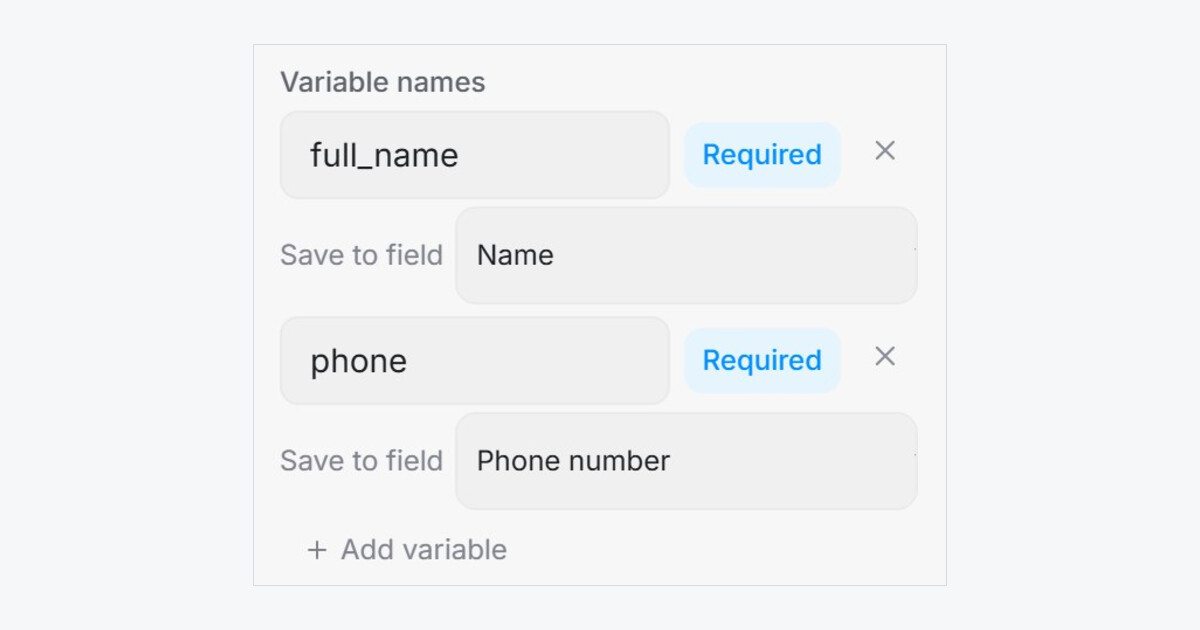
A flow agent can now save what a customer tells it straight onto their contact. Your team finds the name, phone or any detail you ask for on the contact, without copying it from the chat.
How do I save an answer onto a field?
- Open the flow agent's designer and click a Collect step.
- Under each variable, pick a Save to field: the contact's Name, Email or Phone number, a custom contact field or a custom conversation field.
- On an AI task, the same picker sits under Result variable.
The answer is saved after the customer's reply. A value that doesn't fit the field, such as text in a number field, is skipped.
What happens to WhatsApp customers who chat by username?
They reach you with no phone number. When your flow asks for it and saves it to Phone number, that number becomes their phone, so your team can call them.
- A phone the contact already has never changes.
- A number another contact already has is not saved.
- On WhatsApp Business app numbers, the number is first checked on WhatsApp.
A private note in the chat says what was saved, or why not.