What's new in Mampu AI
Every new feature in Mampu AI, the AI agent and shared inbox for WhatsApp, Instagram, Facebook and your other channels. Newest first, each with a step-by-step guide in the Help Centre.
Read inBahasa Melayu中文
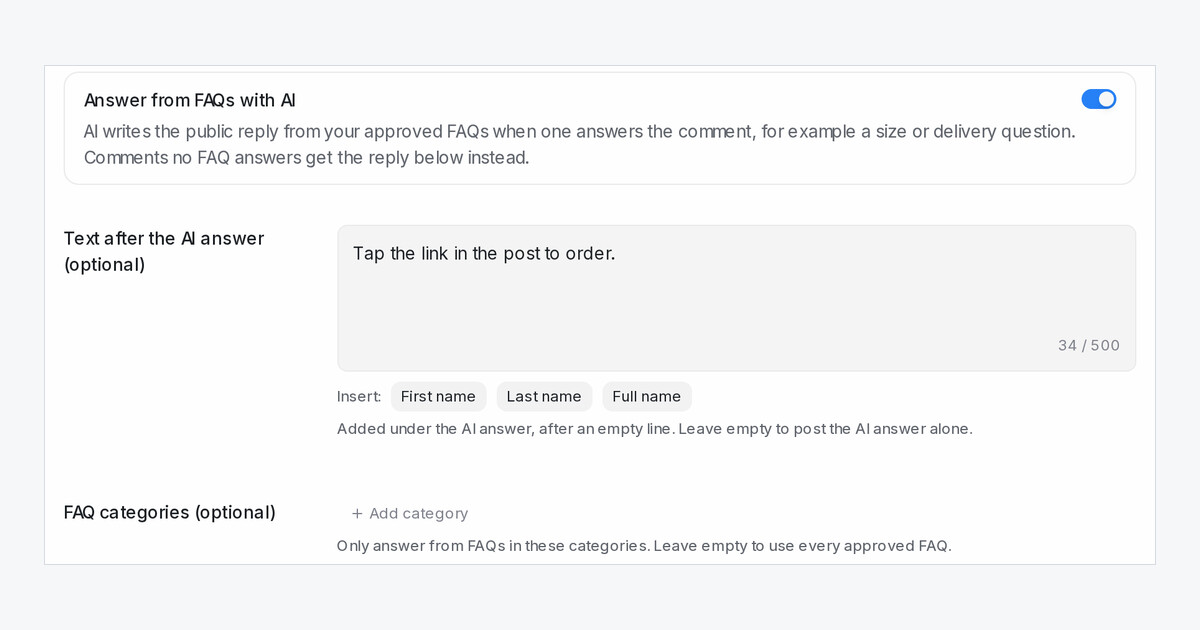
Comment replies can answer from your FAQs
A comment reply rule can now let AI answer the comment from your approved FAQs, on Facebook, Instagram and TikTok.
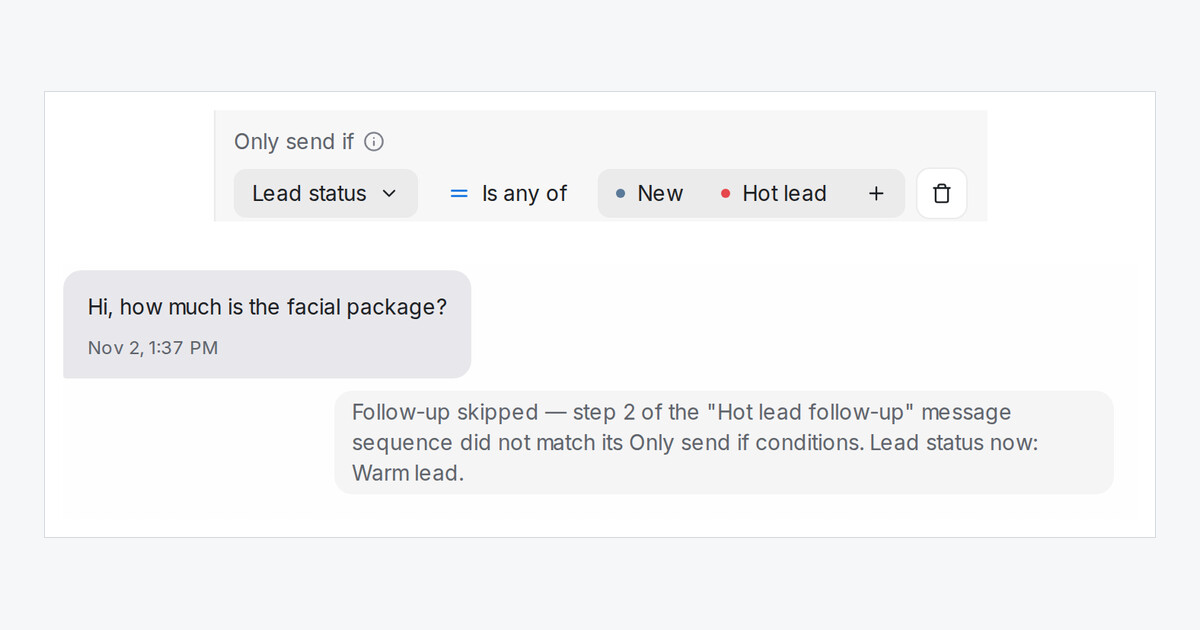
Read more: Comment replies can answer from your FAQsSend follow-ups only to leads in a chosen status
Message sequences, automation rules, folders, segments and blasts can now check a lead's Pipeline status, from New to Won and Lost.
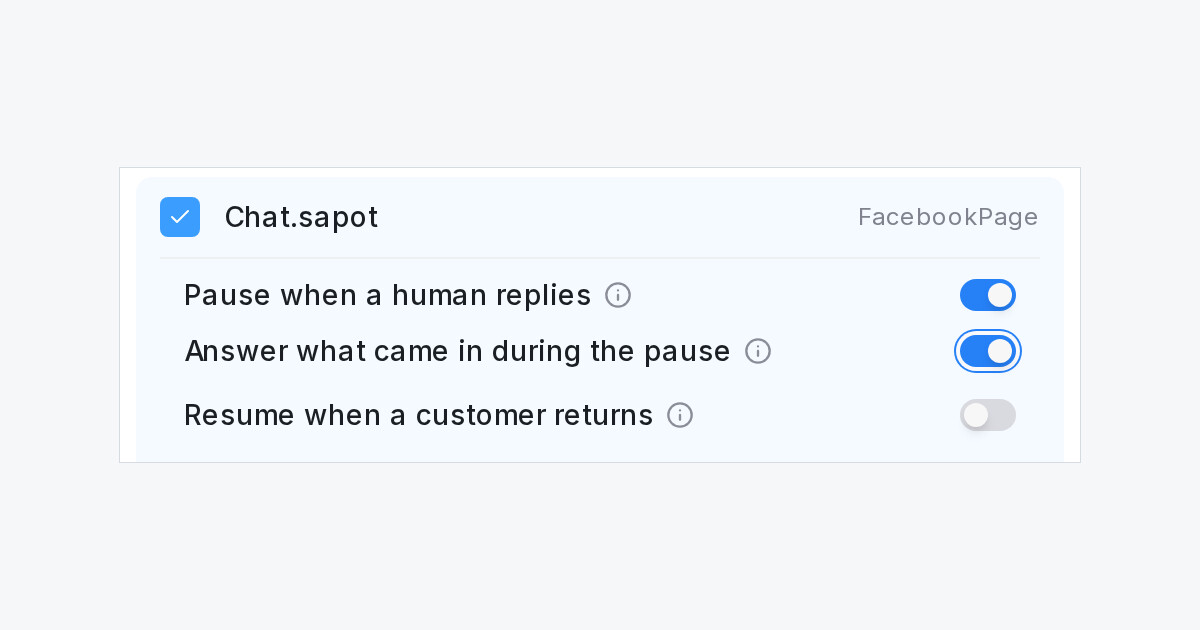
Read more: Send follow-ups only to leads in a chosen statusAnswer customers who wrote while the bot was paused
A new inbox switch. When the pause after your team replies ends, the flow agent answers the customer message that came in during it.
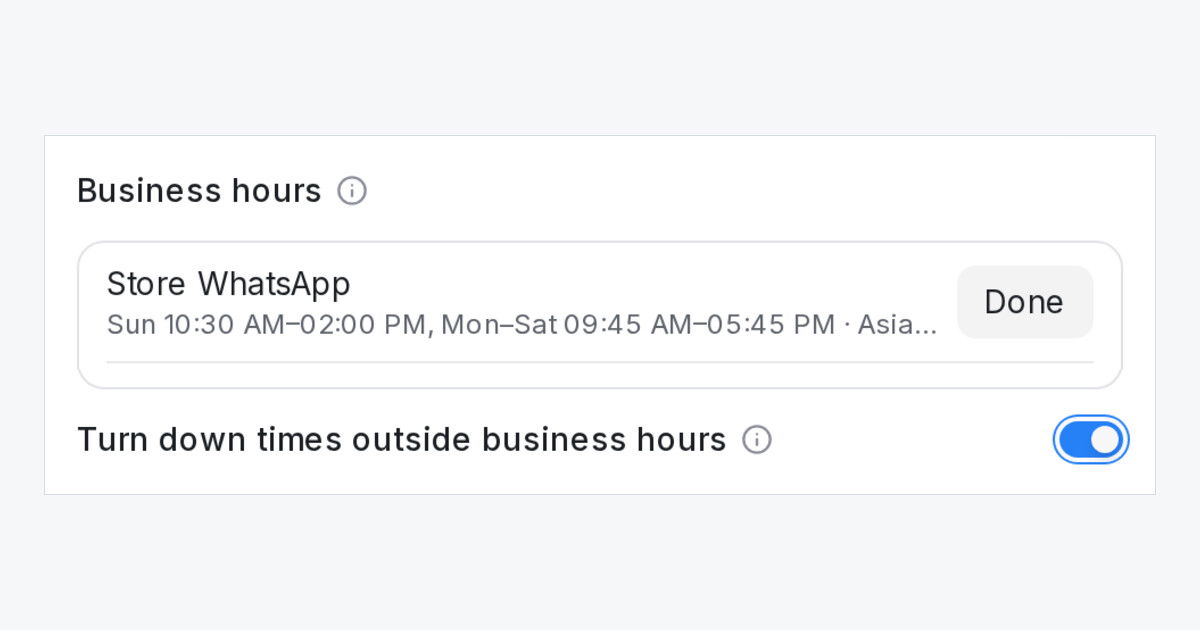
Read more: Answer customers who wrote while the bot was pausedTurn down order times outside your business hours
A new flow agent switch. When a customer asks for a time your shop is closed, the bot gives that day's hours and asks for another time.
Read more: Turn down order times outside your business hoursBuild your own dashboards under Reports
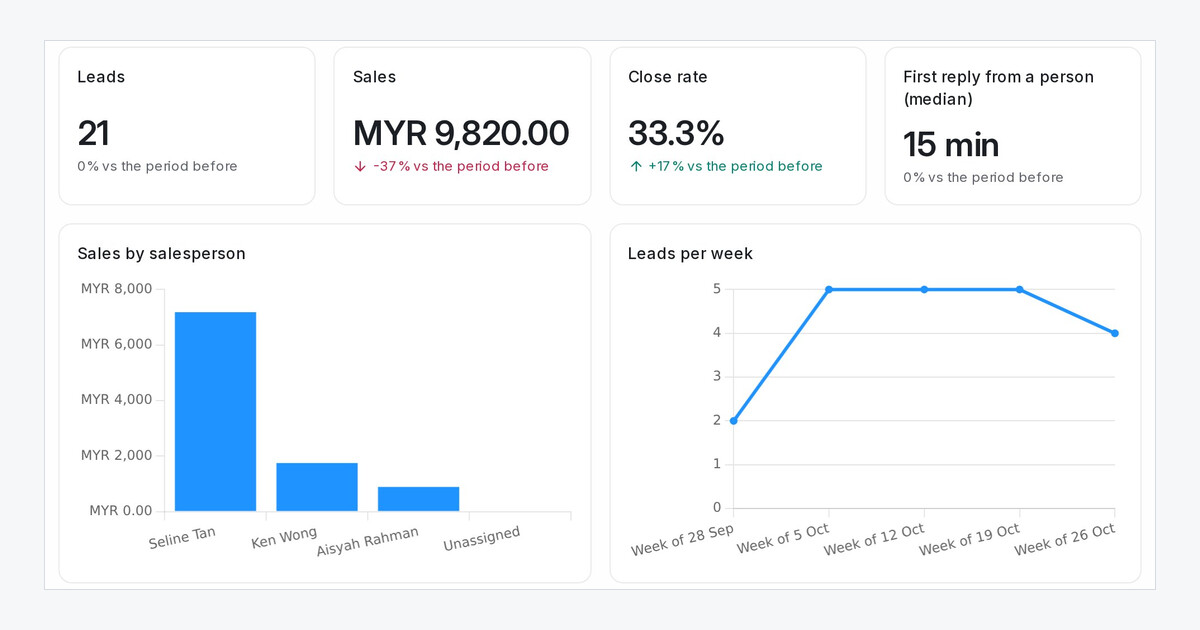
Put the figures you check every week on one page. Pick ready blocks or build your own, and click any figure to see the chats behind it.
Read more: Build your own dashboards under ReportsOne Blasting page, and Messenger blasting from your Facebook Page
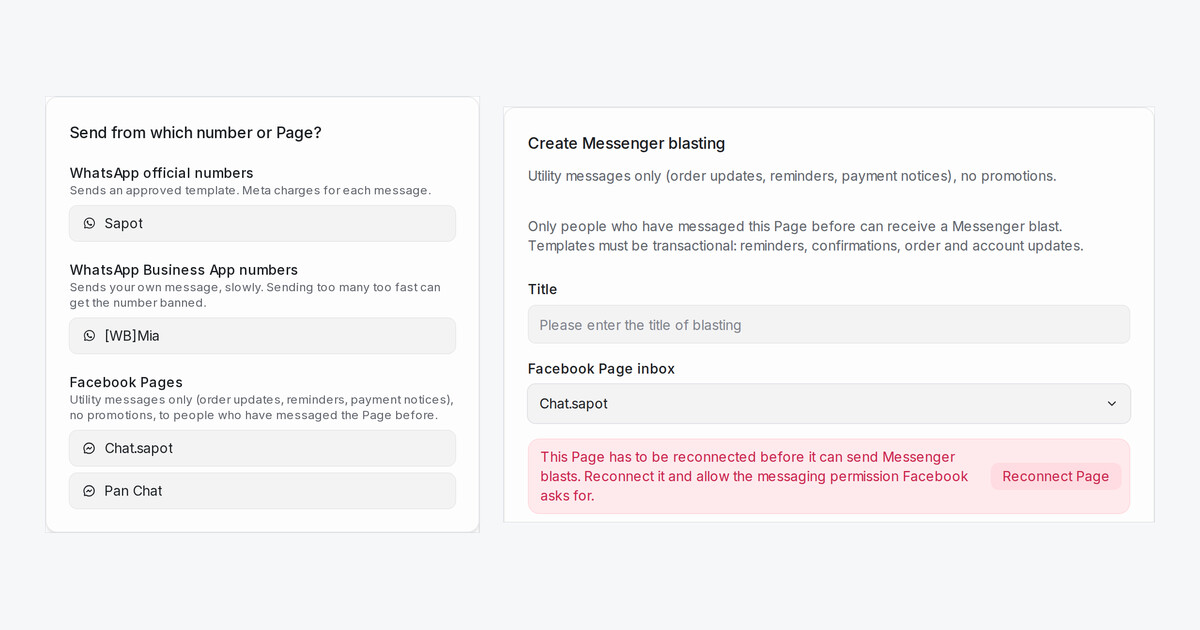
Start every blast from one page by picking the number or Page that sends it, and send utility messages on Messenger from any workspace
Read more: One Blasting page, and Messenger blasting from your Facebook PageSend a document from your own system as a file
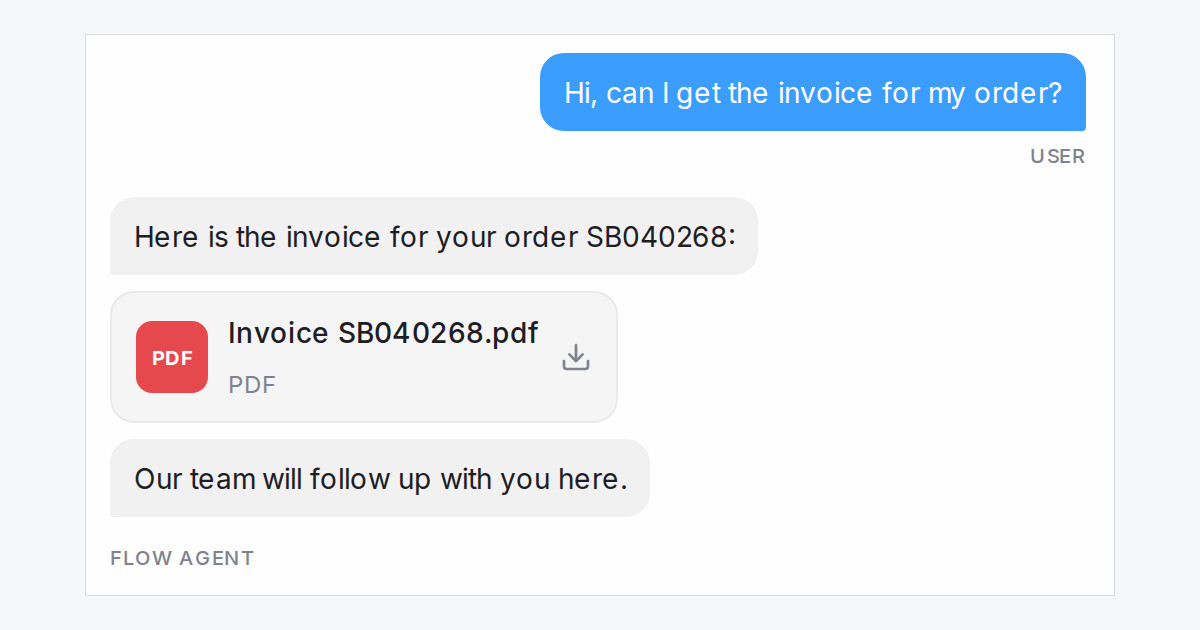
When an API tool returns a link to an invoice or receipt, a Send message step can now send the document itself, named the way you choose, not a long link.
Read more: Send a document from your own system as a fileSend a flow step exactly as written, in two languages at once
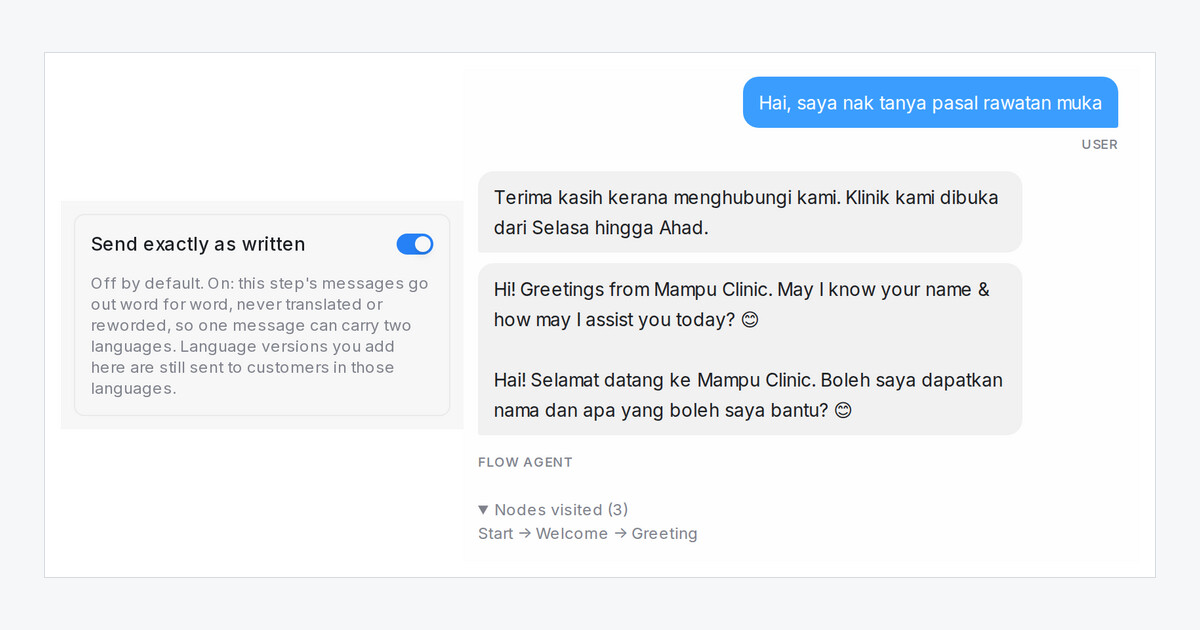
A new step switch sends your message word for word, never translated, so one greeting can carry English and Malay for every customer.
Read more: Send a flow step exactly as written, in two languages at onceSend a different greeting outside business hours
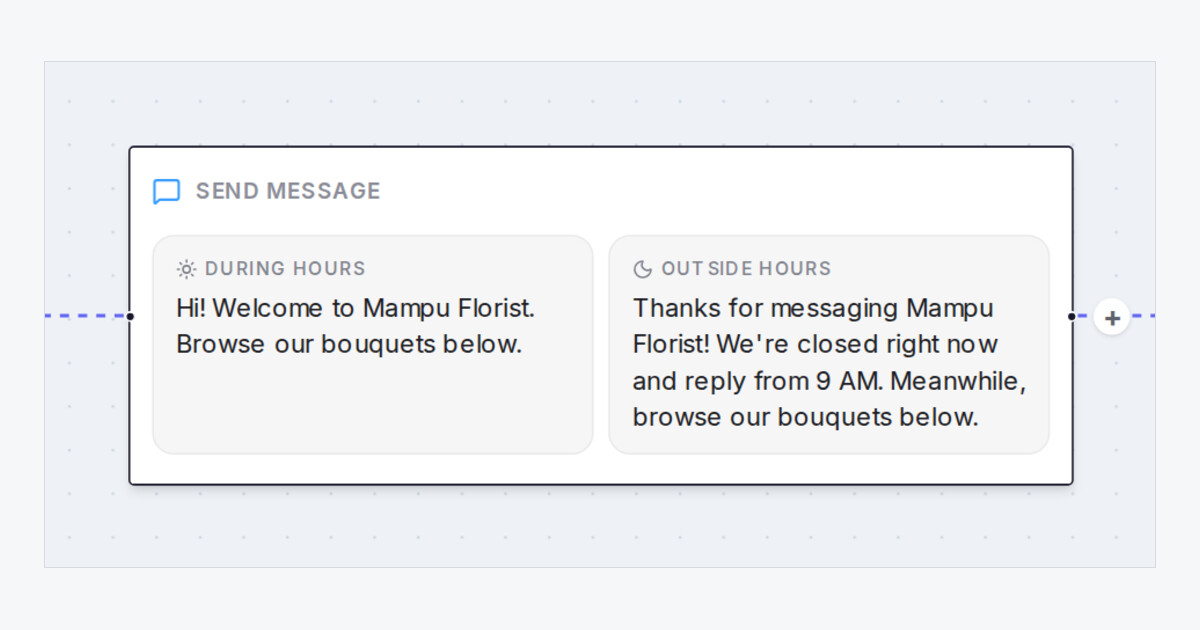
Give any Send message step a second text for when the inbox is closed, so an after-hours customer hears when your team replies.
Read more: Send a different greeting outside business hoursYour Flow Agent answers a Facebook comment in one message, with tappable choices
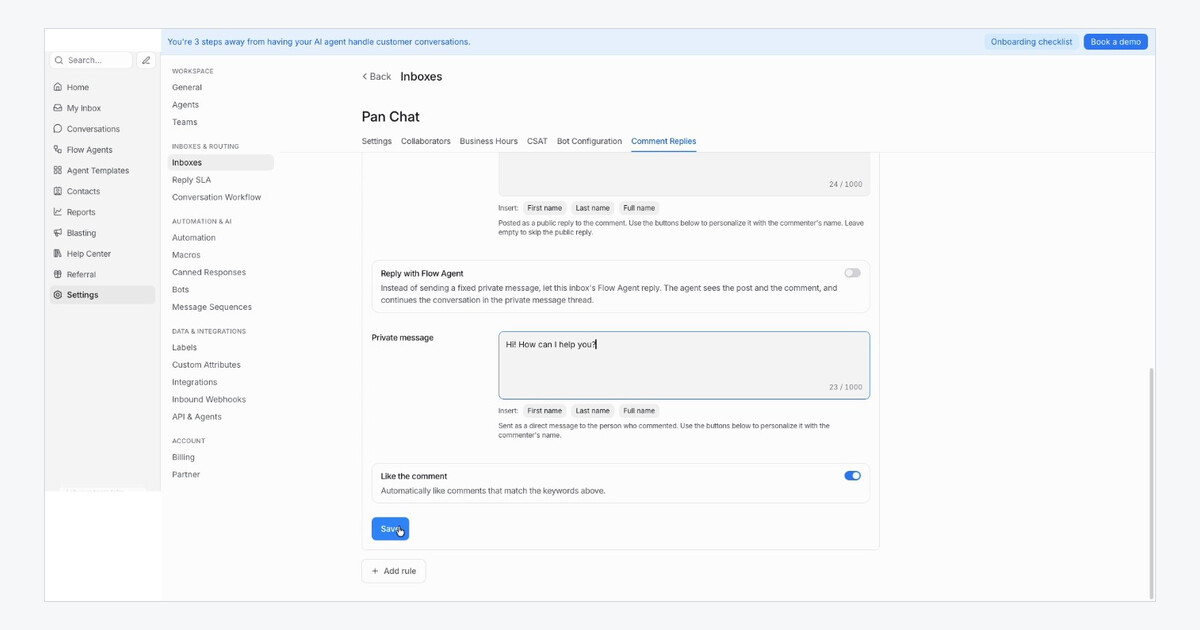
A Flow Agent's reply to a Facebook comment now fits the one message Facebook allows, with tappable choices, and sends the rest when the customer replies.
Read more: Your Flow Agent answers a Facebook comment in one message, with tappable choicesFilter contacts by how a name, email or phone starts, ends or is empty
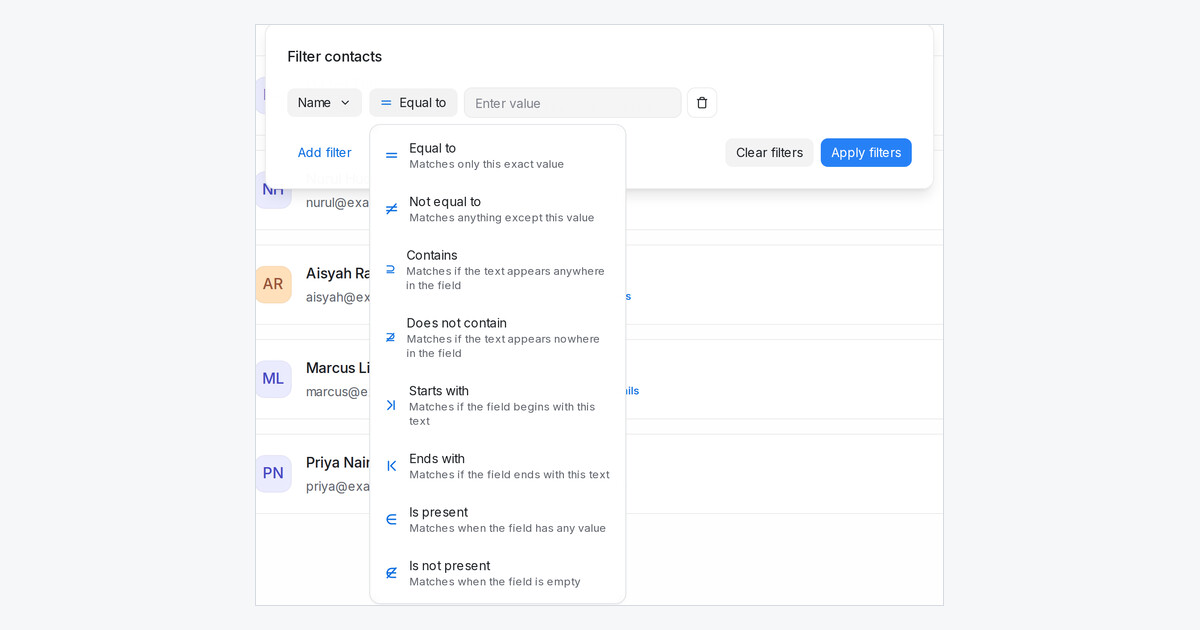
Every text field in the contact filter now offers Starts with, Ends with, Is present and Is not present, and Does not contain also finds empty fields.
Read more: Filter contacts by how a name, email or phone starts, ends or is emptyGroup your custom attributes into their own sections
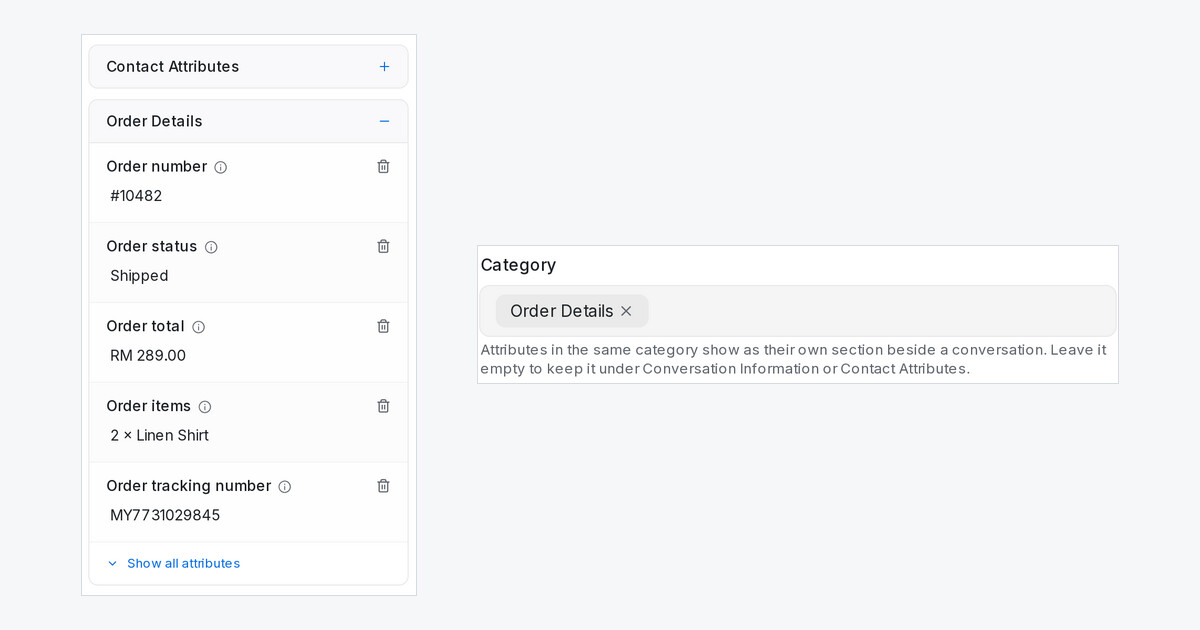
Give attributes a category and each one shows as its own section beside a conversation, so long lists of lead details are easy to scan.
Read more: Group your custom attributes into their own sectionsSuggest a reply drafts from your AI Knowledge and the lead's details
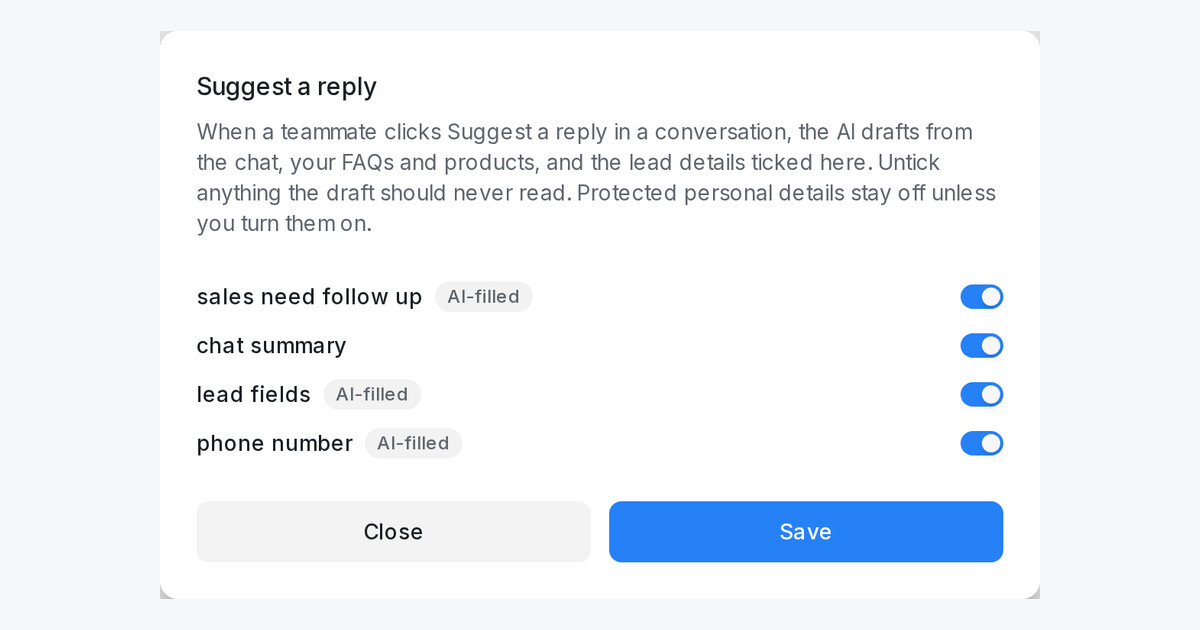
In a conversation, Suggest a reply now writes from your FAQs, products and lead details, shows what it found, and lets admins choose the details it reads.
Read more: Suggest a reply drafts from your AI Knowledge and the lead's detailsYour agent follows the ad when a customer asks for more info
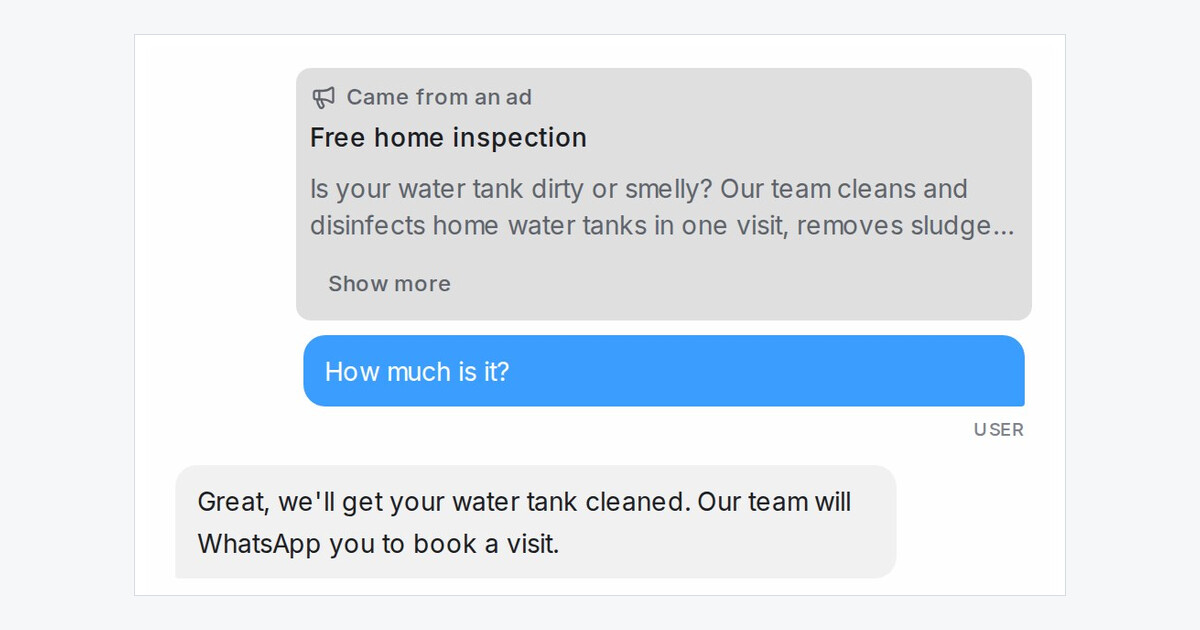
When a customer from your ad asks for more info or the price, the agent goes straight to the advertised service instead of asking which one they want.
Read more: Your agent follows the ad when a customer asks for more infoTest your automations in the Playground
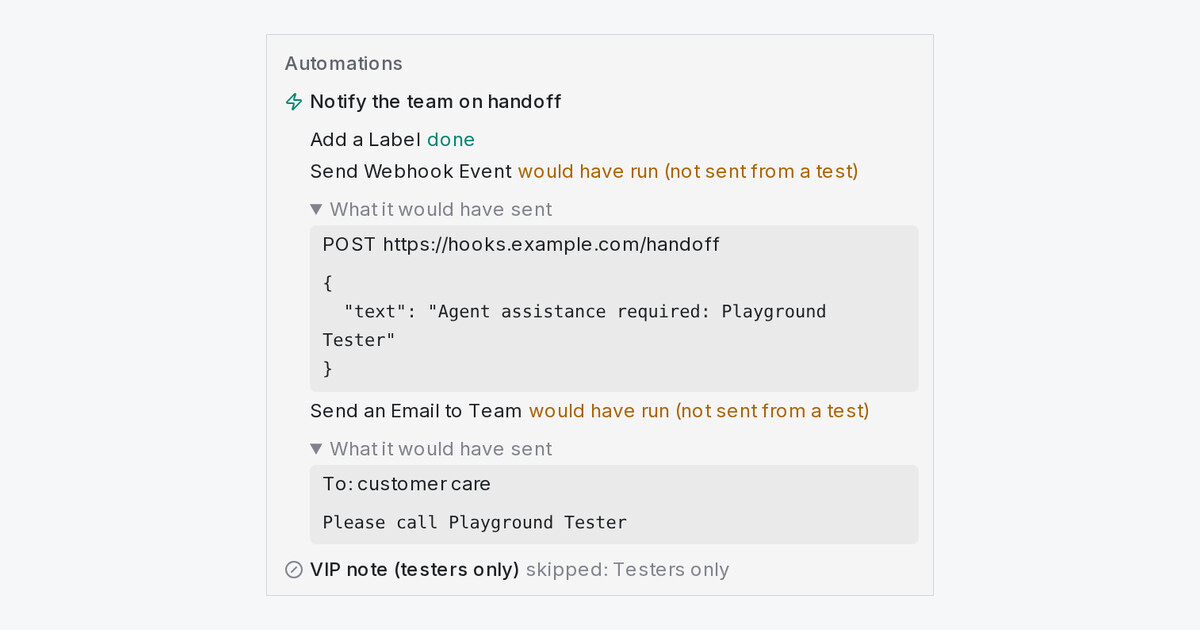
Automation rules now run on Playground tests, and the Playground shows what each one did. Webhooks, emails and messages are shown, never sent.
Read more: Test your automations in the PlaygroundTime follow-ups from any contact date, on your workspace's clock
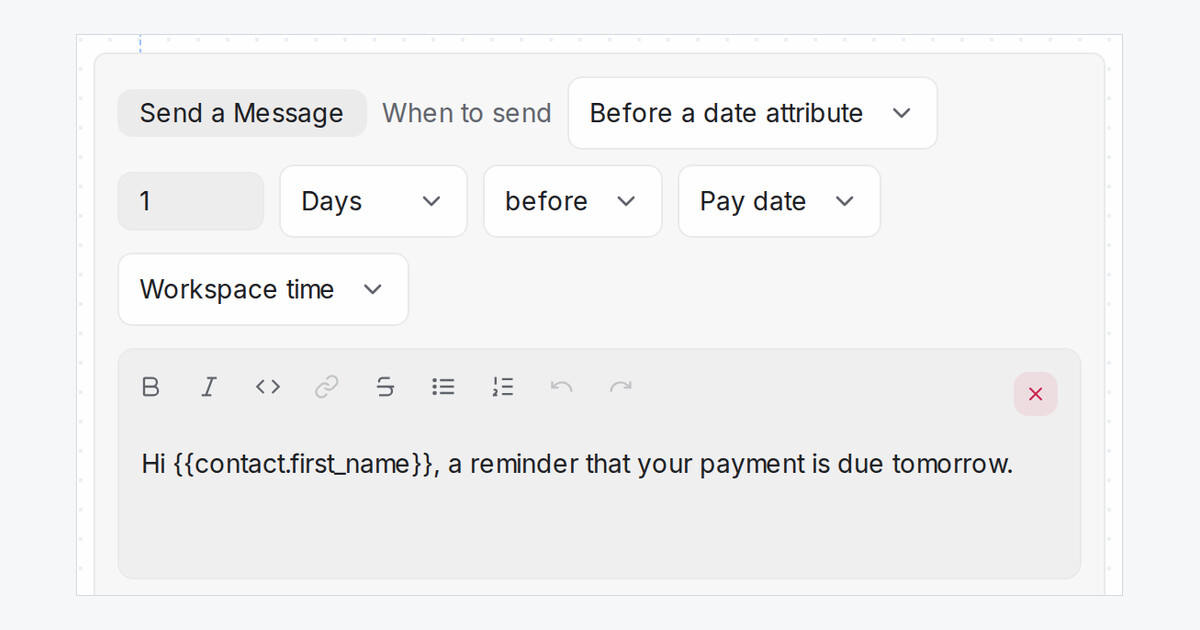
Message Sequences count from any date saved on the contact, read in workspace time or UTC, and tell you when a date can't be read.
Read more: Time follow-ups from any contact date, on your workspace's clockTurn your website into FAQs that stay up to date
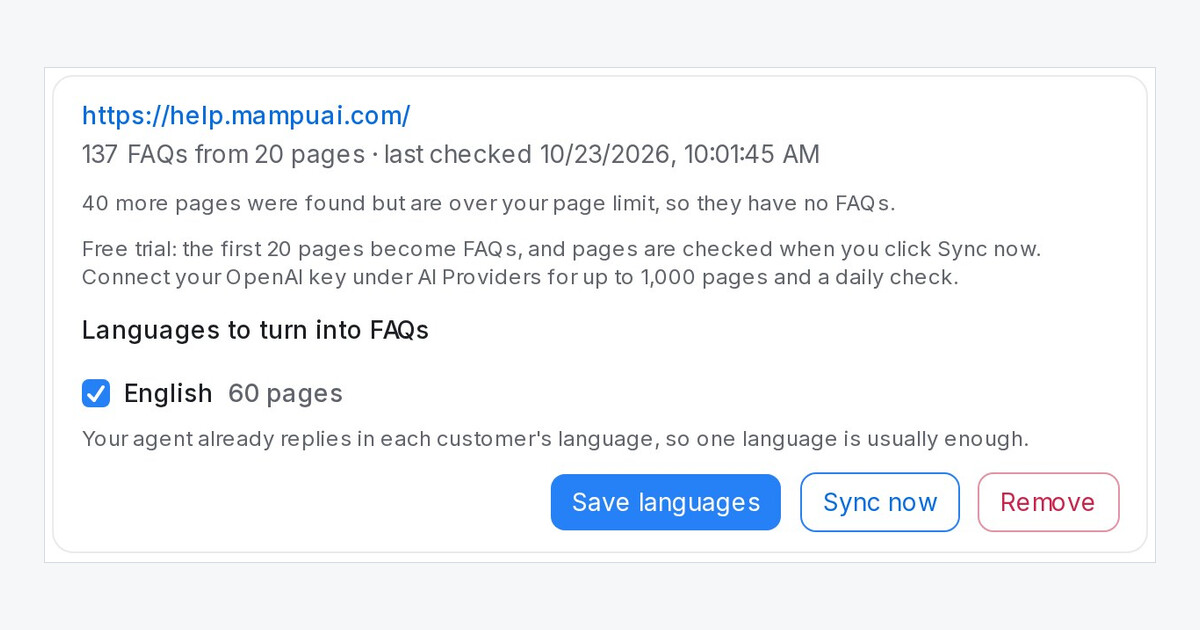
Add your website and its pages become FAQs your AI agent answers from. Edited, new and removed pages are picked up on their own.
Read more: Turn your website into FAQs that stay up to dateConnect your own Claude or ChatGPT to your workspace
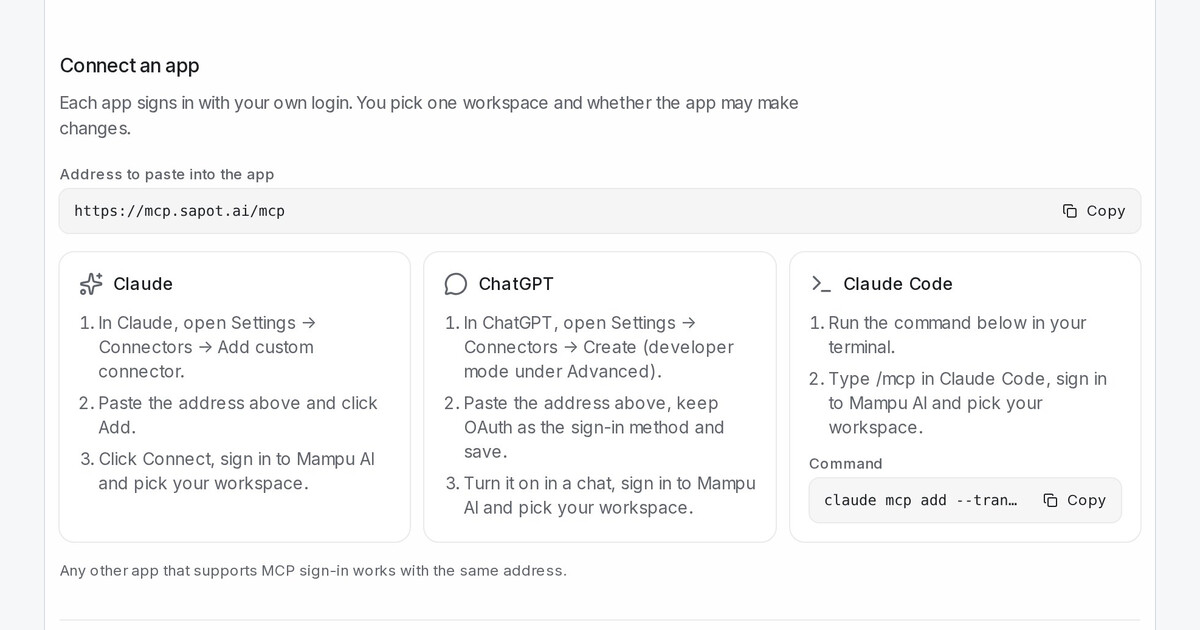
Sign Claude, ChatGPT or Claude Code in to a Mampu AI workspace with your own login, choose what it may do, and ask about your chats in plain language.
Read more: Connect your own Claude or ChatGPT to your workspaceHide a flow step from the AI
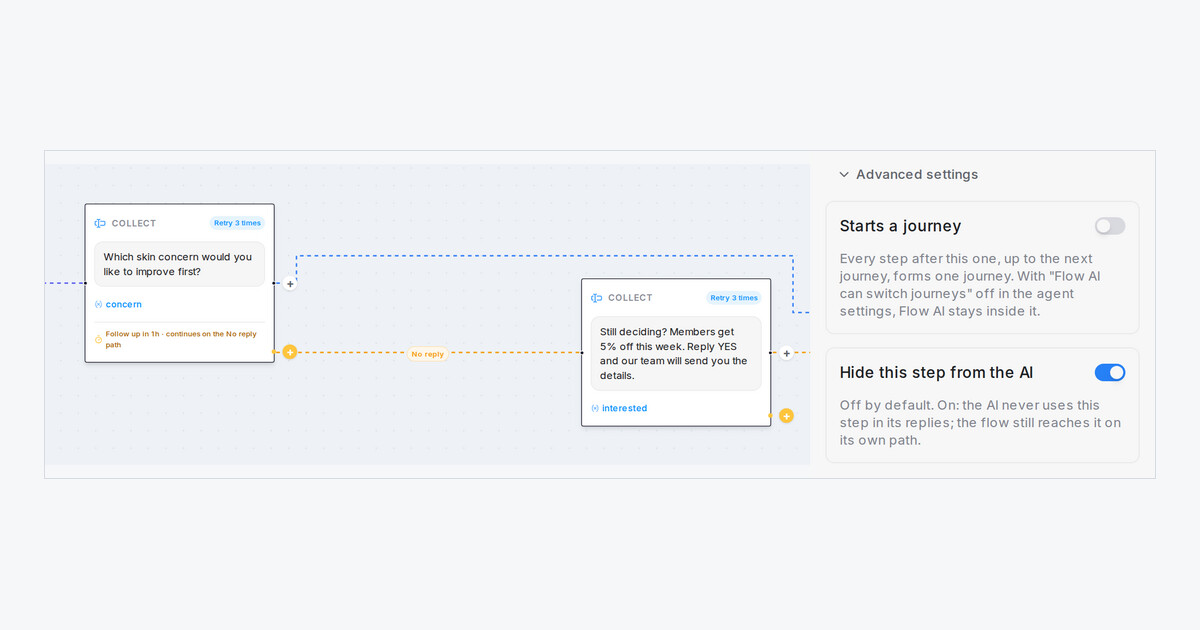
Switch on Hide this step from the AI in a step's Advanced settings and the AI never uses that step in its replies. The flow still reaches it.
Read more: Hide a flow step from the AISee a warning when a customer sends a risky file or link
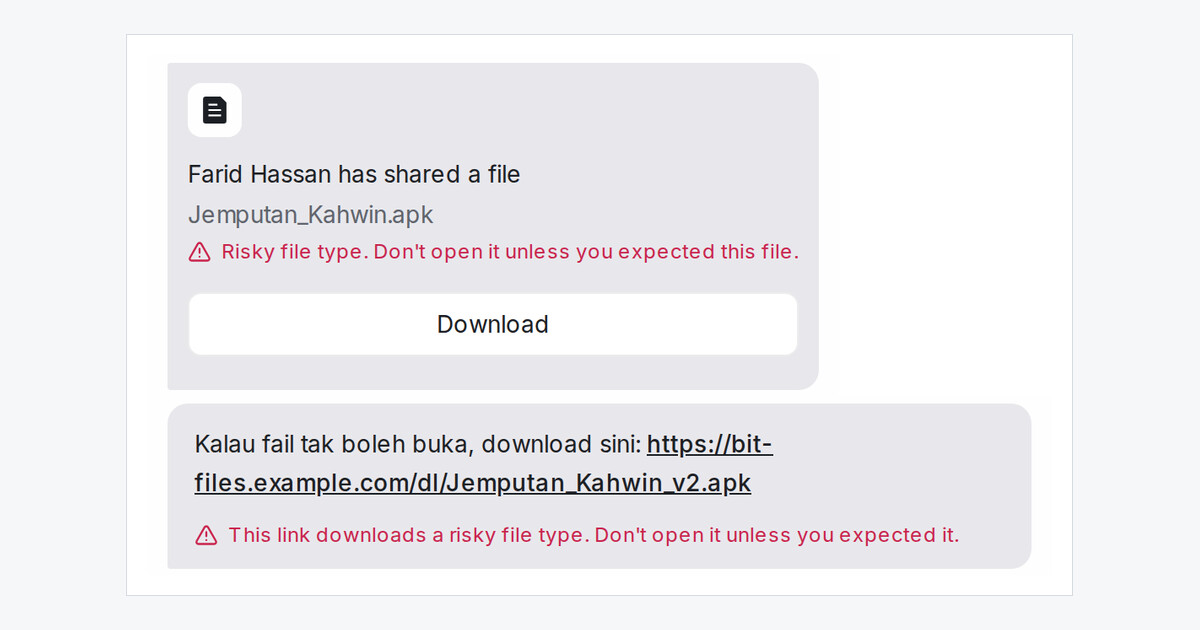
App files, program files and links that download them now carry a red warning in the chat, and the assigned agent and admins get a notice.
Read more: See a warning when a customer sends a risky file or link