Search only the inbox, label or folder you are in
Press / or click the search icon above the conversation list to find a customer or a word inside the view you are working in.
Read inBahasa Melayu中文
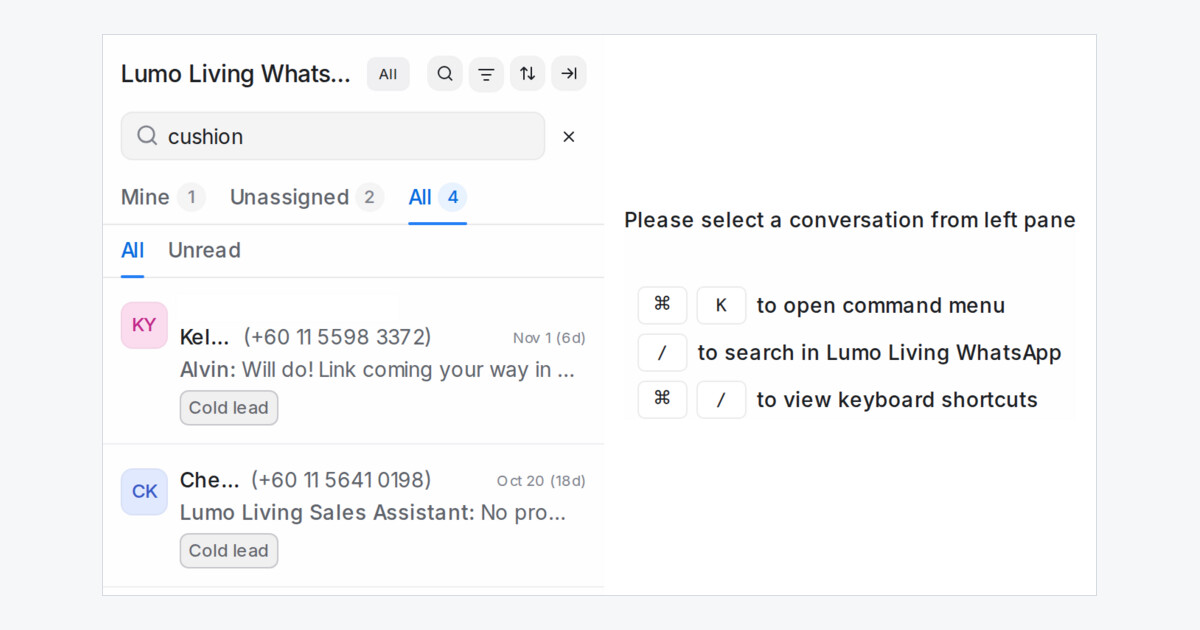
Working one WhatsApp number or one label at a time? You can now search inside it. The search box above the conversation list looks only at the inbox, label, team or folder you have open.
How do I search inside one inbox?
- Open the inbox, label, team or folder.
- Click the search icon above the list, or press / on your keyboard.
- Type a customer's name, phone number or email address, or a word from the chat.
- Press Esc to close the search and get the full list back.
The search follows the Mine, Unassigned and All tabs, so switching tabs keeps your search. It finds open and resolved chats alike, and spam stays out.
Where do I find the shortcut?
When no conversation is open, the empty screen shows / to search in with the name of the view you are in. Click it or press /. The shortcut also sits in your keyboard shortcuts list. Pressing / inside the reply box still opens your saved replies.
The Search box at the top of the sidebar still searches your whole account.