Let calendar bookings overlap up to your limit
Max bookings at the same time lets visits overlap whatever time they start, and a full time now gets the nearest free times before and after it.
Read inBahasa Melayu中文
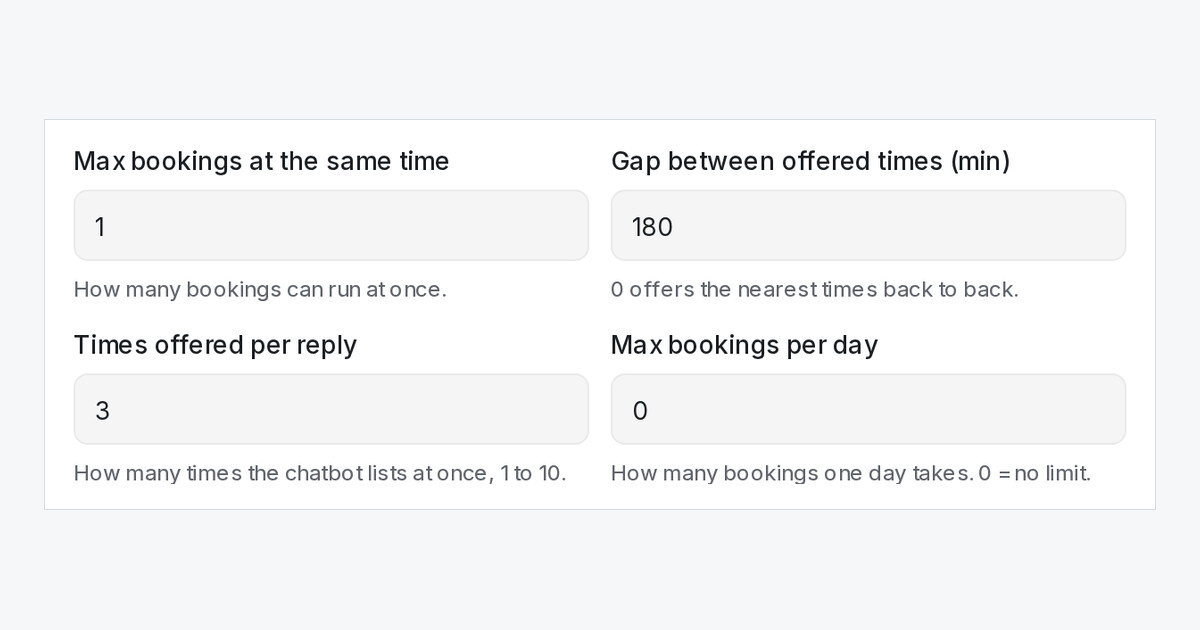
Mampu AI calendars now count how many bookings run at the same moment, so a team that sends several salespeople out at once can take visits that overlap, whatever time each one starts. Before, a second customer could only share a time that started on the exact same minute as an existing booking.
How do I let bookings overlap in Mampu AI?
- Open Flow Agents → AI Knowledge Hub, choose Calendar, then edit the calendar in the Tools tab.
- Open Advanced settings.
- Set Max bookings at the same time to how many bookings can run at once, for example your number of salespeople.
- Save.
When is a time refused?
- Only when that many bookings are already running at some moment during it, with the buffer around each booking counted.
- Business hours, Minimum notice time, blocked times and Max bookings per day still apply.
- Leave it at 1 for one-on-one appointments. Group sessions such as classes still work, and each person counts.
- Calendars already set above 1 follow the new rule with nothing to change.
What does my AI agent say when a time is full?
It tells the customer the time is taken and offers the nearest free times before and after it, the same day when there are any. Before, it only looked at later times, so a full afternoon could jump straight to the next day.