Build your own dashboards under Reports
Put the figures you check every week on one page. Pick ready blocks or build your own, and click any figure to see the chats behind it.
Read inBahasa Melayu中文
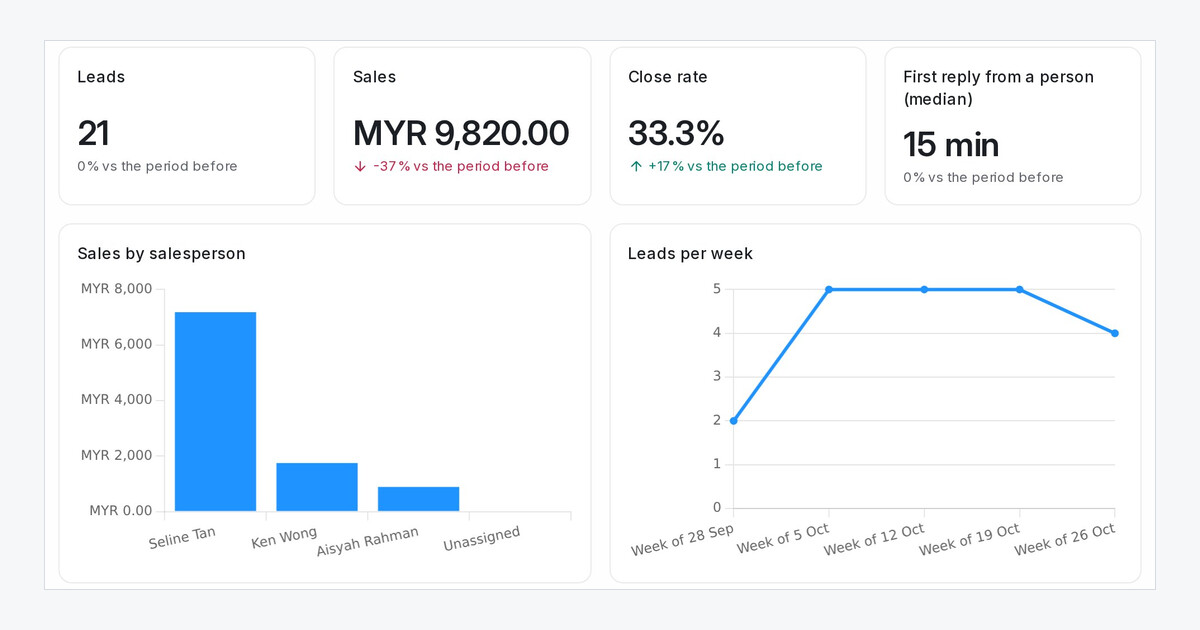
Each team watches different numbers: sales by salesperson, leads per week, how fast a person first replies. Until now those sat on different report pages. Dashboards put them on one page you set up yourself.
How do I make a dashboard?
- Open Reports → Dashboards and click New dashboard, or start from Sales team, Marketing or Support.
- Click Add block and pick a ready block, or choose a chart under Build your own.
- Set what the block counts (Leads, Contacts, Chats or Sales), how it groups them and which figure to show. The block changes on the page as you set it.
- Drag blocks into place, drag an edge to make one wider, and click Save.
What can my team do with it?
- Click any figure, bar or row to see the chats or contacts it counts.
- Number blocks show how the figure moved against the period before.
- Choose the dates a dashboard opens on with Opens on.
- Administrators build dashboards. Everyone else can open them and sees figures from their own inboxes.

