Focus on unread conversations
A new Unread filter in the conversation list shows only conversations with customer messages you haven't read, and it remembers your last-used view.
Read inBahasa Melayu中文
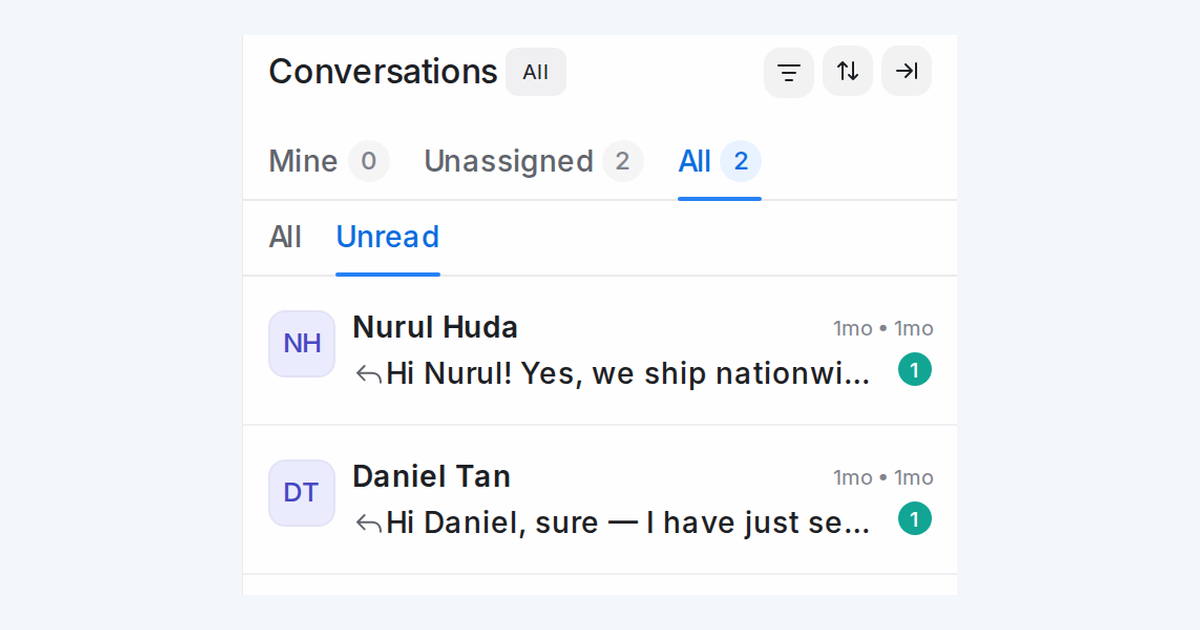
Mampu AI can now narrow your conversation list to the chats that still need reading: a new Unread filter in Conversations shows only conversations with customer messages you haven't read yet.
How do I see only unread conversations in Mampu AI?
- Open Conversations and pick Mine, Unassigned or All at the top of the list.
- In the All | Unread row below the tabs, pick Unread.
- Pick All in the same row to see every conversation again.
How does the Unread filter behave as I read conversations?
- The count on each tab matches what's in the list.
- The conversation you have open stays in the list until you move on to another one, so it doesn't disappear the moment you read it.
- The list remembers your last-used tabs, so it opens where you left off the next time you come back, on any device.

