Start your flow agent at a chosen part from an automation rule
A new automation action starts your flow agent at one of its marked parts, or from the beginning, when a rule runs.
Read inBahasa Melayu中文
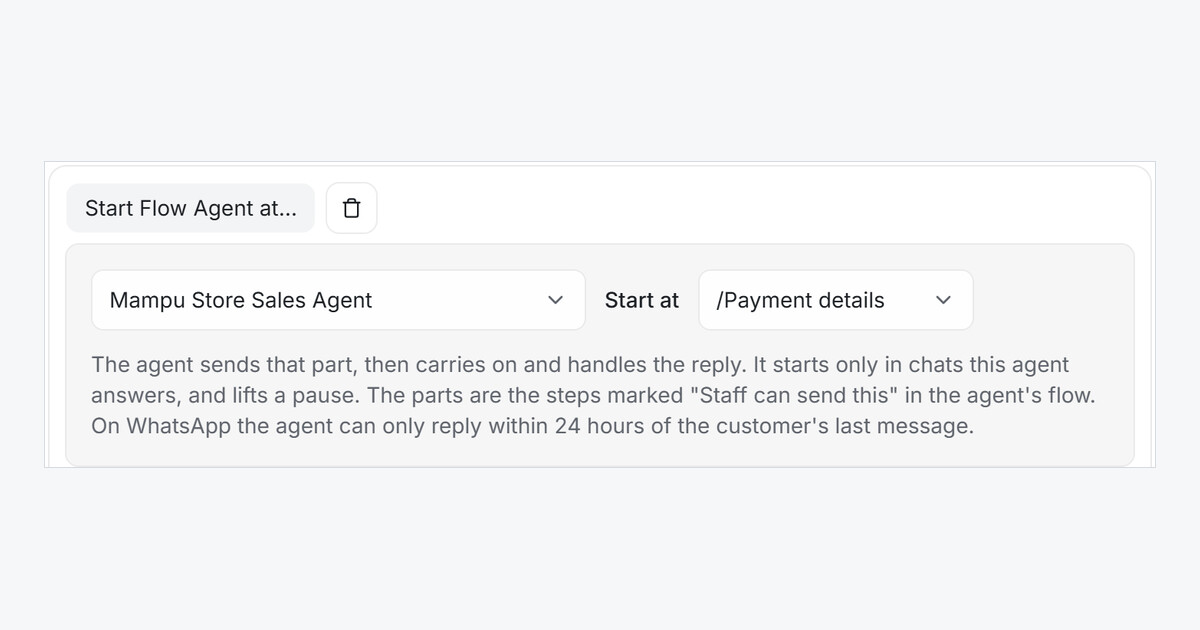
An automation rule can now send a customer straight to the right part of your flow agent. When a team member confirms a payment or a Paid label is added, the bot sends the payment part and carries on from there, without your team sending it by hand.
How do I set it up?
- In the flow designer, mark the step where the part starts: Advanced settings → Staff can send this from the chat, give it a name, then publish.
- In Settings → Automation, create a rule and pick its event and conditions.
- Under Actions, pick Start Flow Agent at…, your flow agent, and under Start at the part, or From the beginning.
- Try it with Testers only, then set it to Live.
What happens when the rule runs?
The bot sends the part, asks its next question and handles the reply. A paused bot starts replying again, and the team reply that set off the rule does not pause it. A note in the chat names the rule.
It starts only in chats that agent answers, so one rule covers an agent on several numbers. From the beginning asks the questions again rather than reusing earlier answers.