Import your FAQ spreadsheet as-is
Already have your FAQs in a spreadsheet? Import every row exactly as written — match the columns, preview the changes, and apply.
Read inBahasa Melayu中文
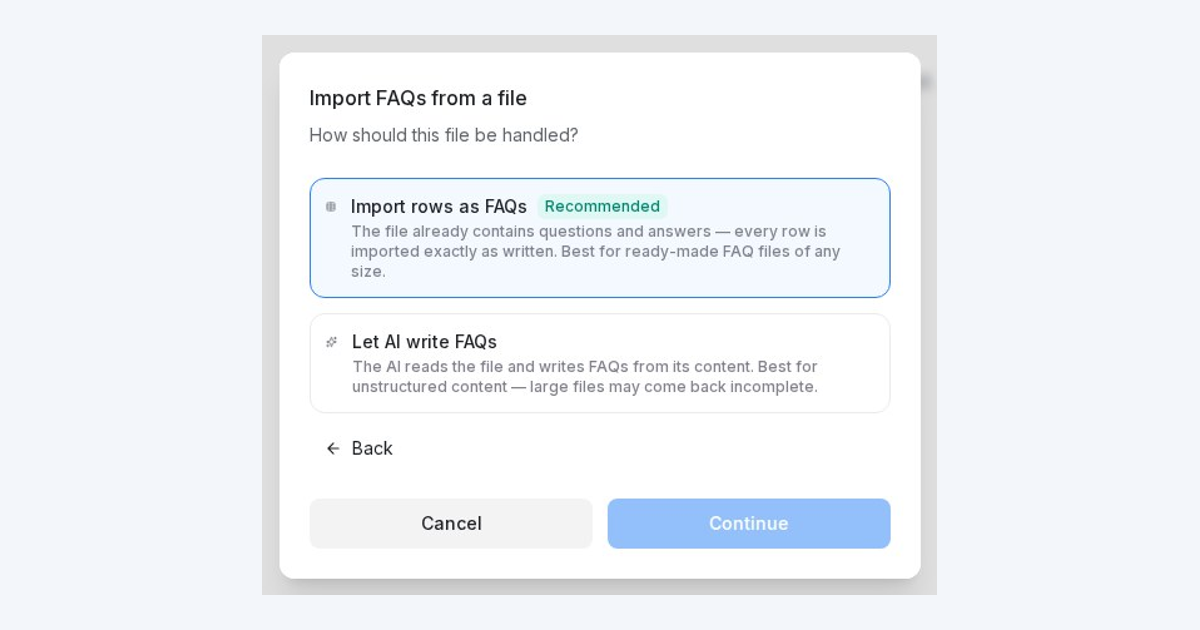
Mampu AI can now import an FAQ spreadsheet (CSV or Excel) into AI Knowledge Hub exactly as you wrote it, so every question and answer comes in word for word, even for files with hundreds of rows.
How do I import an FAQ spreadsheet into Mampu AI?
- Open Flow Agents → AI Knowledge Hub, choose FAQ, then Import → From CSV and upload your file.
- Choose Import rows as FAQs.
- Check that the columns are matched to Question, Answer and Category, and adjust the matching if needed.
- Review the preview and click Apply changes.
What happens to my FAQs when I import or re-upload a spreadsheet?
- The preview shows how many entries will be added or updated, and flags rows that can't be imported, such as a duplicated question or a missing answer.
- Imported entries are approved and ready for your agent straight away.
- Re-uploading the file later updates entries whose question matches and adds new ones. It never removes existing FAQs.
- To have AI write FAQs from a document instead, choose Let AI write FAQs in the same dialog.

