Build your flow agent by chatting with the designer
The flow designer now opens as a chat. Describe your agent, answer a few questions, check the plan, and it builds the conversation for you.
Read inBahasa Melayu中文
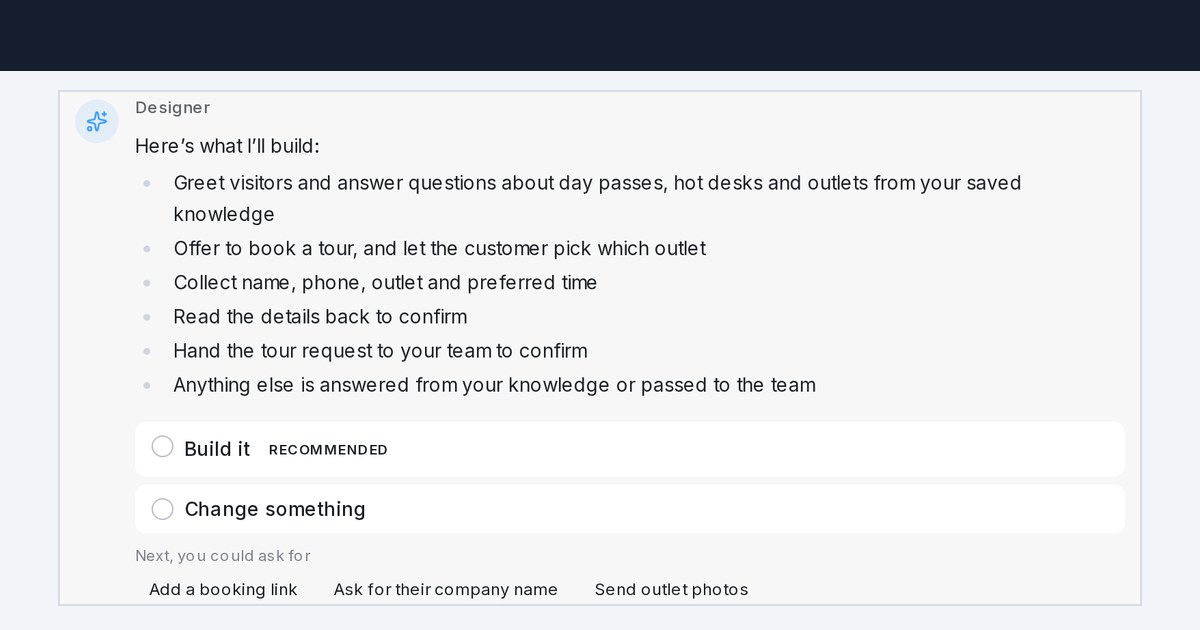
Mampu AI can now build your flow agent through a chat in Flow Agents. You describe what your customers usually ask for, the designer asks a few questions, shows a plan, and builds the conversation, then explains in plain words what your agent now does.
How do I build a flow agent by chatting in Mampu AI?
- Open Flow Agents → Agents and open or create an agent.
- Type what the agent should do in Describe your bot or ask for a change…, or pick an example under Try one of these.
- Answer the questions. Pick an answer marked Recommended, or edit the example in the answer box.
- Check the plan and click Build it, or Change something first.
What else can the chat designer do?
- It reads your AI Knowledge profile and FAQs, so it skips what it already knows.
- It asks for links, prices and addresses instead of making them up.
- Paste photos and PDFs, such as a price list, for it to read, or ask it to send them to customers.
- Record a voice note with Record a voice message; anything you typed goes with it as one message.
- The free plan reads PDFs up to 5 MB and 10 pages; paid plans read up to 30 MB and 100 pages.
- Switch to classic view brings back the side-by-side layout for you only.

