Apply one rule to every WhatsApp number with the Channel condition
Set a rule, folder, segment or sequence condition to a channel instead of listing inboxes. New numbers of that channel are covered automatically.
Read inBahasa Melayu中文
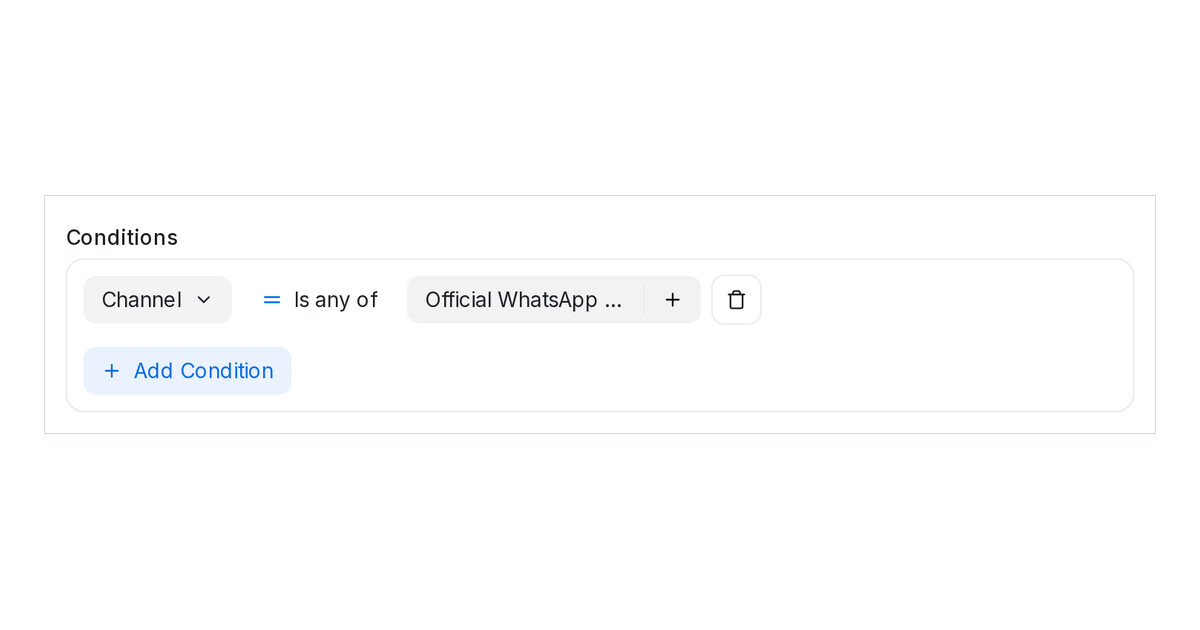
Mampu AI can now match conversations by Channel in automation rules, conversation folders, contact segments and message-sequence conditions. One condition covers every inbox of that channel, including a number you connect later, so you no longer list inboxes one by one or revisit each rule when a new number arrives.
How do I run an automation on every WhatsApp number in Mampu AI?
- Open Settings → Automation and click Create Automation, or edit a rule.
- Under Conditions, pick Channel, keep Is any of and choose Official WhatsApp API.
- Add your actions and click Create. The rule runs on every Official WhatsApp API number in the workspace, now and later.
Which channels can a condition pick?
- Official WhatsApp API, Normal WhatsApp Web Link, Facebook, Instagram, TikTok, Website, Email, Telegram, LINE, API Channel and SMS, with Is any of or Is none of.
- The Inbox condition stays, and the two combine: Channel Is any of Official WhatsApp API AND Inbox Is none of Showroom leaves one number out.
- The same Channel condition appears in Conversations → Filter, Contacts → Filter and a sequence step's conditions, and saves into folders and segments.

