Delete rude comments on your Facebook and Instagram posts automatically
Pick the pages to watch and a list of rude words. Matching comments are deleted or hidden at once, and listed in a new Removed Comments report.
Read inBahasa Melayu中文
Comment Moderation keeps rude comments off your Facebook Page and Instagram posts. Switch it on for a page in Settings → Comment Moderation, and every new comment is checked against your Rude words list, including replies under other comments. The list starts with common rude words in English, Malay and Chinese, and you can add your own.
Should I delete or hide a rude comment?
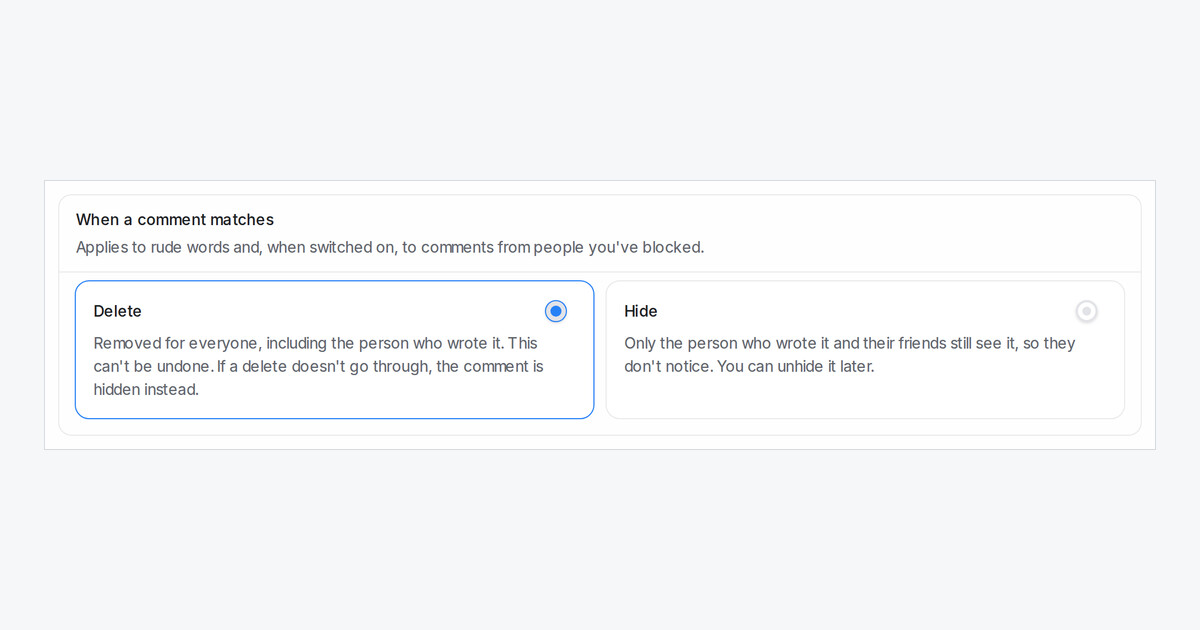
Under When a comment matches, pick one option for the whole workspace:
- Delete (the default) removes the comment for everyone, including the person who wrote it. This can't be undone.
- Hide keeps it visible only to the person who wrote it and their friends, so they usually don't notice. You can unhide it later.
If a delete doesn't go through after a few tries, the comment is hidden instead, so the public stops seeing it. You can also remove every new comment from people you've blocked.
Where do I see what was removed?
Open Reports → Removed Comments to see every removed comment for the last 90 days: who wrote it, on which post, the word that matched and its status. Unhide a comment that was caught by mistake, or, as an admin, delete one that is still hidden. A removed comment never gets an automatic reply or private message from your comment reply rules.

