Get an email when an automation web request fails
If your CRM or another system refuses an automation's web request, admins get one email listing each lead, the reason and a link to the chat.
Read inBahasa Melayu中文
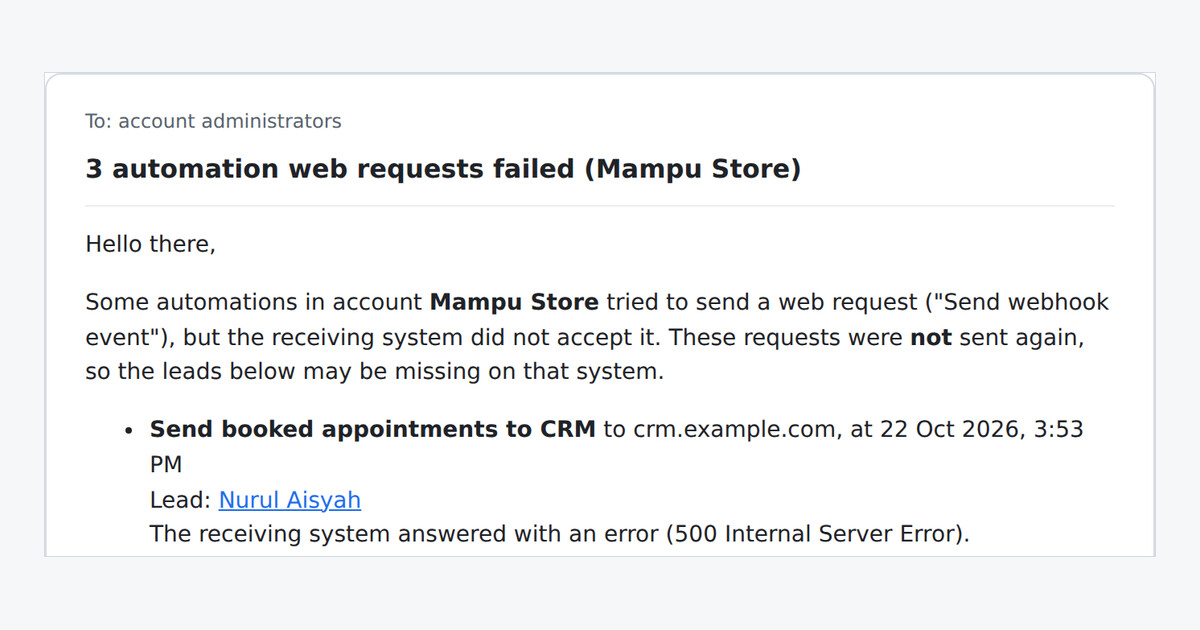
When an automation sends a lead to your CRM or another system with Send Webhook Event, that system can be down, refuse the login or not find the record. Until now nobody was told, and leads went missing quietly. Now the account's administrators get an email.
What does the email show?
Every request that failed, one row each: the automation, the site it called, the time, the lead with a link to the chat, and the reason in plain words, such as a refused login, a record that could not be found, an error from the other system, or no answer in time.
Will an outage flood my inbox?
No. The first failure starts a 10-minute window, and one email at the end lists everything that failed in it. The email shows up to 25 requests and says how many more failed.
What should I do with it?
Check what the reason points to, such as the token under Custom headers (optional) or the URL. Failed requests are not sent again, so once the system works, make sure the listed leads reach it. Successful requests never appear in the email.

