Pause AI attributes for a conversation that no longer needs them
Turn AI attributes off for one conversation, or pause them with a rule, and the AI stops updating them while the last values stay.
Read inBahasa Melayu中文
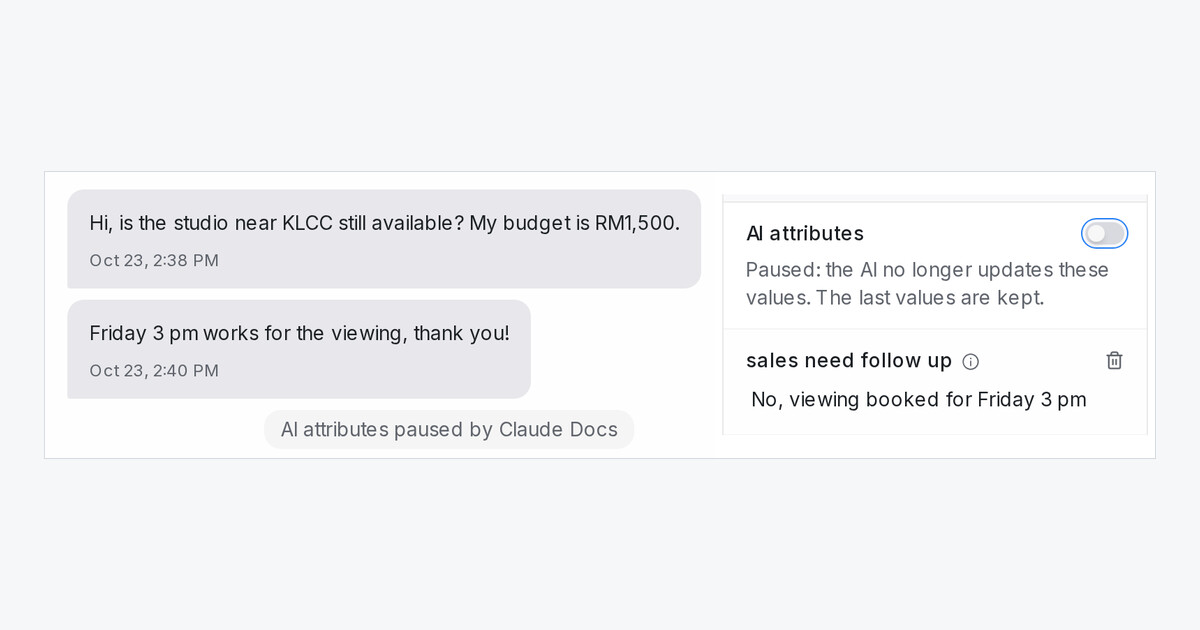
Mampu AI can now stop updating the AI attributes of a single conversation. Once a lead has booked a viewing or bought, the summary and other AI-filled values stay as they are, and no AI usage is spent refreshing them.
How do I pause AI attributes for one conversation?
- Open the conversation and expand Conversation Information in the right panel.
- Turn off AI attributes. The conversation notes who paused it.
- Turn it back on whenever you want the values to follow the chat again.
Can a rule pause them for me?
Yes. In Settings → Automation, create a rule on Conversation Updated with the condition Labels, Label added and your label, such as viewing-booked, and the action Pause AI Attributes. Resume AI Attributes turns them back on.
What still works while they are paused?
- The last values stay on the conversation and in your reports.
- Regenerate on a row of the Flow Submissions report still refreshes it when you ask.
- Regenerate AI Columns skips paused conversations and tells you how many.
- Every conversation starts with the switch on, so nothing changes until you pause one.

