Let a flow agent reply only to customers with certain labels
On each inbox, choose Only reply to these labels and the flow agent answers only customers who carry one of the labels you pick.
Read inBahasa Melayu中文
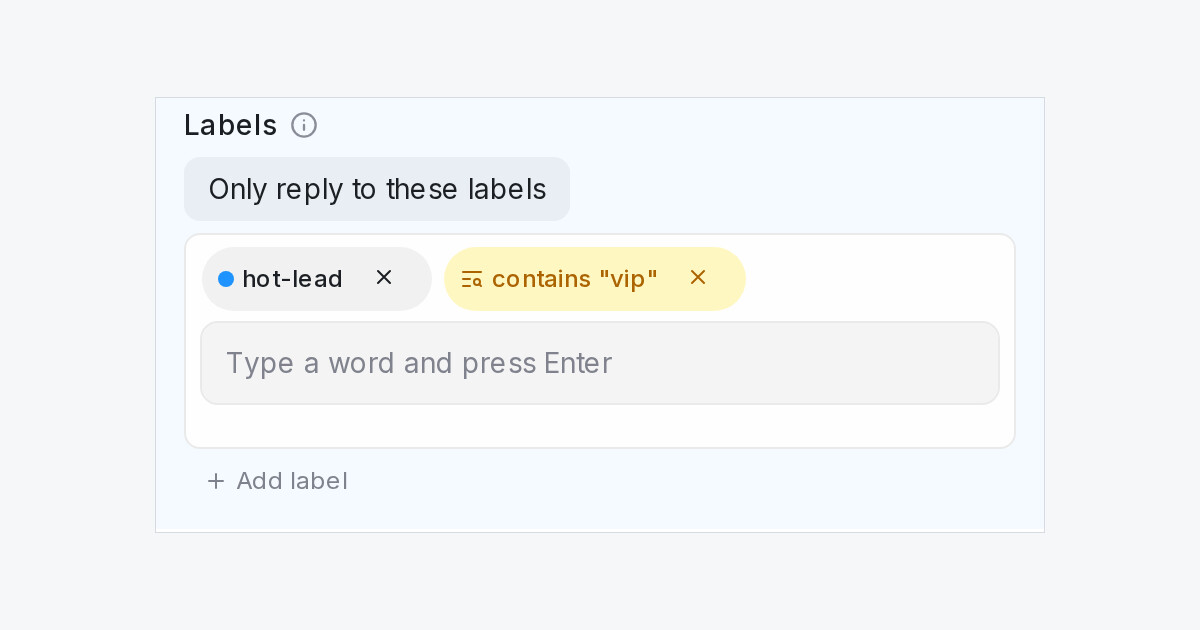
The label rule on each inbox now works both ways. Until now you could only keep a flow agent away from customers with certain labels. Now you can also turn it around, so the agent replies only to the customers you have labelled, such as leads from a campaign or members of a programme, and leaves everyone else to your team.
How do I make a flow agent reply only to labelled customers?
- Open the flow agent and click Inboxes in the designer header.
- Under the inbox, find Labels and pick Only reply to these labels.
- Pick the labels, or type a word to match every label containing it.
- Click Go live.
What should I know before switching it on?
- A new customer without one of the labels gets no reply from the agent until a teammate or an automation rule adds it.
- The conversation's labels and the contact's labels both count.
- The check runs on every message, so removing the label partway through stops the agent at the next message.
- Comment replies, and chats opened by a comment reply, are not limited by this choice.
- Don't reply to these labels still works as before and stays the default.

