Share customer history within a group of inboxes
Put each brand's inboxes in a history group, so a customer's chats show only the messages from that brand's numbers.
Read inBahasa Melayu中文
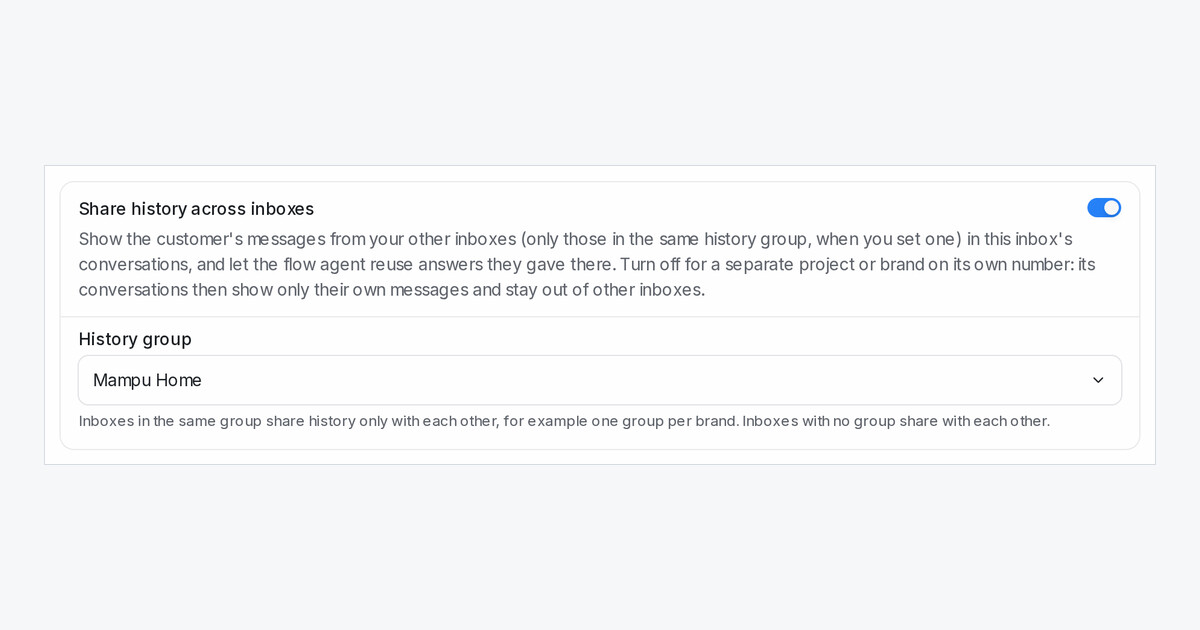
When a customer talks to more than one of your numbers, each conversation shows their messages from your other inboxes. That helps until two of those numbers belong to different brands, each with its own way of selling. Now you can keep each brand's history together and apart from the other.
How do I set it up?
Open Settings → Inboxes, choose an inbox, and on the Settings tab find Share history across inboxes. Under History group, pick a group or type a new name and choose Create. Click Update, then give the brand's other inboxes the same group.
What follows the group?
The conversation itself, the Previous Conversations list beside it, and your flow agent's memory of a returning customer, including the Also on line in its handoff note. A teammate who has a chat open sees a new message from the same group arrive straight away.
What stays the same?
Inboxes that share history but have no group keep sharing with each other, so nothing changes until you create a group. The contact's details, attributes, labels and notes stay one record across groups, and the History tab on the contact's page still lists every conversation.

