Follow a line to the step it leads into in the flow designer
Press a line on the flow designer canvas and a Go to next step button takes you to the step at its end, so long lines no longer need panning.
Read inBahasa Melayu中文
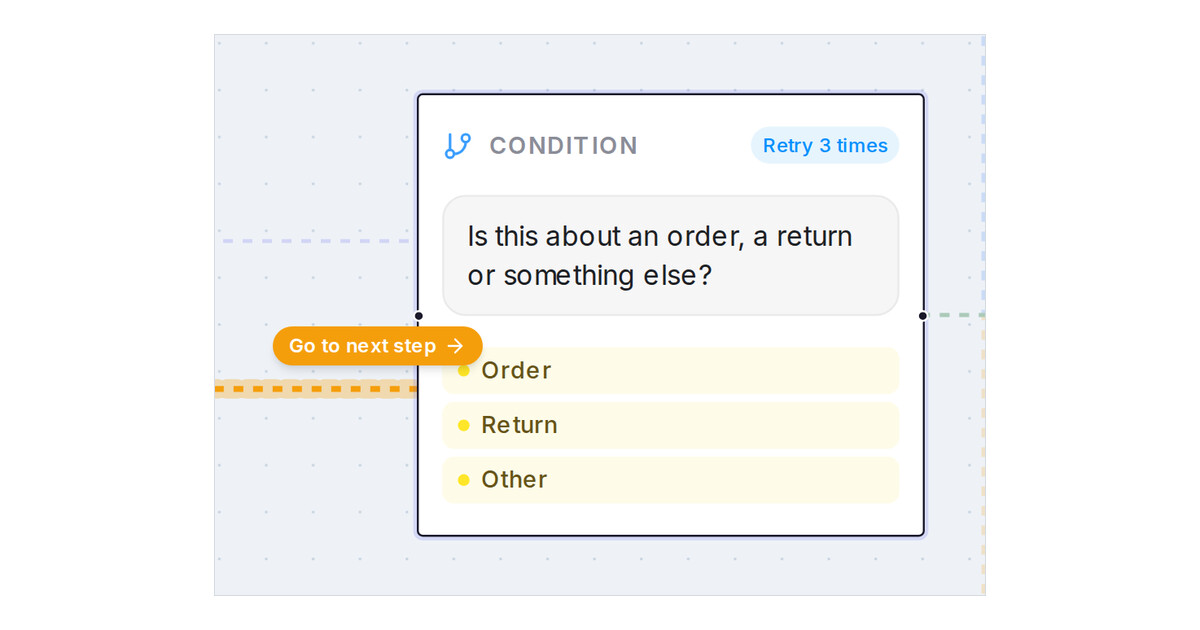
Mampu AI now lets you follow any line on the Flow Agents designer canvas to the step it leads into. Press a line and a Go to next step button appears above the point you pressed; press the button and the canvas moves there. Long lines, such as a branch that returns to the main menu, no longer need panning around to find their end.
How do I jump to the step a line leads into in Mampu AI?
- Open a flow agent and go to the Designer tab.
- Press any line on the canvas, or the label on it. The line is highlighted and a Go to next step button appears just above where you pressed.
- Press Go to next step. The canvas moves to the step at the end of that line and the step flashes briefly.
- Press the empty canvas to clear the highlight and the button.
What else happens when I press a line?
- A press on its own only highlights the line; the canvas moves only when you press the button.
- The button keeps the same size at any zoom and stays attached to the point you pressed while you zoom or pan.
- Drawing a selection box over several lines with Select nodes to comment or Shift highlights them without showing the button.
- If the line leads into a folded branch, the canvas moves to that branch's pill.

