Message someone new straight from search
Searched for someone who isn't a contact yet? Create the contact and open a conversation with them from the search page or the Ctrl+K bar, in one go.
Read inBahasa Melayu中文
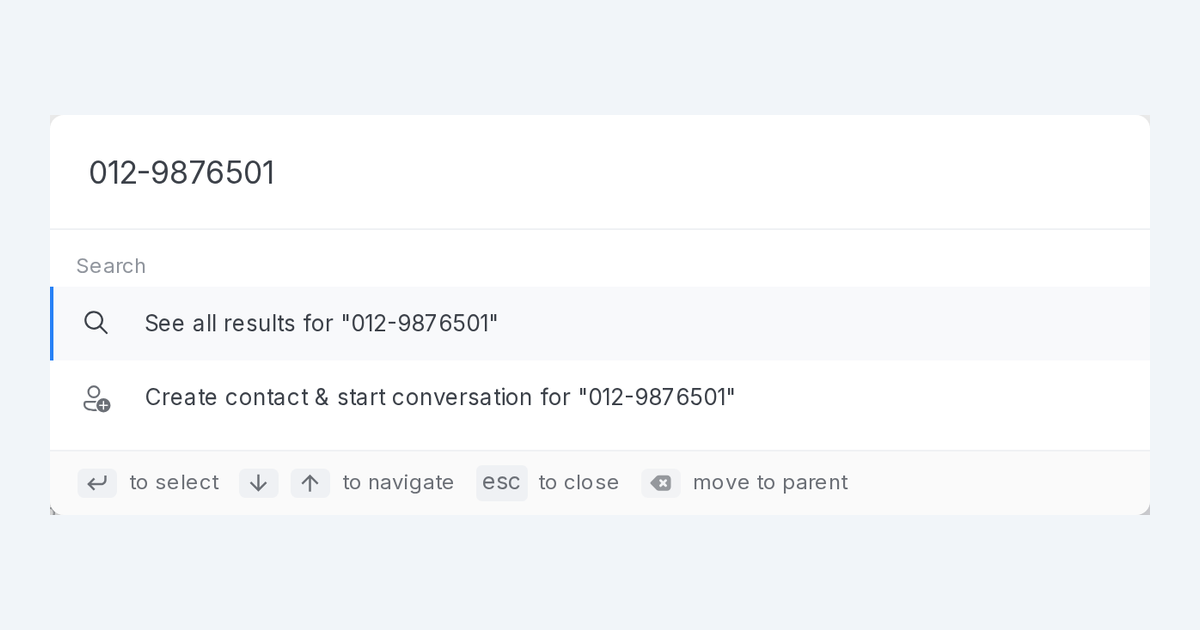
Mampu AI can now create a contact and open a conversation with them in one go, straight from search, when the person has never written to you. It works for a phone number from a call or an email address from a form, on WhatsApp and email inboxes.
How do I start a conversation with a new contact from search in Mampu AI?
- Click the Search box at the top of the sidebar, or press Ctrl+K (⌘K on a Mac) anywhere, and type the phone number, email address or name.
- When no contact matches, click Create contact & start conversation.
- Check the pre-filled contact form, add what is missing and click Save contact.
- If more than one inbox can reach the person, pick one from Start the conversation via.
How does the new contact form fill itself from my search?
- The form fills itself from your search: a local number such as 012-345 6789 becomes +60 12 345 6789, an email address goes into the email field, anything else becomes the name.
- Save contact stays greyed out until the contact has a phone number or an email address.
- If the number or email already belongs to a contact, no duplicate is created and the conversation starts with that contact.
- The new conversation is assigned to you. On WhatsApp your first message is an approved template, picked from the reply box.

