See Meta's notices about your Facebook Page or WhatsApp number on the inbox
A restriction, a low quality rating, a rejected template or an expired login now shows on the inbox and emails your administrators, with what to do next.
Read inBahasa Melayu中文
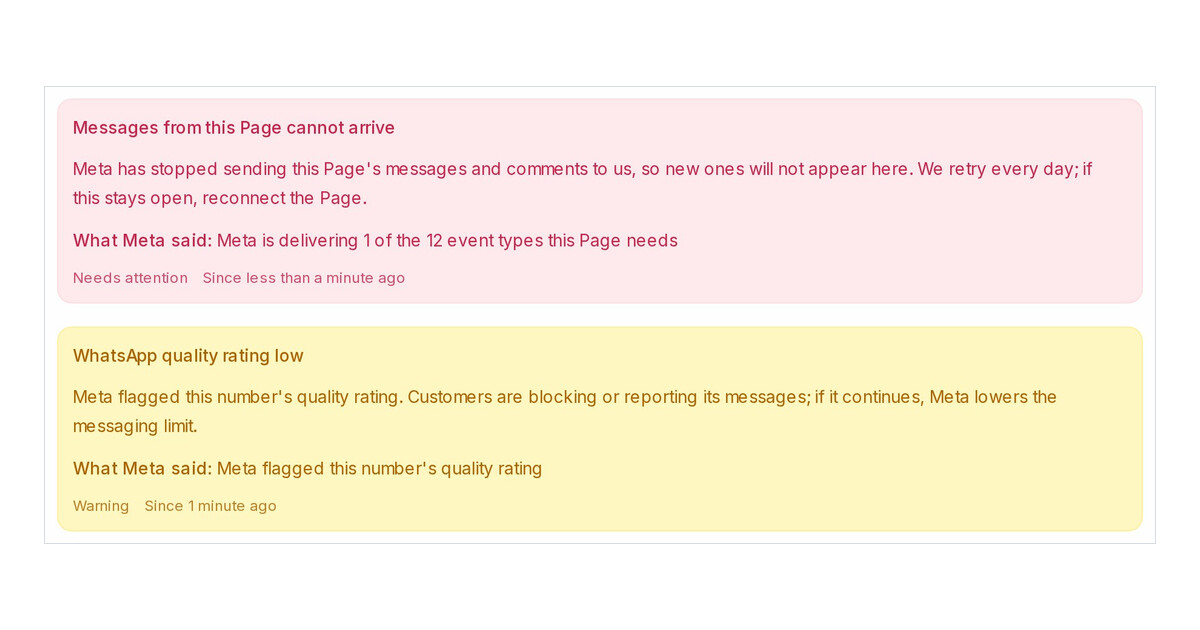
Mampu AI now shows what Meta reports about a Facebook Page or a WhatsApp API number on the inbox itself. A restriction, a policy warning, a lowered messaging limit, a quality rating drop, a rejected template, or a login Meta no longer accepts. Red and yellow notices also email every administrator, so nobody learns about a blocked Page from a customer.
Where do I see Meta's notices in Mampu AI?
- Look for a red or yellow alert icon next to the inbox in the sidebar.
- Open Settings → Inboxes and the inbox. The notice sits at the top of the Settings tab with Meta's own words under What Meta said.
- Scroll to Notices from Meta at the bottom of the tab for the history, including the grey All clear from Meta entries.
What happens when the login behind an inbox expires?
- The inbox shows Your inbox is disconnected. You won't receive new messages until you reauthorize it. with Click here to reconnect., and the administrators get the email Your Facebook page connection has expired.
- One click signs you in again. The banner goes and the inbox is checked again straight away.
- A notice closes on its own when Meta reports the matter resolved, and once a day Mampu AI re-reads every inbox that still carries one, so a recovered number or a Page back online clears without you doing anything.

