Match labels by a word they contain, wherever labels are a condition
Label conditions take typed words as well as picked labels: any label whose title contains the word matches, on every builder.
Read inBahasa Melayu中文
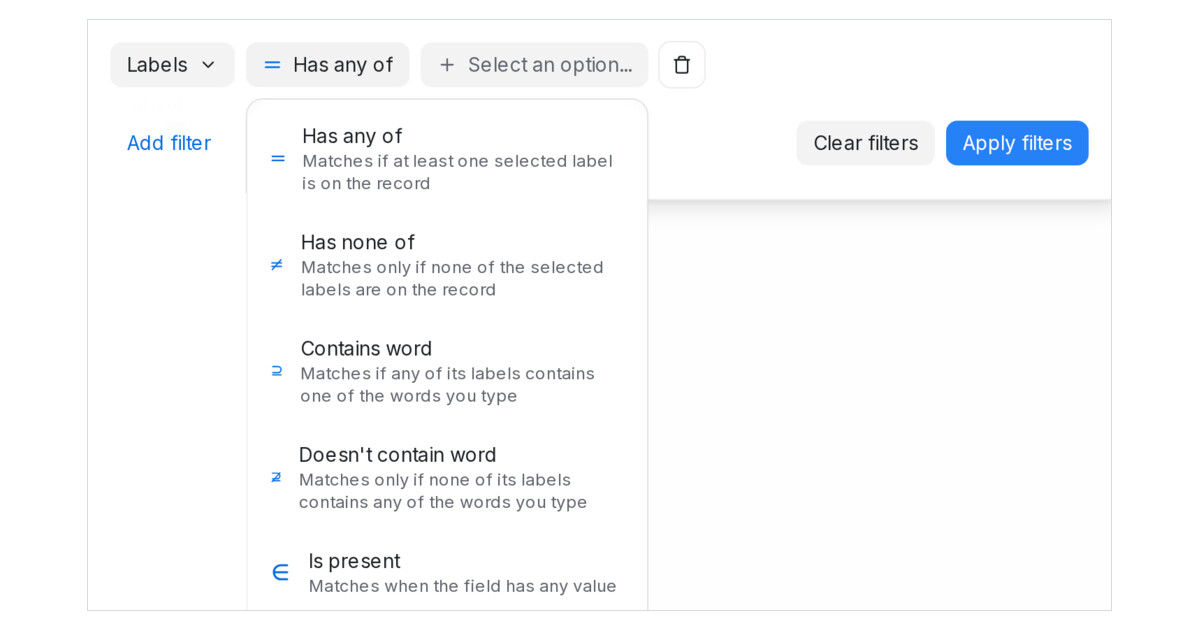
Mampu AI label conditions can now match by a word inside the label's title. Wherever you filter by labels, the Labels condition offers Contains word and Doesn't contain word beside Has any of and Has none of: type a word and press Enter, and any label whose title contains it counts, in any letter case. One word, vip, covers vip-gold and vip-silver without picking each label.
How do I filter by a word inside a label in Mampu AI?
- Open the filter — Conversations → Filter conversations, Contacts → Filter, a blasting Audience, a message sequence step's Only send if, or an automation rule's Conditions.
- Choose Labels, then the operator Contains word or Doesn't contain word.
- Type a word and press Enter; add more words the same way.
- Apply or save as usual. A saved folder, segment, blast, step or rule re-opens with the words as chips.
Where else do typed words work?
- In the flow designer, a condition step's Customer labels route rule and the inbox setting Don't reply to these labels take typed words beside picked labels.
- An AI Knowledge entry's Customer labels rule does too, so one word can gate an FAQ, a route and a filter the same way.
- For contacts, a label on the contact or on any of its conversations counts, as Has any of already does.
- Matching ignores letter case, and several words mean any one of them.

