Price a product as a range in your AI product catalogue
Product entries in AI Knowledge can now carry a minimum and a maximum price, and the AI quotes the range to customers instead of one number.
Read inBahasa Melayu中文
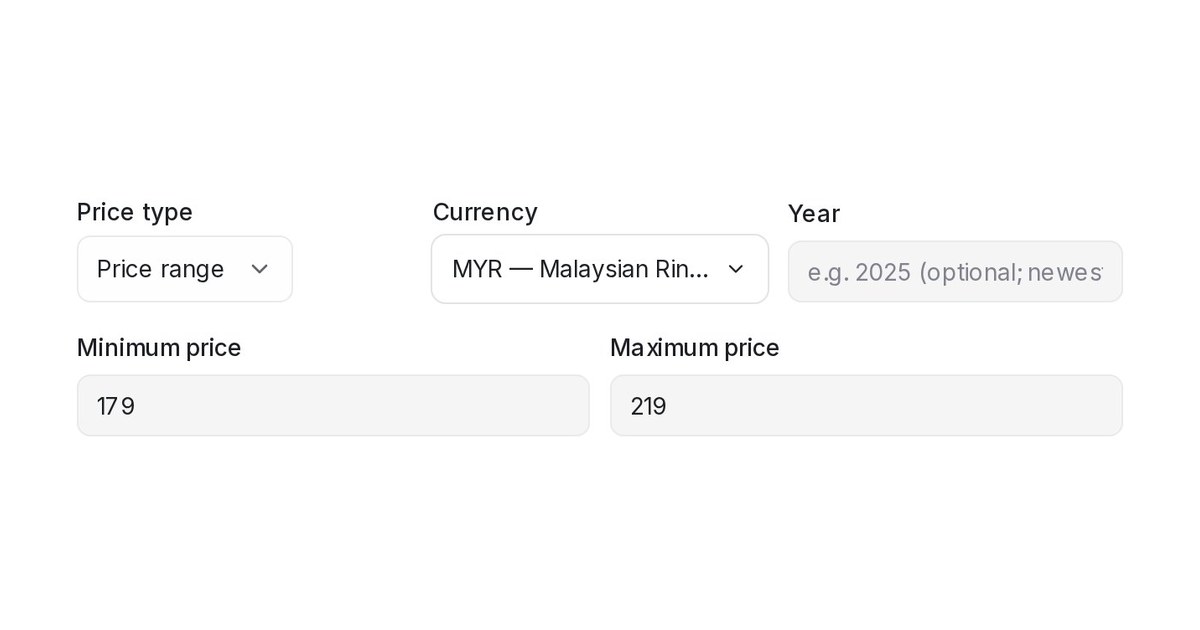
Mampu AI can now hold a price range on a product in Flow Agents → AI Knowledge Hub, for items whose price depends on size, material or specification. Your AI agent quotes both ends to the customer instead of a single number that may be wrong.
How do I give a product a price range in Mampu AI?
- Open the Product tile in Flow Agents → AI Knowledge Hub and click Add entry, or open an existing product.
- Set Price type to Price range.
- Enter the Minimum price and the Maximum price in the product's currency, then click Save.
Set Price type back to Exact price at any time to return to a single price.
What does the customer hear when a product has a price range?
- The agent quotes both ends, for example "priced from MYR 179.00 to MYR 219.00; larger sizes cost more" when the reason is written in Remarks.
- A customer who names a budget is offered the products whose price, or price range, fits it.
- The Product table shows the range, for example MYR 179.00 – MYR 219.00; single-price products are unchanged.
- A price-list upload can fill the maximum through a Maximum price (price range) column.
- Shopify products with variant prices show their range after the next sync.

