Test your Flow Agent with your voice in the Playground
Press the microphone in the Playground, speak as the customer and send the voice message with one press. The agent replies as it would to a real voice note.
Read inBahasa Melayu中文
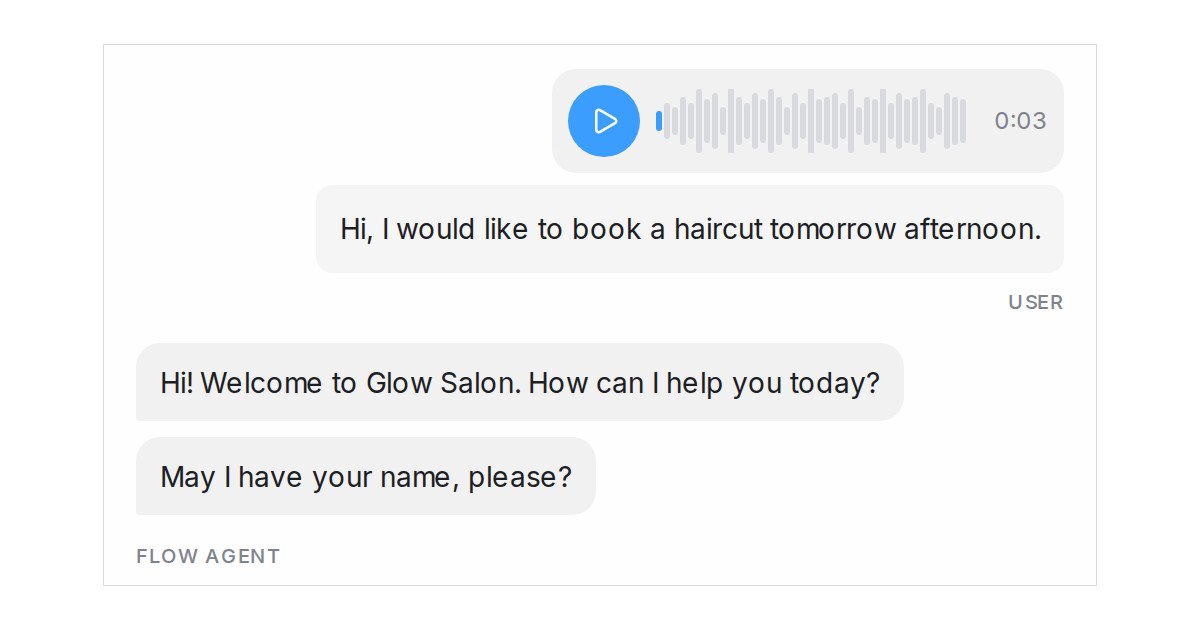
Mampu AI now lets you speak to your Flow Agent in the Playground instead of typing. Press the microphone, say what a customer would say, and the agent hears it the way it hears a voice note on WhatsApp, Instagram or Facebook, so you can check spoken requests before the agent goes live.
How do I send a voice message in the Mampu AI Playground?
- Open your agent and go to the Playground tab.
- Click the microphone beside the paperclip and allow the browser to use it if asked.
- Speak, then click the blue Send voice message button. The recording stops and goes to the agent at once. Click Discard recording (✕) to throw it away instead.
What happens after the voice message is sent?
- The clip appears in the chat as a playable voice message, and what the agent heard appears under it once the reply arrives.
- Anything already typed in the box goes out with the clip as one message, the way a customer's text and voice note arrive together.
- The agent answers from the words it heard, so routes, questions and FAQ answers behave as they would with a real customer.
- Every voice test is saved in History like any other test conversation.

