Reply to Instagram comments automatically, and reconnect Facebook or Instagram inboxes any time
Keyword rules on an Instagram inbox now answer comments publicly and by private message, and a Connection section reconnects Facebook or Instagram any time.
Read inBahasa Melayu中文
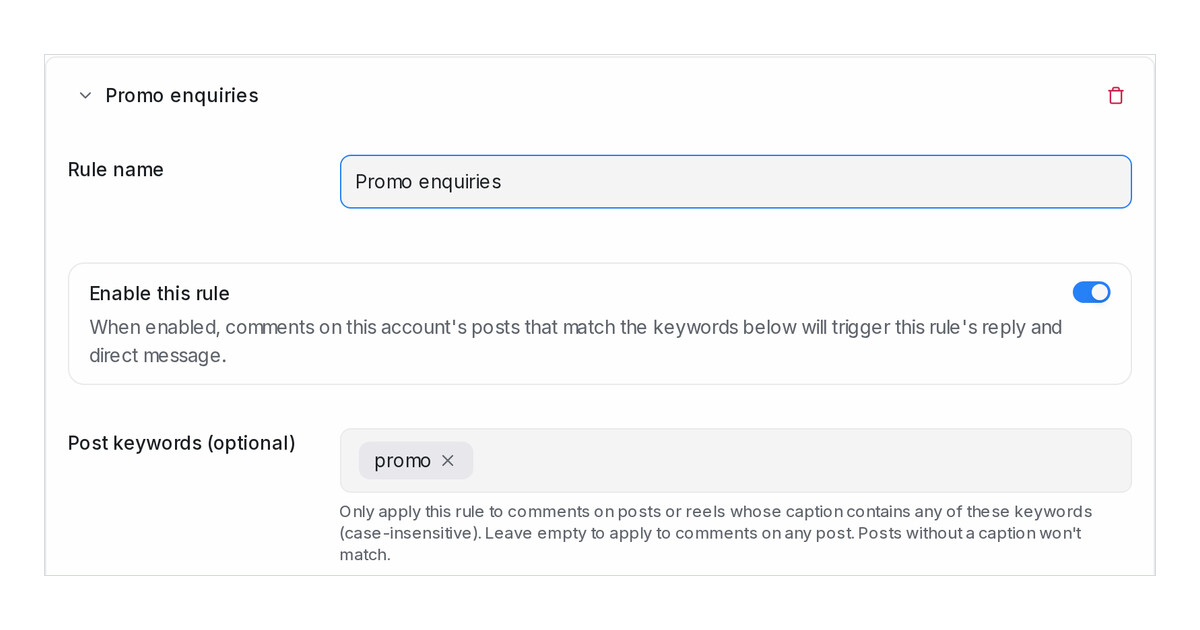
Mampu AI can now answer comments on your Instagram posts and reels for you. A keyword rule on the Comment Replies tab of an Instagram inbox posts a public reply under the comment and sends the commenter a private message, which arrives in your inbox as a conversation. Comment replies are on for every workspace.
How do I auto-reply to Instagram comments in Mampu AI?
- Go to Settings → Inboxes, open your Instagram inbox and select the Comment Replies tab.
- Click Add rule, name it and enter the Trigger keywords a comment must contain. Use
*to match every comment, and Post keywords to limit the rule to certain posts. - Write the Public comment reply and the Private message, personalise them with the name and @username buttons, then click Save.
What if my Instagram inbox was connected before comment replies?
- An inbox connected earlier does not have the comment permission yet. Its Settings tab now ends with a Connection section that reads Comment permission not granted yet.
- Click Reconnect Instagram there, sign in and approve the comment permission when Instagram asks. The inbox keeps its conversations, rules and settings.
- Facebook inboxes have the same section with Reconnect Facebook Page, so you can refresh a Page's access at any time without deleting the inbox.
- Instagram allows one private message per comment, within 7 days of the comment.

