See what your AI agent did under each reply
Each Flow Agent reply in a conversation now shows the steps it walked and the FAQs it used, and the Playground lists the FAQs used under every test reply.
Read inBahasa Melayu中文
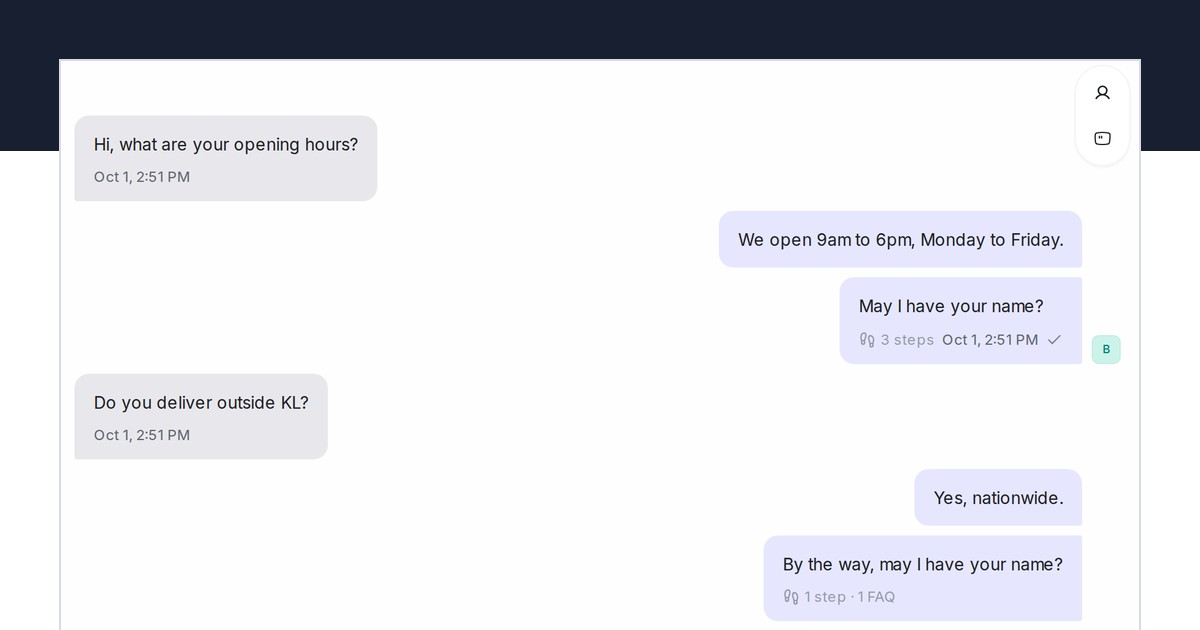
Mampu AI now shows what a Flow Agent did for each reply it sends, right in the conversation. Under the last message of every reply, a small line such as 3 steps · 1 FAQ opens into the steps the agent walked and the questions from AI Knowledge it used, so your team can see why the agent said what it said without leaving the chat.
How do I see what my Mampu AI agent did in a conversation?
- Open a conversation a Flow Agent is handling.
- Under the agent's reply, click the line that reads 3 steps · 1 FAQ (the numbers vary).
- Steps lists the flow steps by the names you gave them, for example Start → Opening hours → Ask name. FAQs used lists the AI Knowledge questions the answer came from.
Which FAQs are listed under a reply?
- Only the FAQs the reply actually used. An answer that came from the flow itself shows the step count alone.
- A step you have since removed from the flow reads Removed step.
- Teammates with the conversation open see the line arrive with the reply, and it stays with the message.
- In the designer's Playground, every test reply now shows FAQs used next to Nodes visited, for everyone on your team.

