Send a document from your own system as a file
When an API tool returns a link to an invoice or receipt, a Send message step can now send the document itself, named the way you choose, not a long link.
Read inBahasa Melayu中文
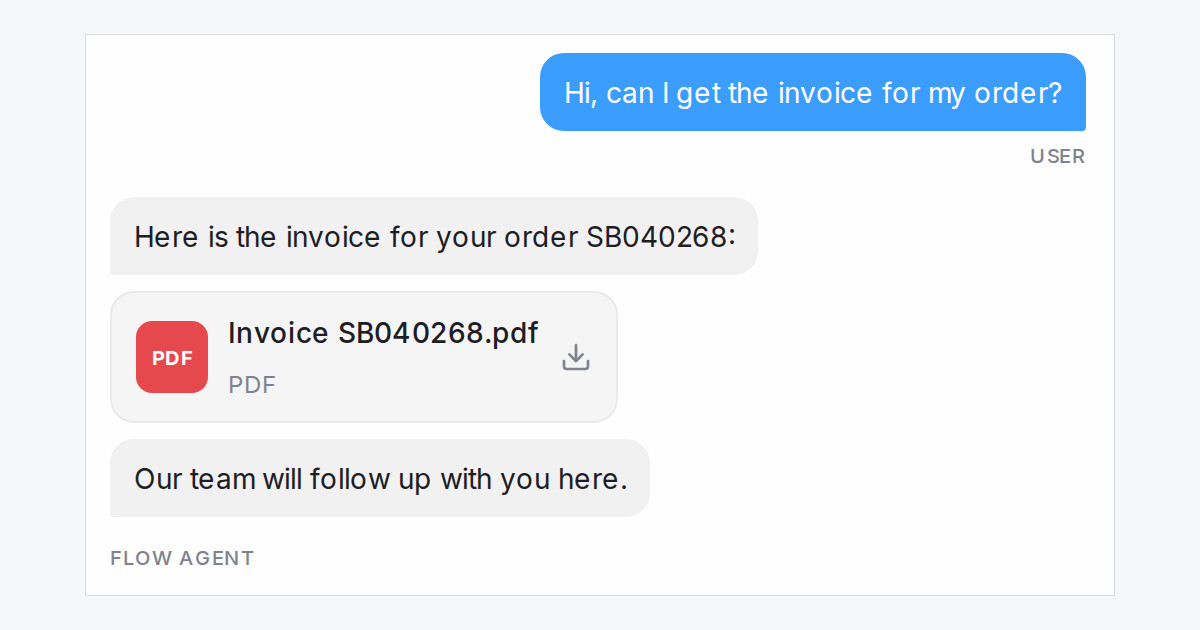
Your flow agent can now send a customer the document itself when your own system hands back a link to it. Ask for an invoice, and the customer gets a short line and the PDF, not a long link with an Open link button.
How do I send a document as a file?
- Open the Send message step that uses your API tool.
- Under the tool, set Send a saved value as a file to the saved link, such as the invoice link.
- Type a File name. You can use saved values, like
Invoice {invoice_no}.pdf. - Test it in the Playground: the reply shows the message, then the file.
What else should I know?
- The message never shows the link, even if the AI would have written it.
- If your system returns no link, no file goes out and the bot says the document isn't ready yet.
- We keep a copy of the file, up to 10 MB, so your team can still open it after your system's link expires.
- WhatsApp, Messenger, Instagram, Telegram and web chat receive the file. Email, SMS, TikTok, Line and API inboxes still get the link.

