Offer appointment times that are spread out, not back to back
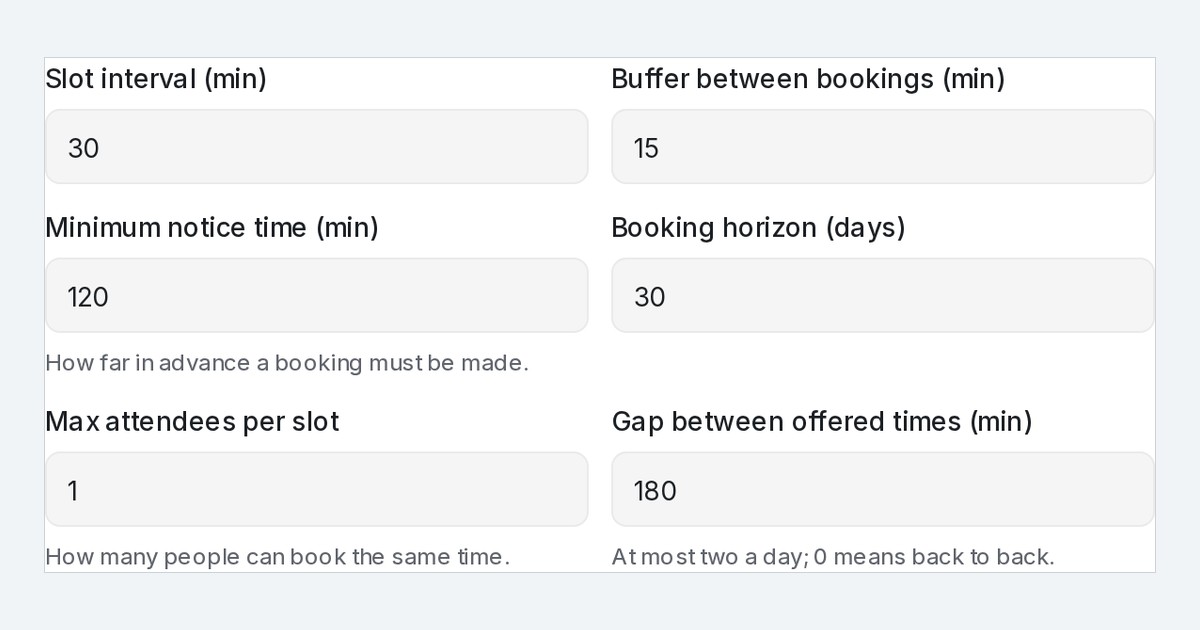
Flow agents now offer appointment times at least 3 hours apart. Each calendar has a gap setting; 0 offers the nearest times in a row.
Read inBahasa Melayu中文
Mampu AI now spreads out the appointment times a Flow Agent offers in chat on WhatsApp, Facebook, Instagram and your website. Instead of three slots in the same hour, a customer sees times at least 3 hours apart, for example 11 AM, 2 PM, or 5 PM today, moving to the next day once today has no time that far apart left.
How do I change the gap between the times my chatbot offers in Mampu AI?
- Open Flow Agents → AI Knowledge Hub → Calendar and go to the Tools tab.
- Click ⋯ → Edit on the calendar and expand Advanced settings.
- Set Gap between offered times (min). Every calendar starts at 180; set 0 to offer the nearest times back to back again.
- Click Save. The next offer in chat uses the new gap.
What does a customer see when the flow agent offers times?
- Three times at least the gap apart; once a day has no time that far apart left, the next day's times follow.
- A customer who asks for a morning gets mornings spaced by the gap instead of three slots in the same hour.
- When a calendar has only a few free times left, the agent still offers everything that is free, even if those times are close together.
- The public booking page still shows every free slot, and a re-offer after a time is taken stays close to the time the customer asked for.

