Choose which chat messages a webhook sends to your CRM
The Send Webhook Event action can send a conversation's chat history narrowed by sender, message type and count, up to 100 messages.
Read inBahasa Melayu中文
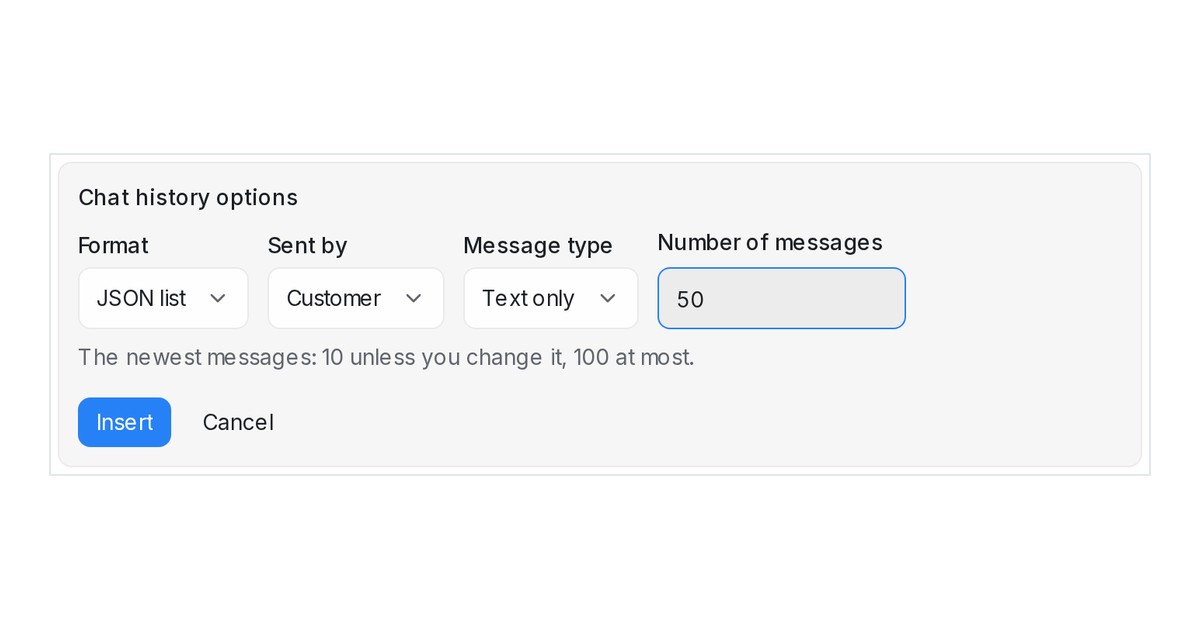
Mampu AI can now send exactly the chat messages your CRM or system needs. The Send Webhook Event action in Automation, Macros and Inbound Webhooks sends a conversation's chat history as a JSON list or plain text, and you choose who sent the messages, which kind to include and how many, up to 100.
How do I send only the customer's messages to a webhook in Mampu AI?
- Open Settings → Automation, create or edit a rule, and add the Send Webhook Event action with your URL.
- Under Custom payload (optional), click Insert variable, then Choose role, type and count… in the Chat history section.
- Pick Sent by, Message type and Number of messages, choose JSON list or Plain text under Format, and click Insert.
- Click Test send to deliver a sample from one of your conversations, then save the rule.
What can the chat history in a webhook payload include?
- Sent by: everyone, the customer, your agents or the bot.
- Message type: all types, text only, images, videos, audio, files, locations or contacts.
- Number of messages: 1 to 100, 10 unless you change it; the newest ones, oldest first, counted after the other choices.
- A misspelt option or an unknown value is refused by Test send with the problem named, so a test never quietly sends every message.

