Switch the Meta Business Suite label sync off for a Facebook Page
A switch on each Facebook inbox keeps your labels and Meta Business Suite labels apart when you want, and clears the Page Contact Terms notice.
Read inBahasa Melayu中文
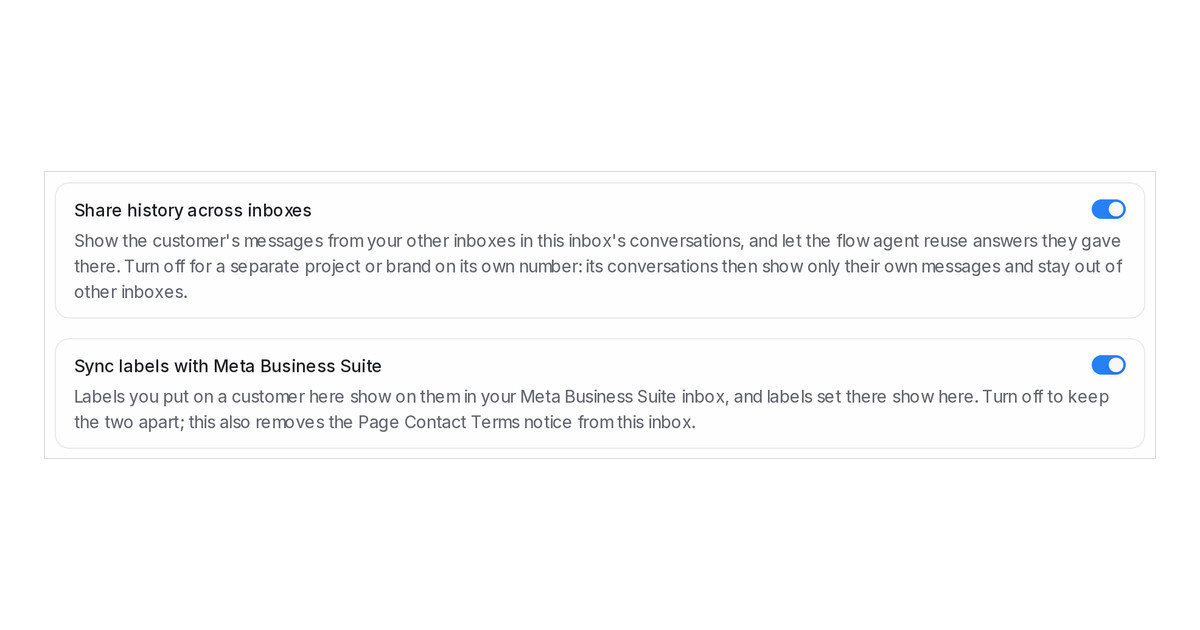
Mampu AI keeps contact labels on a Facebook inbox in step with the labels in the Meta Business Suite inbox, both ways. Some teams keep the two sets apart on purpose, and a Page whose admin has not accepted Meta's Page Contact Terms carried a notice asking for them. Each Facebook inbox now has a switch for the sync, on unless you turn it off.
How do I switch the label sync off for a Facebook Page in Mampu AI?
- Open Settings → Inboxes and choose the Facebook inbox.
- On the Settings tab, turn off Sync labels with Meta Business Suite, just under Share history across inboxes.
- Click Update. The Label sync needs Meta's Page Contact Terms notice leaves the inbox at once.
What changes when the sync is off?
- Labels set in Mampu AI stay in Mampu AI, and labels set in Meta Business Suite stay there.
- The delete and rename notes on a label stop naming that Page.
- The Notices from Meta list records All clear from Meta with the reason Label sync switched off in the inbox settings.
- Turn the switch back on and Mampu AI reads the Page's labels again.
- Red and yellow notices on any inbox now email your administrators at most once a day for the same notice.

