Test your Flow Agent in the Playground as a real customer
Set a Scenario in the Playground — the ad a customer clicked, their labels and their contact record — and the flow takes exactly the routes they would get.
Read inBahasa Melayu中文
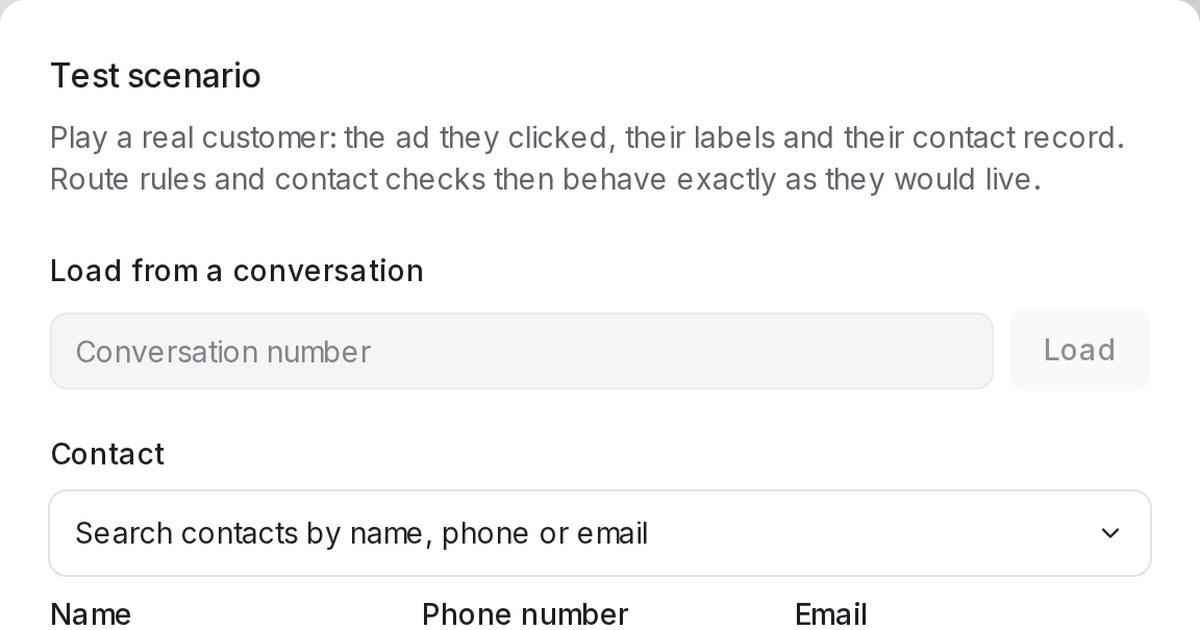
Mampu AI can now run a Playground test as a particular customer: the ad they clicked, their labels and their contact record. Routes reserved for an ad or a label, and checks on a customer's saved details, can be tried without a live phone.
How do I test a Flow Agent as a specific customer in Mampu AI?
- In the Flow Agent's Playground, click Scenario above the chat.
- Use Load from a conversation to fill in a real customer from a conversation number, or set Contact, Ad and Labels yourself.
- Press Apply. The test conversation restarts as that customer.
What can you set in a Playground scenario, and how does it change the test?
- Contact lets you search for an existing contact, or type a name, phone number, email and contact attributes by hand.
- A Testing as strip above the chat shows who you are playing. When your route conditions hide a branch or send the customer straight down one, a note in the chat says which routes were affected.
- Conditions that read contact details use the record you entered, so a customer whose number is already on file is not asked for it again.
- History shows which customer each saved test session played as.

