Turn your website into FAQs that stay up to date
Add your website and its pages become FAQs your AI agent answers from. Edited, new and removed pages are picked up on their own.
Read inBahasa Melayu中文
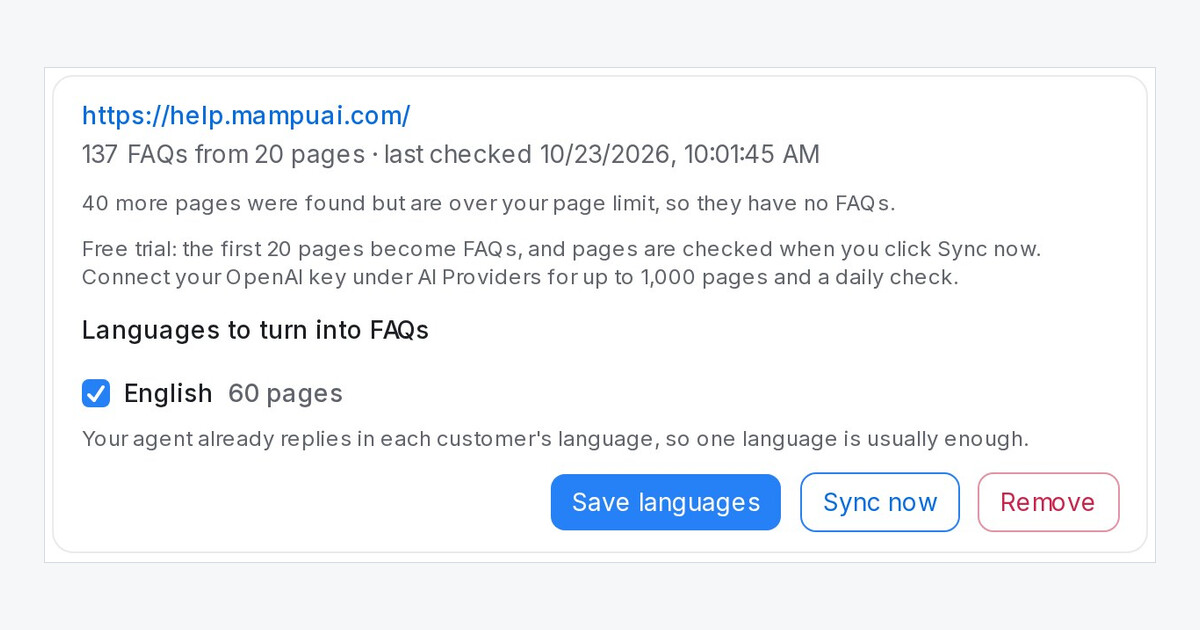
Your website already answers most customer questions. Now Mampu AI reads it and turns each page into FAQs, so your AI agent answers from the same facts your customers see online, and you no longer copy the site into FAQs by hand.
How do I turn my website into FAQs in Mampu AI?
- Open AI Knowledge Hub → FAQ and click Import → From website.
- Type your website address. To leave out part of the site, list it under Skip these sections, for example
/blog, /careers. - Click Add website, then tick the languages to turn into FAQs and click Import these languages.
The FAQs go live straight away.
What happens when my website changes?
- A page's text changes. The FAQs from that page are rewritten. A change to your menu or footer doesn't count.
- A new page appears. It gets its own FAQs.
- A page is taken down. Its FAQs are removed once it has been missing for two checks in a row.
- You edited an FAQ yourself. It is always kept.
With your own OpenAI key the site is checked every day; on the free AI credit, click Sync now to check it. Only the text on each page is read: text inside images and content that only appears after the page runs scripts won't become FAQs.

