Delete your workspace yourself, with 7 days to change your mind
Admins can now delete their workspace from Account Settings. It is removed after 7 days, and you can cancel any time before then.
Read inBahasa Melayu中文
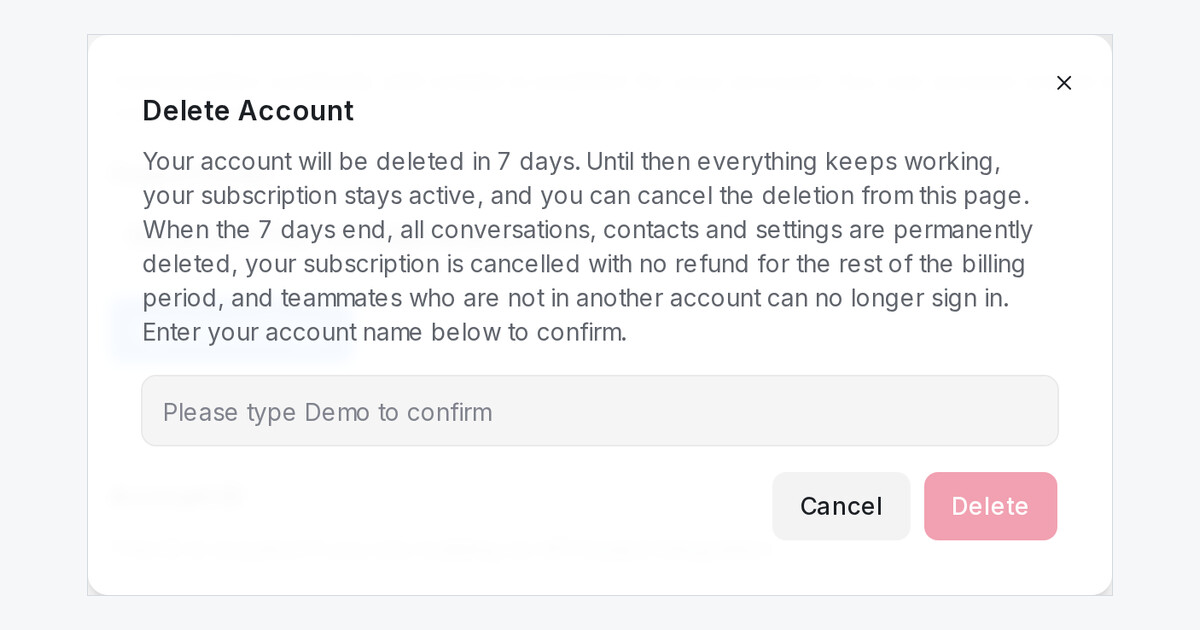
Mampu AI now lets a workspace administrator delete the whole workspace from Settings → Account Settings. Deleting starts a 7-day countdown: until it ends, everything keeps working, your subscription stays active, and you can cancel with one click.
How do I delete my workspace in Mampu AI?
- Open Settings → Account Settings and scroll to Delete your Account.
- Click Delete Your Account and type your account name to confirm.
- Click Delete. A red box shows the day the workspace will be deleted.
What happens to my data and subscription when the 7 days end?
- All conversations, contacts and settings are permanently deleted.
- Your subscription is cancelled, with no refund for the rest of the billing period. Nothing changes in your billing during the 7 days.
- Teammates who are not in another workspace can no longer sign in.
- Changed your mind? Click Cancel Scheduled Deletion before that day and the workspace and subscription carry on as before.

