Take time off without missing leads
Mark holidays in Settings, Time off. On an approved day off the person gets no new leads and their calendar is blocked, and agents can ask for their own days.
Read inBahasa Melayu中文
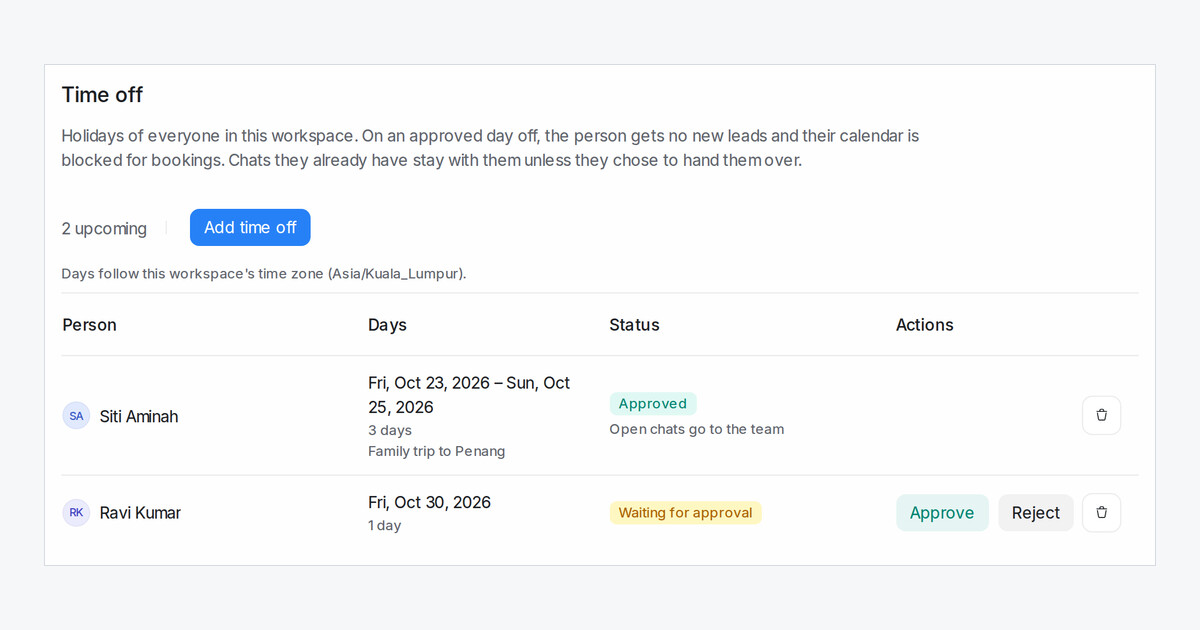
Leads and bookings used to keep going to someone on leave. Settings → Time off is now a shared holiday list for the whole team.
What happens on a day off?
On every day of an approved holiday the person gets no new leads, from new conversations or from a Flow Agent handing over. Their calendar is blocked for the whole day, so bookings go to a teammate or another day. If everyone who could take a lead is away, an administrator gets it, so nothing waits unassigned. The day after, the person is back in the rotation in their usual place.
How do agents ask for days off?
An agent clicks Request time off, picks the first and last day and sends it. Every administrator sees the request in My Inbox and by email, then clicks Approve or Reject with an optional reason, and the agent is told the result. An administrator can also use Add time off for anyone, and it is approved at once.
What about chats and bookings they already have?
Their chats stay with them, unless they tick Hand open chats to the team while away, which passes them to teammates on the first day. Bookings already on those days are never cancelled; approving the holiday lists them so you can reschedule.

