Import WhatsApp usernames and reach them in blastings
Contacts import and blasting lists now take a WhatsApp Username column, so customers who chat by username can be added and reached.
Read inBahasa Melayu中文
Some customers chat with you on WhatsApp by username and never share a phone number. You can now add them to your contacts and include them in a WhatsApp blasting.
How do I import them?
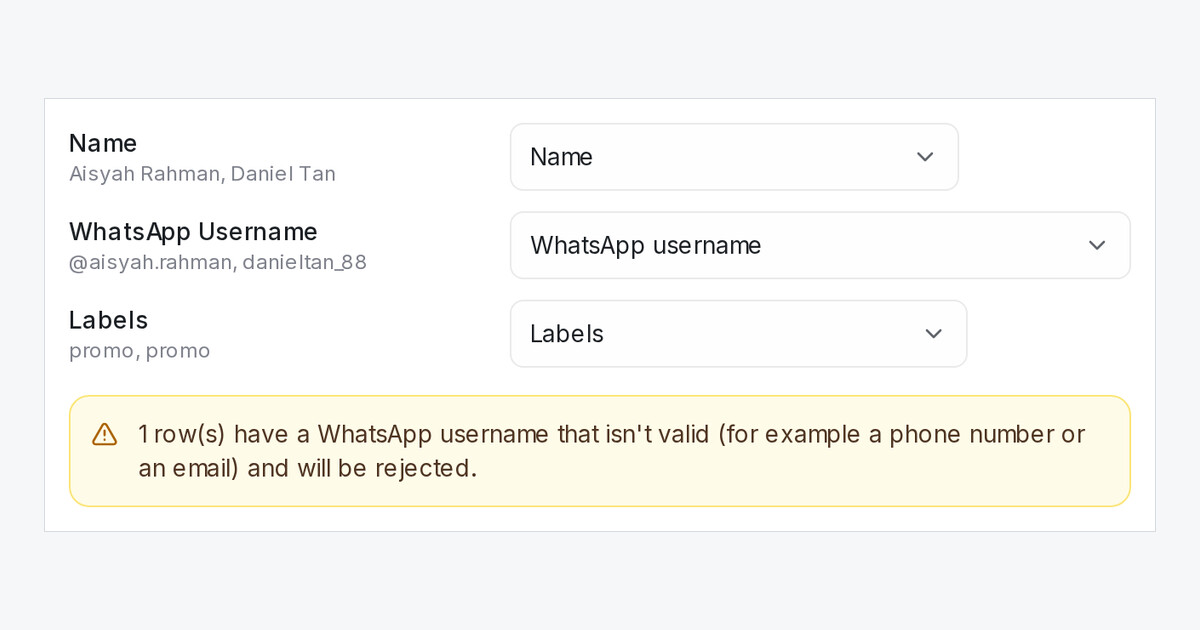
In Contacts, choose Import contacts and add a column called WhatsApp Username. It is matched to WhatsApp username for you. A row needs only the username, a leading @ is fine, and a contact who already has that username is updated instead of added twice. A phone number or an email typed in that column gets the row skipped, and the window warns you before you import.
When can a username contact get a message?
As soon as that person messages one of your WhatsApp numbers. Their chat and the imported contact then become one contact, with its labels and details kept. From then on, a WhatsApp API (WABA) blasting reaches them, also when you send it from another number on the same WhatsApp Business account.
Does Upload a list work too?
Yes. A blasting list can carry the same column. Rows for people who have not messaged you yet are skipped as Not reachable yet.

