Make a WhatsApp chatbot without coding
The three no-code options, what to prepare before you start, and how to test it with the messages your customers really send.
Read inBahasa Melayu中文
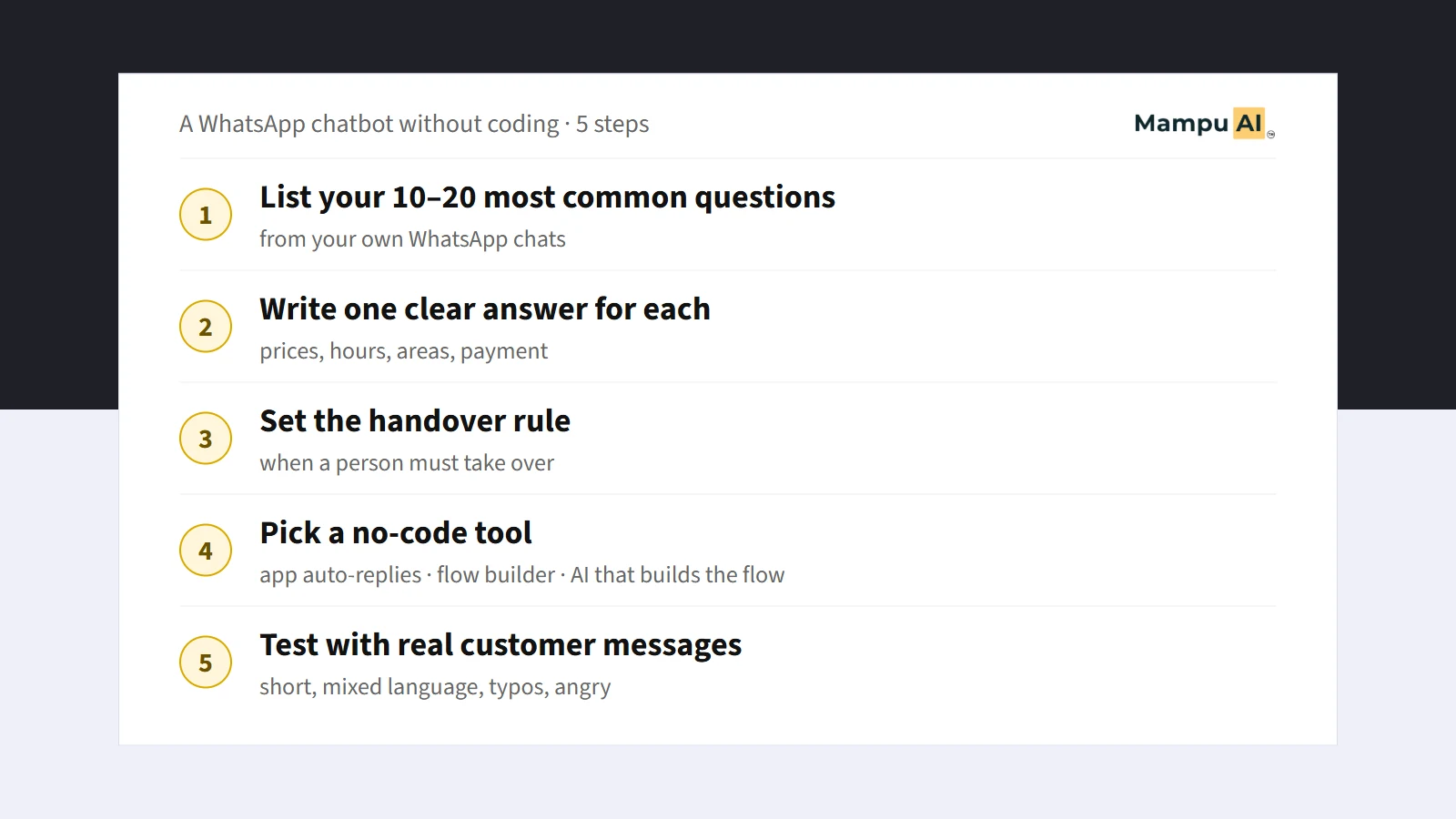
You can make a WhatsApp chatbot without coding in three ways: the free auto-replies in the WhatsApp Business app, a drag-and-drop flow builder, or an AI tool that builds the flow from your description. Whichever you pick, the work is the same: list your common questions, write the answers, decide when a person takes over, and test with real messages.
Do you need to know coding to make a WhatsApp chatbot?
No. Coding is only needed if you build your own system on the WhatsApp Business Platform from scratch, and almost no small business should. Every option below is set up by clicking and typing.
What a chatbot does need is your business knowledge: what customers ask, what you answer, and when a question is too important for a bot. That part cannot be skipped by any tool, so most of this guide is about it.
What are the three no-code ways to set one up?
| Option | What it does | Good for | Limits |
|---|---|---|---|
| WhatsApp Business app auto-replies | A greeting message, an away message outside your hours, and quick replies your staff send with a shortcut | A one-person business that wants something today, at no cost | Fixed messages only. It cannot understand a question or ask follow-up questions |
The app's tools have limits worth knowing. The greeting message goes out on a customer's first message, and again only after 14 days with no chat. Away messages can run always, on a schedule, or outside your business hours (which must be set in your business profile), and they need your phone to be online. You can save up to 50 quick replies. Greeting and away messages pause while Meta's own AI agent (Meta Business Agent) is connected to the number. | Drag-and-drop flow builder | You draw the conversation as boxes and arrows: buttons, questions, answers | A business with clear, repeated paths, such as booking or menu choices | You build and maintain every branch. Customers who type instead of tapping a button often fall off the path | | AI that builds the flow from your description | You describe your business in plain words; the AI drafts the conversation and answers from your FAQs | Owners who have no time to draw a flow, and customers who type freely in Malay, Chinese or Manglish | You still need to check its answers and test it before going live |
Many businesses start with the free auto-replies, then move to a builder or an AI tool when the same questions take up hours of staff time every day.
What should you prepare before you start?
Prepare these on paper or in a document first. They take an afternoon, and they decide whether the chatbot is useful:
- Your 10 to 20 most common questions. Scroll through your last few weeks of WhatsApp chats and write down each question every time it comes up. Most businesses find a short list covers most chats: prices, opening hours, location, delivery areas, stock, how to book or order, payment methods.
- One clear answer for each. Use your team's best existing reply. Check that prices, promotions and fees are still correct today.
- The details you need from a customer. For example name, area, preferred date, or the product they want.
- Your opening hours. So the bot can tell customers when a person will reply.
- Your handover rule. Write down exactly when a person must take over. See the section below.
- Files customers ask for. A price list, a menu or a brochure as a PDF or image.
If you already have months of WhatsApp chats, our guide on building a chatbot from the chats you already have shows how to pull the questions and answers out of them.
How do you set it up, step by step?
The exact buttons depend on the tool, but the order is the same everywhere:
- Start with the free auto-replies if you have nothing yet. In the WhatsApp Business app, open the Tools tab and set a Greeting message, an Away message for outside your hours, and Quick replies for your most common answers. This takes ten minutes and helps immediately.
- Choose a tool for real conversations. If your customers mostly tap through fixed choices, a flow builder works. If they type full questions in their own words and languages, look for an AI tool that understands free text.
- Connect your WhatsApp number. Tools that go beyond the app use the WhatsApp Business Platform. Ask whether you can keep using the WhatsApp Business app on the same number: on Mampu AI, a number connected through the official WhatsApp API keeps working in the app alongside it.
- Add your FAQs and files. Paste in the questions and answers you prepared, and upload your price list or menu.
- Build the conversation. In a builder you draw it; in an AI tool you describe it ("greet the customer, ask what they need, answer from our FAQs, collect their name and preferred time, then pass to our team").
- Set the handover. Make sure every path ends with either a clear answer or a person.
- Test, then go live on a small scale. See the next section.
How do you test it before customers see it?
Test with the messages your customers really send, not tidy textbook questions. Copy ten real messages from your chats, including:
- A short one: "price?", "brp", "多少钱".
- Mixed language: "Boleh hantar ke Klang tak? Need by Friday".
- A spelling mistake or shortform: "tmrw open x?".
- A question your FAQs do not cover.
- An angry or urgent message.
For each one, check three things: is the answer correct, does it sound like your business, and does the bot hand over when it should. Fix the FAQ or the flow, then test again. Our guide Can a chatbot understand Manglish and bahasa rojak? has a ready 10-message test you can copy.
After that, turn it on for real customers and read every bot conversation for the first week. You will find questions you forgot.
When should the chatbot hand the chat to a person?
A good chatbot knows when to stop. Hand over when:
- The customer asks for a person, in any wording ("nak cakap dengan orang", "can I talk to someone").
- The customer is ready to pay, book or sign, and a person closes better.
- There is a complaint, a refund or anything urgent.
- The question is not in your FAQs. A wrong guess costs more than a short wait.
- The customer has asked the same thing twice and still has no answer.
Tell the customer what happens next, for example "Our team will reply within 30 minutes during office hours", and make sure your team sees the handed-over chat quickly.
How does Mampu AI do it?
Mampu AI is one of the AI options above. In its flow designer you describe your business in a chat box, the way you would brief a new staff member. The designer asks a few questions, shows a plan, and builds the conversation. It reads your FAQs and business profile, so it does not ask for what it already knows, and you can also send it a photo or PDF of your price list. You then chat with the bot as a customer in the Playground, including voice notes and photos, before connecting your WhatsApp number. The bot follows the flow, answers from your FAQs, and hands chats to your team when your rule says so. You can start free; see the pricing page for current plans.
What does a WhatsApp chatbot cost to run?
There are two separate costs. The first is the tool: the WhatsApp Business app is free, and other tools charge a monthly fee or offer a free start. The second is Meta's own charge for WhatsApp template messages sent through the WhatsApp Business Platform, which applies on every platform. Our WhatsApp API pricing guide explains which messages are free and which are charged.
Frequently asked questions
Sources
Every rule and figure on this page is dated and linked to its source. Mampu AI figures are anonymised percentages across customers on Mampu AI.
Public sources
- WhatsApp Help Center, About greeting messageshttps://faq.whatsapp.com/501866148528310
- WhatsApp Help Center, About away messageshttps://faq.whatsapp.com/2565868990219715
- WhatsApp Help Center, About quick replieshttps://faq.whatsapp.com/1791149784551042
- Mampu AI Help Center, Connecting a WhatsApp inboxhttps://help.mampuai.com/settings/connecting-a-whatsapp-inbox
- Meta, WhatsApp Business Platform pricinghttps://developers.facebook.com/docs/whatsapp/pricing/
- Mampu AI Help Center, Designing your agent by chattinghttps://help.mampuai.com/flow-agents/designing-your-agent-by-chatting
- Mampu AI Help Center, Testing and connecting an agenthttps://help.mampuai.com/flow-agents/testing-and-connecting-an-agent
- Mampu AI pricinghttps://mampuai.com/pricing
Describe your business, get a first chatbot to test
Message our team with what you sell and what customers usually ask. We'll show you how to build and test your first WhatsApp chatbot on Mampu AI without writing any code.