Send a different greeting outside business hours
Give any Send message step a second text for when the inbox is closed, so an after-hours customer hears when your team replies.
Read inBahasa Melayu中文
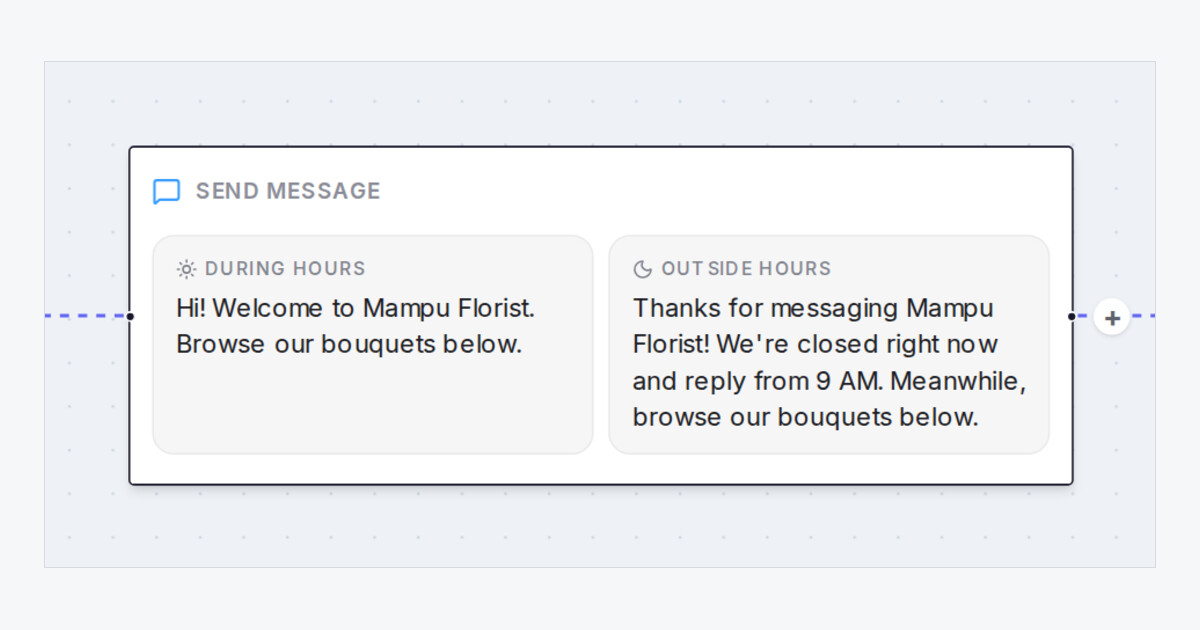
Your Flow Agent's greeting no longer has to sound as if someone is at the shop at midnight. Any Send message step in the Flow Agents designer now takes a second text, Outside business hours, beside its Message, the same option the End step already has. When a chat arrives on an inbox that is outside its business hours, the agent sends that version instead, and the rest of the flow carries on as usual.
How do I send a different greeting outside business hours?
- In the designer, select your greeting's Send message step and write the after-hours version under Outside business hours.
- In the same panel, check the hours under Business hours of this agent's inboxes, and set them with Set hours or Edit if they are missing.
- To test it, open the Playground, click Scenario, and choose the inbox and a pretend time outside its hours.
What else should I know about the after-hours text?
- Leave it blank and the step always sends Message.
- Photos and cards on the step go out with either text.
- Steps that book an appointment, or place or cancel an order, keep their own messages and don't show the box.
- On the canvas, a step with both texts shows them side by side, marked During hours and Outside hours.

