Show a product only to customers who match conditions
Product entries in AI Knowledge now take the same conditions as FAQs, so the agent recommends a product only to customers who match its rows.
Read inBahasa Melayu中文
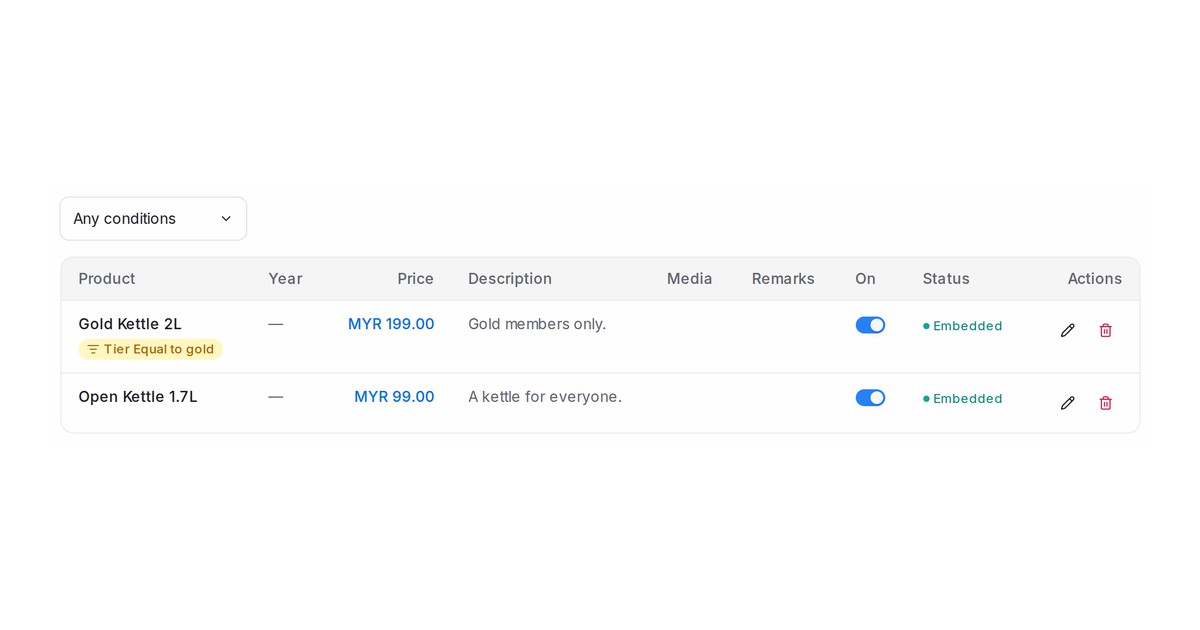
Mampu AI can now gate a product the way it gates an FAQ. A product entry in AI Knowledge takes the same condition rows on the customer's attributes, labels, inbox and dates, and the agent recommends the product only to customers who match them. A promotion with conditions is held back from product recommendations in the same way.
How do I show a product only to some customers in Mampu AI?
- Open Flow Agents → AI Knowledge → Product and edit the product.
- Under Show this entry only when, click Add condition and pick a field, an operator and a value, for example Tier, Equal to, gold.
- Save. The product list shows the conditions under the product's name, and the Any conditions menu narrows the list to Has conditions or No conditions.
What happens when a customer asks about a gated product?
- When the agent recommends products, or lists promotions with them, it offers only the entries the customer matches. A customer who matches no row, or has nothing to check yet, is not offered the product.
- The same fields apply as for FAQs: contact and conversation attributes, Labels, Inbox name, the contact's details and Current date (when answering).
- Conditions stay on a product through a product import or store sync; renaming a label or attribute updates the rows.
- A product with conditions still appears in the Product list and in your store sync. Only what the agent offers is filtered.

