Send customers down a Flow Agent route by the words in their message
Add keywords to any condition branch — when a customer's message contains one, the flow skips the question and takes that route.
Read inBahasa Melayu中文
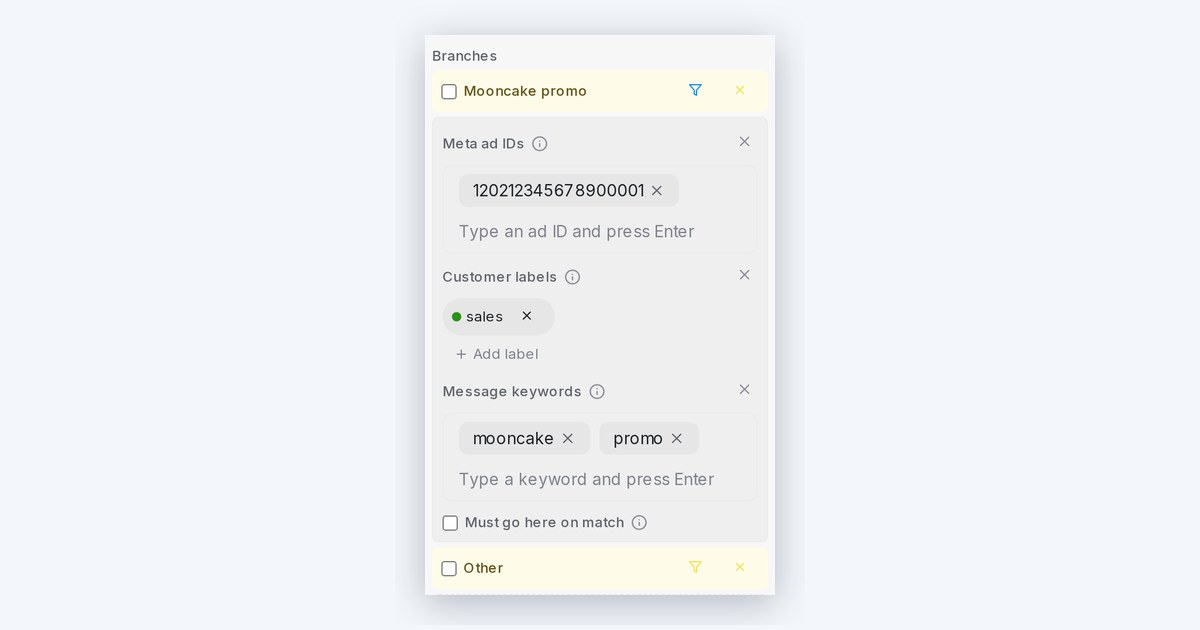
Mampu AI can now send a customer straight down a Flow Agent route when their message contains a keyword you choose, such as "promo", "book" or "refund". The flow skips the question for that customer, while everyone else is asked as usual.
How do I route customers by keywords in their message in Mampu AI?
- In the flow designer, click the filter icon on a branch of a Condition block.
- Press Add condition and choose Message keywords.
- Type each word or phrase that belongs to that route and press Enter.
- Try it in the Playground: type a keyword and watch the shortcut fire.
How does keyword routing match a customer's message?
- Matching ignores letter case and the keyword can sit anywhere in the message, so promo matches "Is the PROMO still on?".
- Combine keywords with Meta ad IDs or Customer labels to reserve the shortcut for the right customers. Those must match too before the customer is sent down the route.
- Branches where matching customers skip the question show a fast-forward badge on the canvas.
- Customers already inside a route always get to finish it, even if the rule changes mid-conversation.

