See what your AI captured and why chats reached your team on Home
Home now counts the details customers gave your AI agents and separates chats the AI passed on from flows that finished with their planned handover.
Read inBahasa Melayu中文
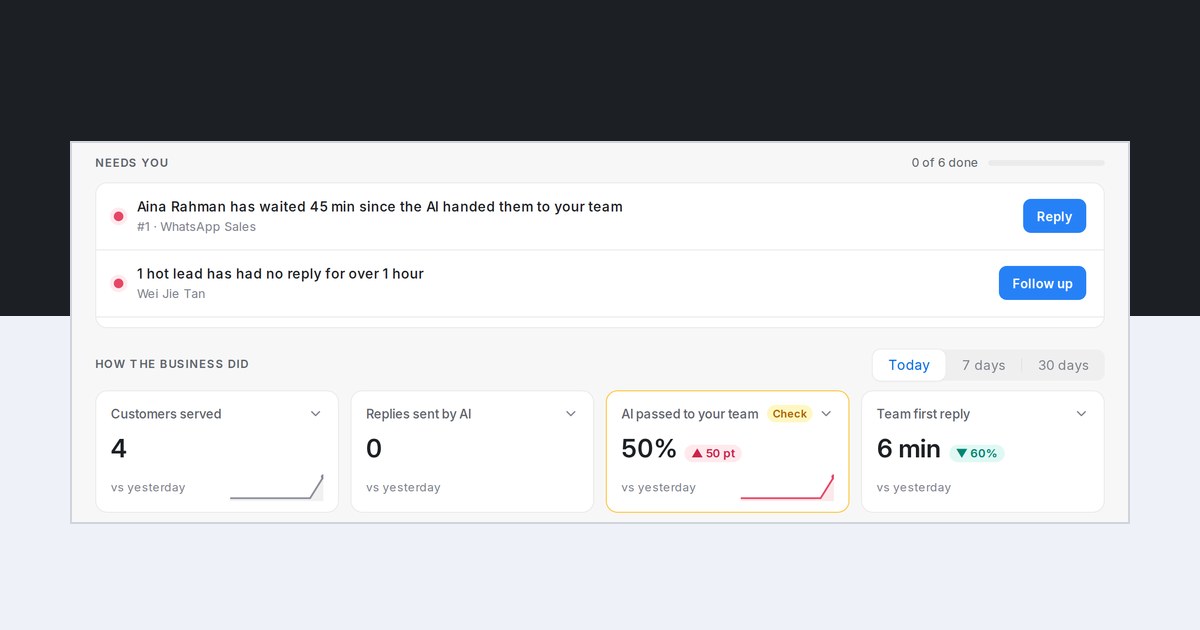
Mampu AI's Home now shows how many details customers gave your AI agents, and separates chats the AI passed to your team from flows that finished with their planned handover. Home is now on for every workspace with AI Monitoring.
How do I see what my AI agents captured in Mampu AI?
- Open Home and look under How the business did.
- Details captured by AI counts the answers customers gave in your flow's questions, such as a preferred date, company name or website.
- Click the arrow on the tile to see which details customers gave most.
How do I tell a planned handover from the AI passing a chat on?
- AI passed to your team is the share of conversations the AI handed to a person before the flow was done, for example when a customer asked something the flow does not cover, or the flow fell through to its default hand-off. A rise of more than 10 points shows Check.
- AI done is the share of conversations where the AI finished the flow: it reached a handover step you built into the flow, or a closing step where the flow ends.
- Both tiles work for Today, 7 days and 30 days, each compared with the period before.
- Administrators land on Home on their first visit of the day once an AI agent is live on an inbox.

