Shifts decide which agents take new leads at each hour
Set shifts on an inbox so new leads go round robin only to the agents or team on duty, and an administrator takes any lead that arrives outside every shift.
Read inBahasa Melayu中文
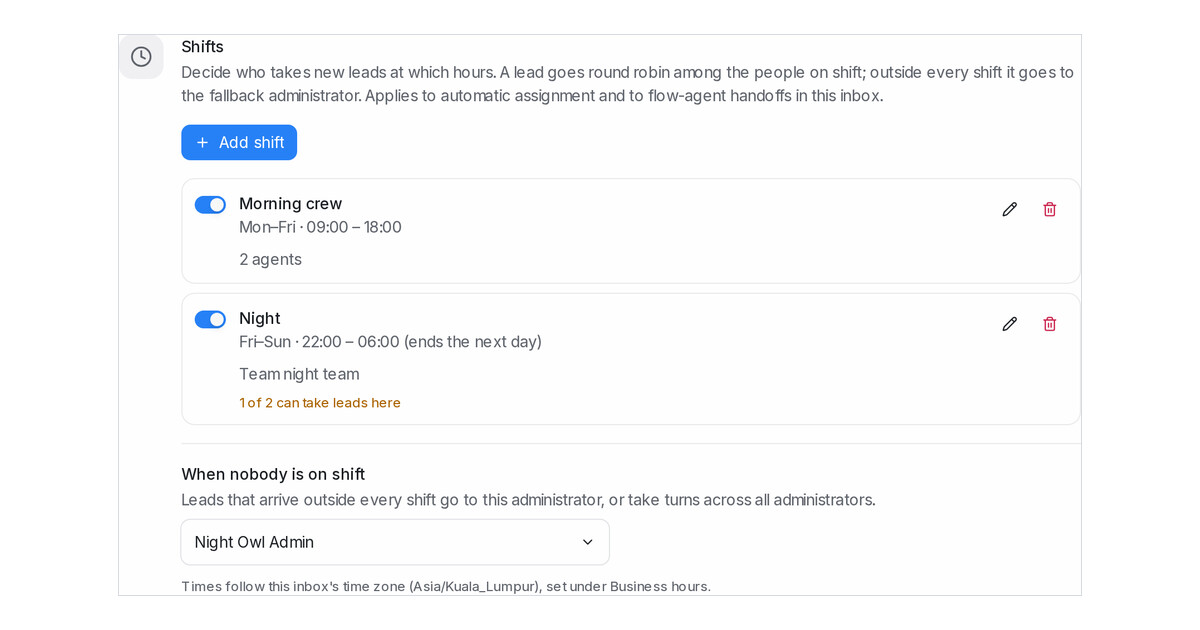
Mampu AI can now follow your team's shifts when it hands out new leads. On any inbox with automatic assignment, set a morning shift for one group of agents and a night shift for a team, and each lead goes round robin only among the people on duty at that hour, instead of landing on someone who left at six. A lead that arrives outside every shift goes to an administrator, so nothing waits for the next shift.
How do I set up shifts in Mampu AI?
- Open Settings → Inboxes, choose the inbox and open the Collaborators tab.
- In the Shifts card under Conversation Assignment, click Add shift.
- Name it, pick the days it starts on and its start and end time, then choose Specific agents or Members of a team and click Save shift.
What happens outside every shift?
- The lead goes to the administrator you pick under When nobody is on shift, or takes turns across all administrators when you leave it on Rotate across all administrators.
- A shift that ends the next day, such as 22:00 to 06:00, works as you would expect, and shifts that overlap pool their people.
- A team shift follows the team's membership as it changes, and a shift can be switched off without deleting it.
- With no shifts, the inbox keeps assigning to every agent at any hour, exactly as before.

