Show an FAQ or promo only to customers with a certain label
Show an FAQ or promo entry only to customers who carry a label, or hide it from them, with labels picked by name or by a word they contain.
Read inBahasa Melayu中文
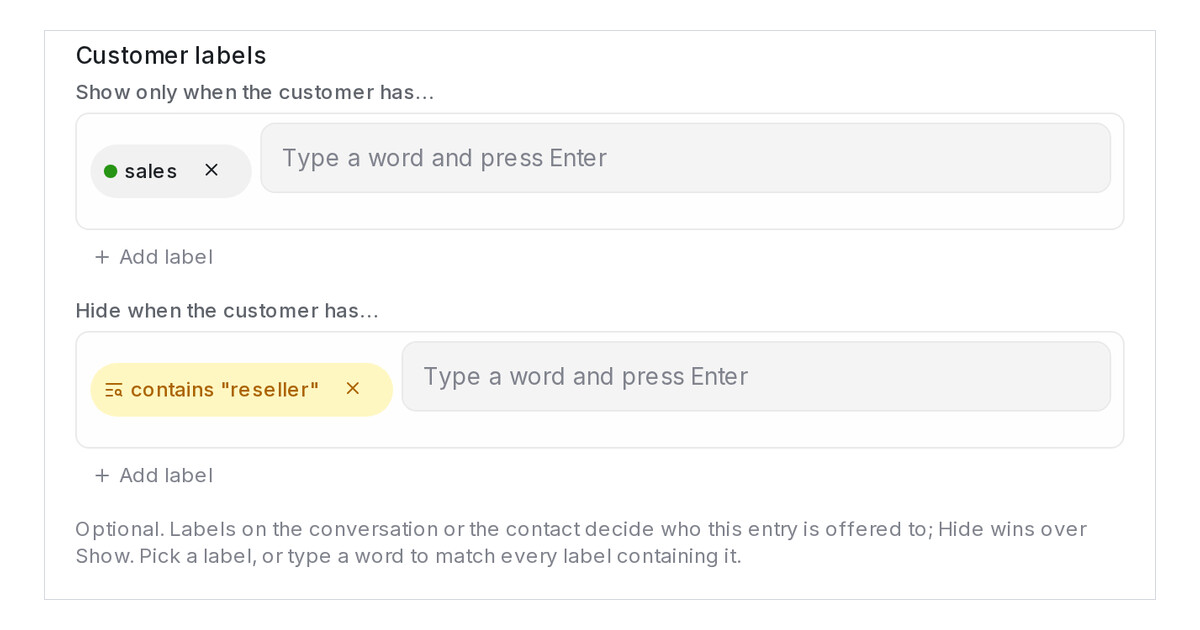
Mampu AI can now decide who gets an answer by the customer's labels. In Flow Agents → AI Knowledge Hub, every FAQ and Promo entry has a Customer labels section: show it only to customers whose conversation or contact carries a label you list, hide it from customers who carry another, or both.
How do I show an FAQ only to some customers in Mampu AI?
- Open Flow Agents → AI Knowledge Hub and choose FAQ or Promo.
- Click Add entry, or the pencil on an existing entry, and find Customer labels.
- Under Show only when the customer has…, click Add label and pick a label, or type a word and press Enter to match every label containing it.
- Fill Hide when the customer has… the same way, then click Save.
Which labels count, and what happens when a label changes?
- Labels on the conversation and on the contact both count, whatever their letter case.
- Hide wins over Show, and a flow step limited to certain categories still applies.
- A renamed label stays in the rule; a deleted one drops out, and an entry left with an empty Show only when list is switched off until you set a new rule.
- Entries with a rule show it on their card, and the Any label rule menu filters the list.
- In the Playground, a Scenario with labels applies the rules and a note lists the FAQs they hid.

