Show only the products that match what the customer asked for
Product steps in your flow agents can now leave out products that aren't what the customer asked for, and hand the chat to your team when none fit.
Read inBahasa Melayu中文
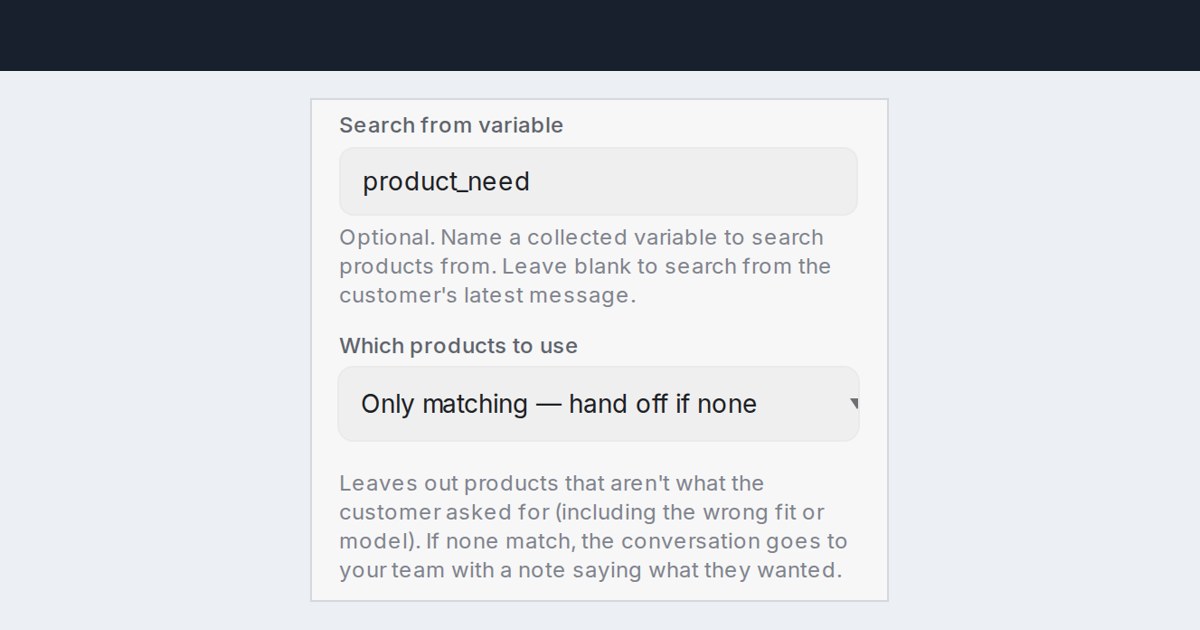
Mampu AI can now leave out products that aren't what the customer asked for in Flow Agents. A product step keeps only the items that fit, including the right car model or size, and hands the conversation to your team when nothing in your catalogue matches.
How do I show only matching products in a Mampu AI flow agent?
- Open your flow agent and select the step that recommends products, with Tool type set to Product.
- Under Which products to use, choose Only matching — hand off if none.
- On an AI Task step that picks the products, choose Only matching products.
You can also ask the flow designer: "Only show products that actually fit what the customer asked for."
What happens when no product in my catalogue matches?
- The customer is told the item couldn't be found and that a teammate will check it.
- The conversation goes to your team with a private note saying what the customer asked for.
- On an AI Task step, the task gets "No matching products found." so your next branch decides what happens.
- Steps left on Closest products from the search, the default, work as before.

