Suggest a reply drafts from your AI Knowledge and the lead's details
In a conversation, Suggest a reply now writes from your FAQs, products and lead details, shows what it found, and lets admins choose the details it reads.
Read inBahasa Melayu中文
Mampu AI can now draft a reply for your team from what it knows about the customer. In any conversation, Suggest a reply writes from the chat, the FAQs and products in your AI Knowledge Hub, and the lead's details, and shows you what it found before anything is sent.
How do I get a suggested reply in Mampu AI?
- Open the conversation and click the sparkle button at the top right of the reply box.
- Click Suggest a reply. The draft appears in the reply area. When it recommends products, a panel above it lists them with the price, an Open link and the reason, marked Shown to you only.
- Type a follow-up to refine the draft, then click Accept and Send.
Which lead details does the draft read?
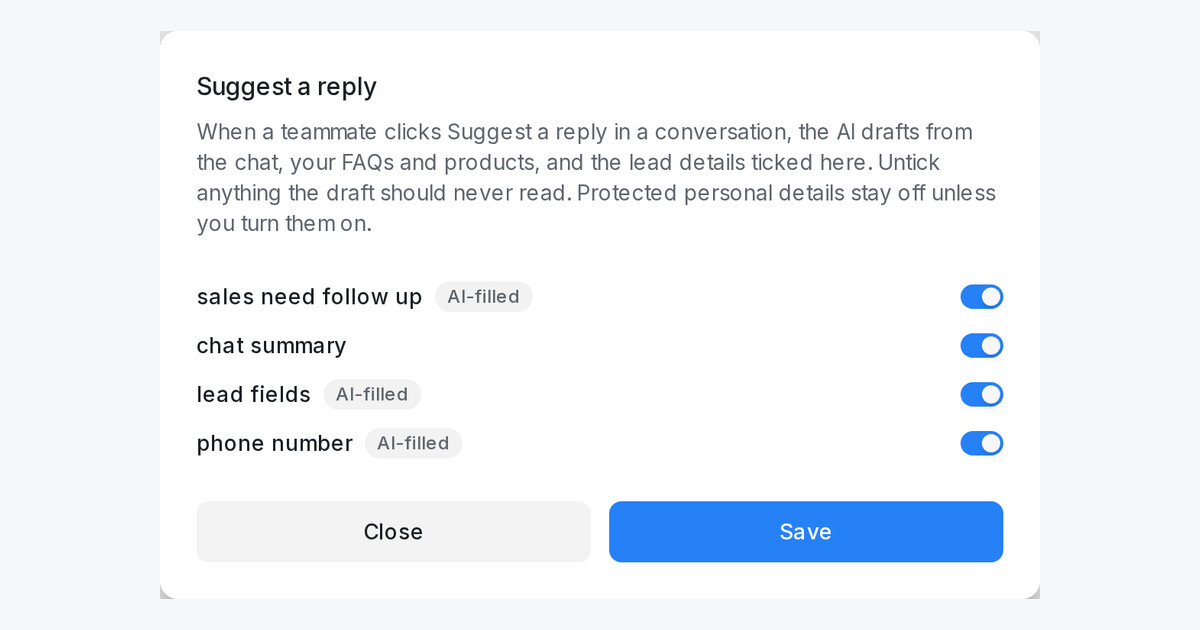
- Open Flow Agents → AI Knowledge Hub and click the Suggest a reply tile: every conversation attribute is listed with a switch, and the badge counts the details in use.
- Protected personal details such as race, nationality or age start off. Switch one on only on purpose.
- Only administrators and knowledge managers can change the switches.
- The product panel is for your team only; Accept copies the draft alone into your reply.

