What's new in Mampu AI
Every new feature in Mampu AI, the AI agent and shared inbox for WhatsApp, Instagram, Facebook and your other channels. Newest first, each with a step-by-step guide in the Help Centre.
Read inBahasa Melayu中文
See what your AI agent read from a photo or voice note
Test a flow with a photo or voice note in the Playground and see the AI's description or transcript under it, just as your team sees it in a conversation.
Read more: See what your AI agent read from a photo or voice noteStart a WhatsApp template with a picture, video or document from the library
Draft a WhatsApp template that opens with a picture, video or document in the WhatsApp Templates library, and apply it to any of your numbers.
Read more: Start a WhatsApp template with a picture, video or document from the libraryAdd your own lead categories to lead analysis
Lead analysis now takes categories beyond Hot, Warm and Cold. Add one, name it, describe it, and the badge, daily report and Reports → Leads follow.
Read more: Add your own lead categories to lead analysisDaily lead report email now shows who to follow up
The morning email covers the last 24 hours only and lists the leads that went quiet after your reply, each with a Follow up button.
Read more: Daily lead report email now shows who to follow upSave Playground test customers, and pick the inbox and the moment
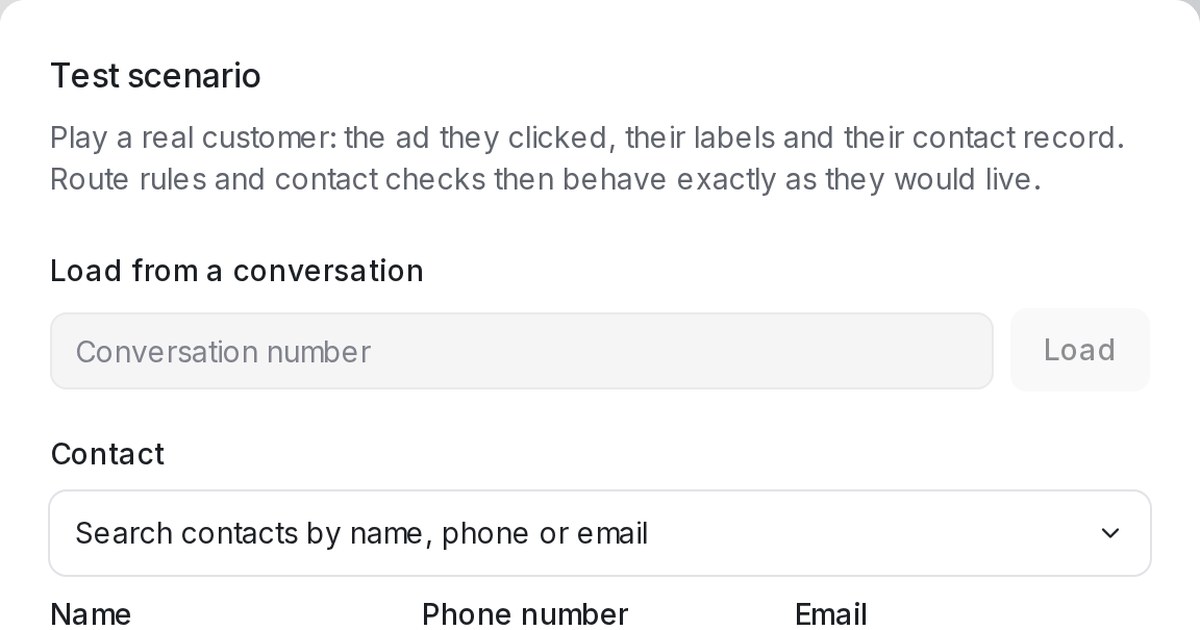
Playground scenarios can be saved for the whole team, placed on a specific inbox, and run as if the conversation happened at a chosen date and time.
Read more: Save Playground test customers, and pick the inbox and the momentSwitch Chat monitoring and Agent reply scoring on or off in AI Monitoring
Chat monitoring and Agent reply scoring now have their own switches in AI Monitoring, so you can turn one off without losing its history.
Read more: Switch Chat monitoring and Agent reply scoring on or off in AI MonitoringTest your Flow Agent in the Playground as a real customer
Set a Scenario in the Playground — the ad a customer clicked, their labels and their contact record — and the flow takes exactly the routes they would get.
Read more: Test your Flow Agent in the Playground as a real customerFind every morning's lead report under Reports → Leads
Each daily lead report is now kept in the dashboard. Open Reports → Leads to look back at any morning, with the full list instead of the first 25.
Read more: Find every morning's lead report under Reports → LeadsYour daily lead report email now shows who is waiting for a reply
The morning lead report now counts yesterday's active conversations and the customers still waiting for a reply, with a legend explaining each number.
Read more: Your daily lead report email now shows who is waiting for a replyUse the Mampu AI dashboard in Bahasa Melayu
Bahasa Melayu is now a language you can pick for your account or just for yourself, and the dashboard, chat widget and system emails follow it.
Read more: Use the Mampu AI dashboard in Bahasa MelayuReview AI Knowledge FAQ drafts without approving duplicates
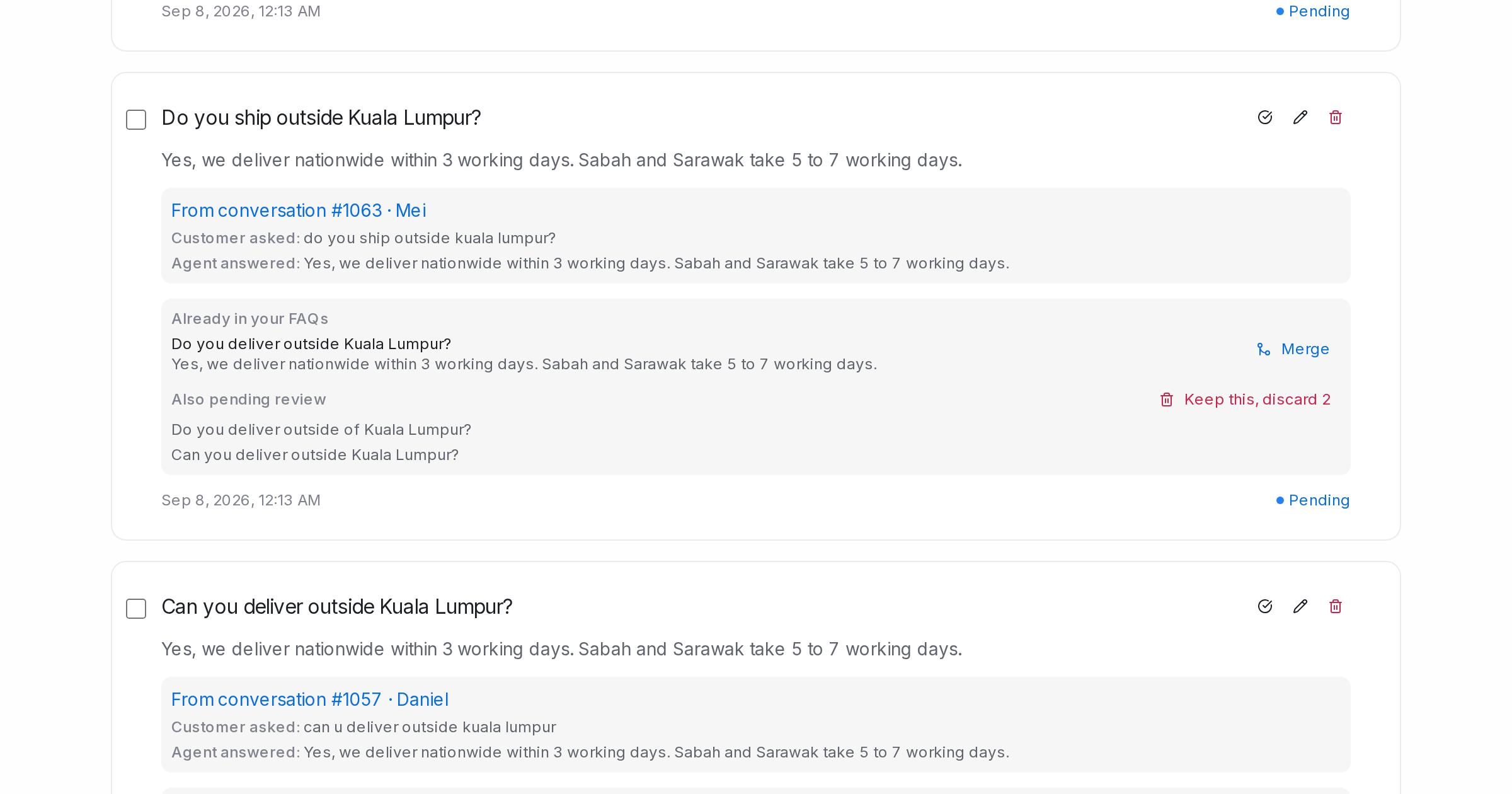
Pending FAQ drafts now show the FAQs you already have that ask the same thing, so you can merge them into one answer or clear the copies in a click.
Read more: Review AI Knowledge FAQ drafts without approving duplicatesUse a customer's saved contact details in your Flow Agents
Flow agents can read a customer's saved contact details — name, phone, email, custom fields — to greet by name and skip questions you already have answers to.
Read more: Use a customer's saved contact details in your Flow AgentsFind contacts by the labels on their conversations
Label views in Contacts now include every contact whose conversations carry the label, and Active lists your monthly active contacts.
Read more: Find contacts by the labels on their conversationsA daily lead report in your inbox every morning
Every morning, administrators get the day's leads by temperature and the leads to follow up, each linked to its conversation.
Read more: A daily lead report in your inbox every morningPin conversations to the top of your conversation list
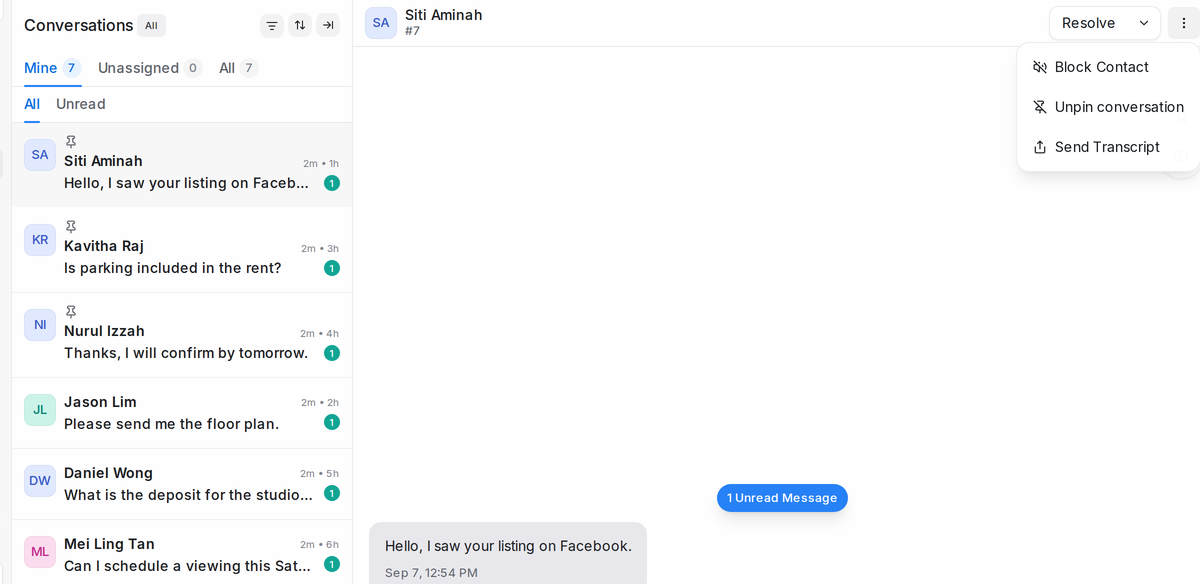
Keep up to three conversations pinned at the top of the list for your whole team, the way pinned chats work on your phone.
Read more: Pin conversations to the top of your conversation listSend customers down a Flow Agent route by the words in their message
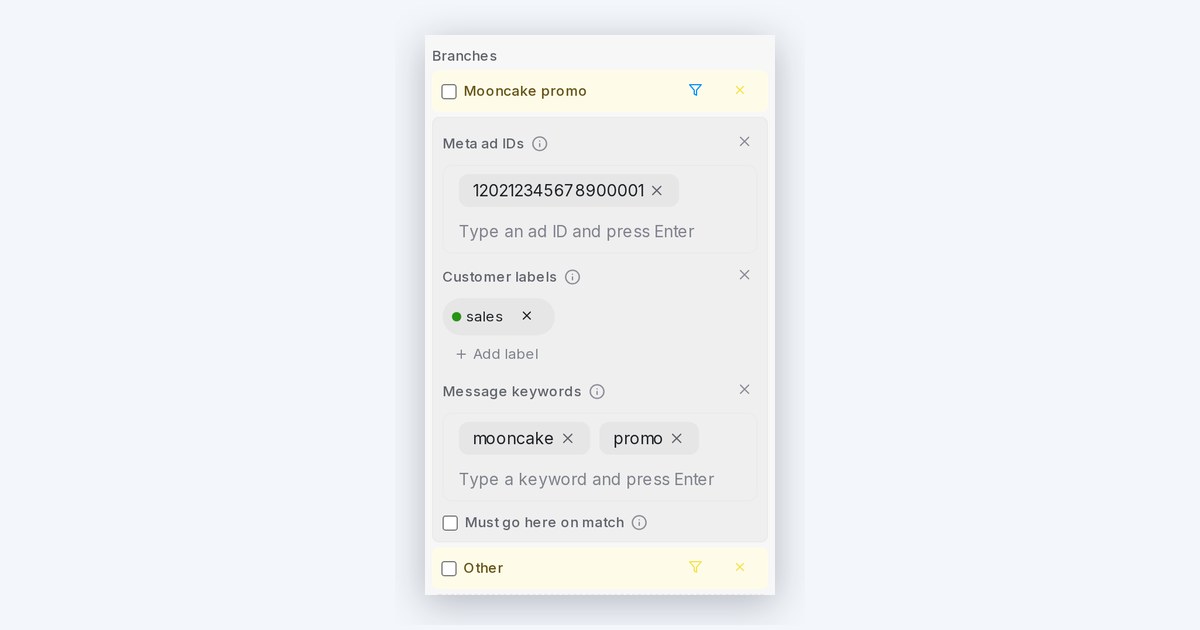
Add keywords to any condition branch — when a customer's message contains one, the flow skips the question and takes that route.
Read more: Send customers down a Flow Agent route by the words in their messageSelect several messages at once
Tick messages in a chat and forward, copy or delete them together, the way you would on your phone.
Read more: Select several messages at onceForward a message to another chat
Right-click any message and send it on to other chats or contacts, attachments included, without copying and pasting.
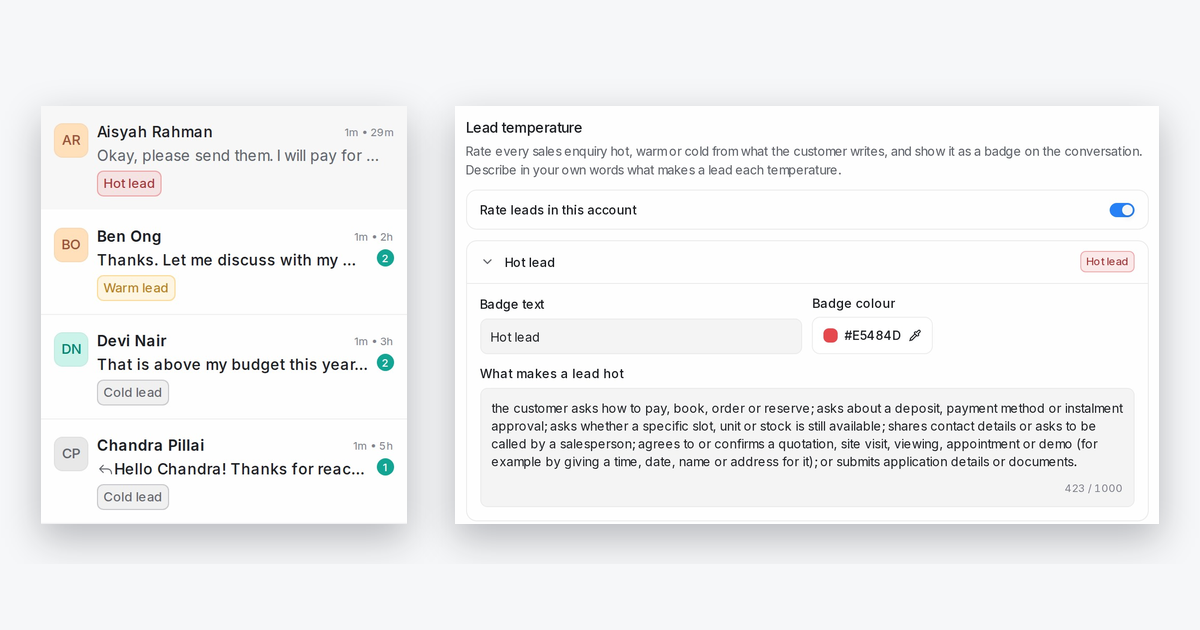
Read more: Forward a message to another chatSee which conversations are hot, warm or cold leads
Every sales enquiry now carries a hot, warm or cold badge, rated from what the customer writes, using rules you describe in your own words.
Read more: See which conversations are hot, warm or cold leadsClose WhatsApp group chats automatically when your number leaves
When your WhatsApp number leaves or is removed from a group, its conversation is resolved automatically, so no reply countdown keeps running for it.
Read more: Close WhatsApp group chats automatically when your number leaves