What's new in Mampu AI
Every new feature in Mampu AI, the AI agent and shared inbox for WhatsApp, Instagram, Facebook and your other channels. Newest first, each with a step-by-step guide in the Help Centre.
Read inBahasa Melayu中文
Let customers tap an answer to a Flow Agent question instead of typing
Give a flow question up to three answer buttons. Customers tap one on WhatsApp, Messenger, Telegram, Line or web chat and the flow moves on at once.
Read more: Let customers tap an answer to a Flow Agent question instead of typingSend a different Flow Agent handoff message outside business hours
Give any End step a second message for when the inbox is closed, so customers hear when to expect a reply instead of a promise nobody is there to keep.
Read more: Send a different Flow Agent handoff message outside business hoursLet your Flow Agent collect a few details before handing off to your team
List the details your AI agent should ask for before a routine handoff, and your team gets them in a private note before they say hello.
Read more: Let your Flow Agent collect a few details before handing off to your teamSend message sequences in each customer's language
Add a language to a message sequence and every customer receives it in the language they chat in, with a default for everyone else.
Read more: Send message sequences in each customer's languageMessage someone new straight from search
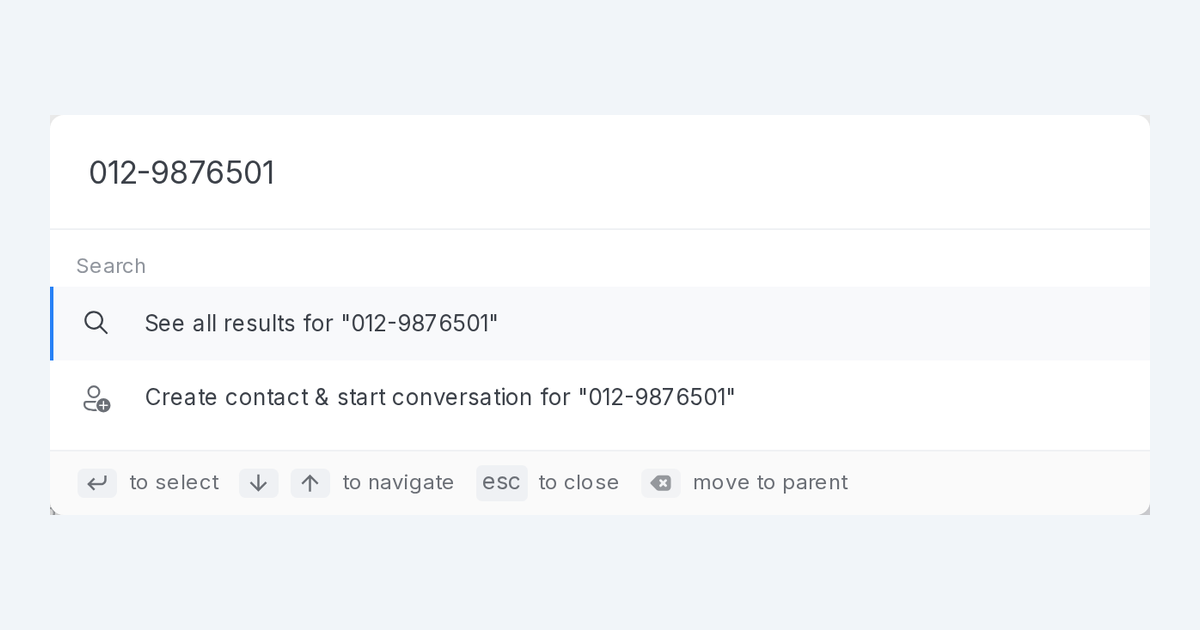
Searched for someone who isn't a contact yet? Create the contact and open a conversation with them from the search page or the Ctrl+K bar, in one go.
Read more: Message someone new straight from searchKeep a send-only inbox out of your team's conversation views
Two new inbox switches. Hide an inbox from All Conversations, and make it outbound only so replies to it are never taken in.
Read more: Keep a send-only inbox out of your team's conversation viewsTime message sequence steps around an event date
Give a message sequence an event date and send steps a set number of days before, on or after it. Change the date and new sign-ups follow it.
Read more: Time message sequence steps around an event dateYour Shopify products arrive in Mampu AI with their photo, every variant and the store link
Products synced from Shopify now bring their photo, full description, the price and stock of each variant, and a link to the product in your online store.
Read more: Your Shopify products arrive in Mampu AI with their photo, every variant and the store linkEvery new conversation gets an owner, even when nobody is online
New conversations get an owner the moment they arrive, even when nobody is online. Prefer the old way? Pick "Online agents only" on a policy.
Read more: Every new conversation gets an owner, even when nobody is onlineYour Flow Agent no longer repeats an answer it just gave
An FAQ answer or product photo sent in the last few replies is not sent again. A customer who wants it repeated can simply ask.
Read more: Your Flow Agent no longer repeats an answer it just gaveChoose the inboxes AI Monitoring watches
Settings → AI Monitoring now has an inbox scope: pick your sales inboxes, and chat monitoring, reply scoring and lead analysis leave the rest alone.
Read more: Choose the inboxes AI Monitoring watchesStart a Flow Agent test over with ##reset
Testers can send ##reset in the chat to wipe their test run and take the flow from the top again, in the same conversation.
Read more: Start a Flow Agent test over with ##resetWhatsApp template pictures and files arrive already attached
Pick a WhatsApp template with an image, video or document and its file is already attached, in a blast or a reply. Swap it only when you want another.
Read more: WhatsApp template pictures and files arrive already attachedAnswer WhatsApp template button presses automatically
Set what each quick-reply button on a WhatsApp template replies with in the template library, and adjust the replies for each blasting.
Read more: Answer WhatsApp template button presses automaticallyDownload your flow submissions as a spreadsheet
Export every submission in the Flow Submissions report to a CSV file with the columns you chose, ready for your spreadsheet app. Paid plans.
Read more: Download your flow submissions as a spreadsheetReach contacts by the labels on their conversations in filters, segments and blasts
Labels your team adds to a conversation now count when you filter contacts, save a segment or choose a blasting audience, so nobody is missed.
Read more: Reach contacts by the labels on their conversations in filters, segments and blastsSee where customers go in your flow
Switch on the heatmap in the Flow Designer to see how many customers reached each step of your flow in the last 30 days.
Read more: See where customers go in your flowFill WhatsApp and Messenger blast template variables from a list
Pick a contact field, a contact attribute or a column from your uploaded list for each template variable, instead of typing the field's code by hand.
Read more: Fill WhatsApp and Messenger blast template variables from a listReply from another WhatsApp number without leaving the conversation
Pick which of your WhatsApp numbers a reply goes out from, inside the conversation. The customer's answer to that number lands in the same conversation.
Read more: Reply from another WhatsApp number without leaving the conversationEdit a live WhatsApp template from the library
Change the words, header, footer or buttons of a template that is already on your numbers, and the update reaches every number in one save.
Read more: Edit a live WhatsApp template from the library