What's new in Mampu AI
Every new feature in Mampu AI, the AI agent and shared inbox for WhatsApp, Instagram, Facebook and your other channels. Newest first, each with a step-by-step guide in the Help Centre.
Read inBahasa Melayu中文
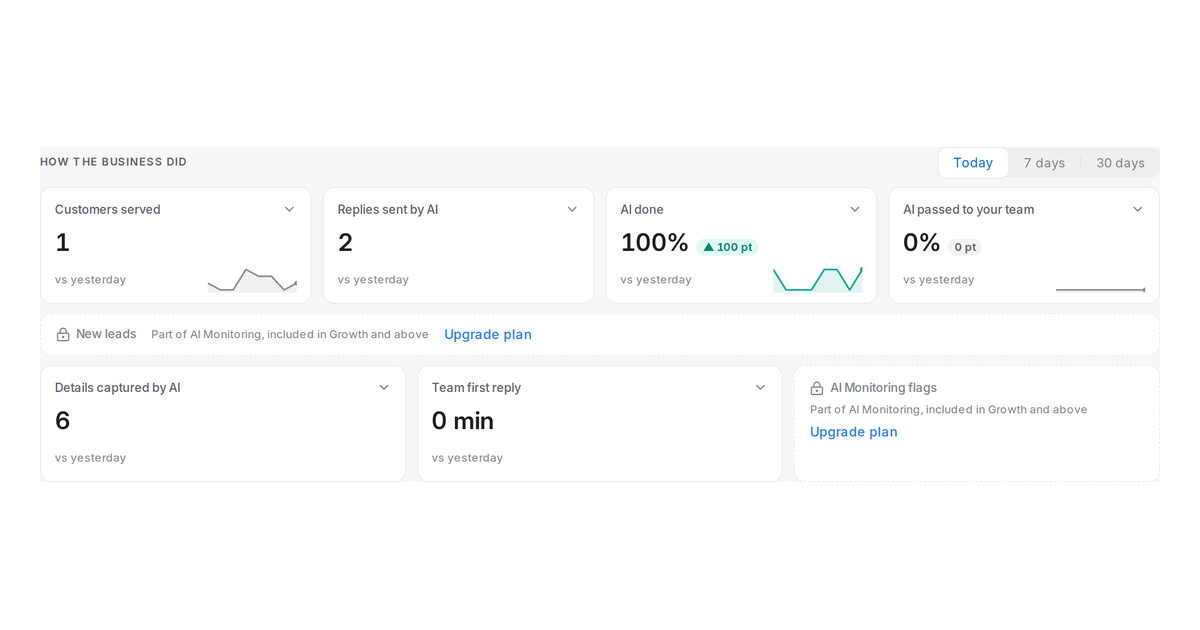
Home dashboard for every workspace
Every workspace now gets the daily Home summary once an AI agent is live. Plans without AI Monitoring see the lead report and flags greyed with an Upgrade link.
Read more: Home dashboard for every workspaceAI rewrite now answers what the customer asked
With Let AI rewrite messages on, each FAQ answer now uses the customer's own details, while prices, dates and links stay exactly as you wrote them.
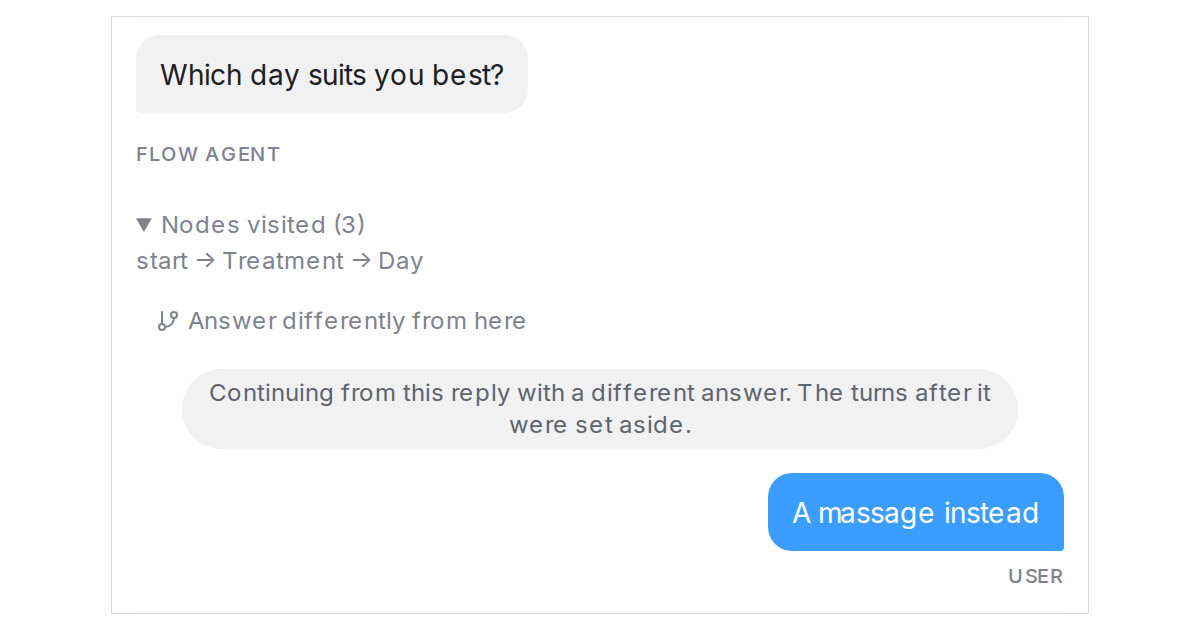
Read more: AI rewrite now answers what the customer askedTry a different answer from an earlier Playground reply
Click Answer differently from here under an earlier reply to go back to that point of a test and continue with another answer, keeping what was collected.
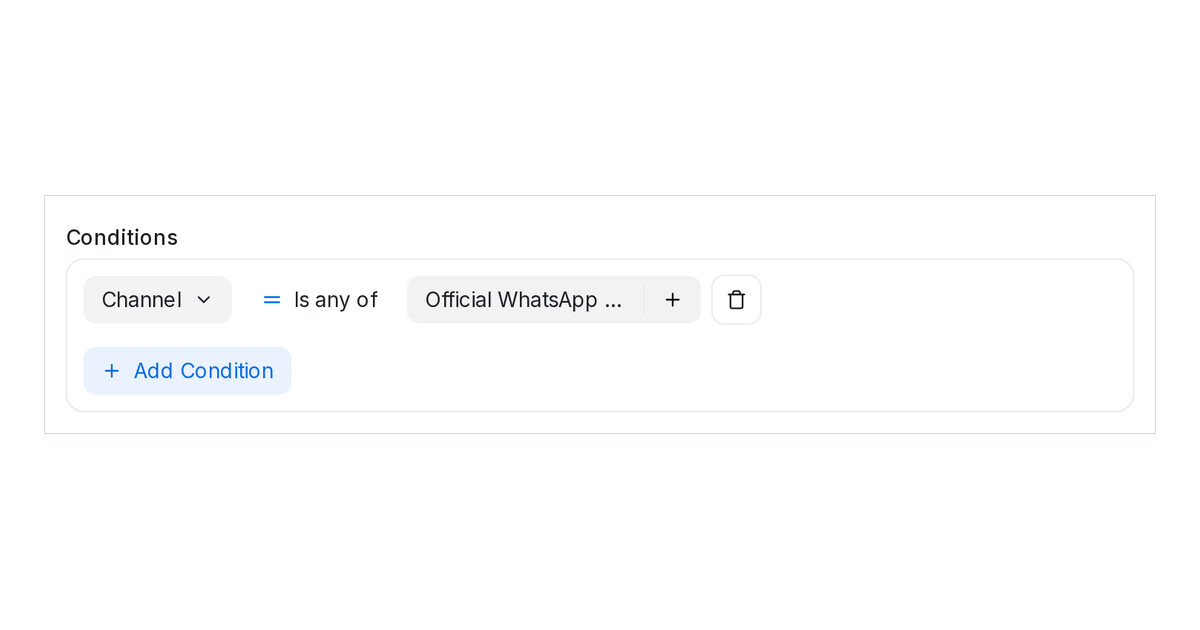
Read more: Try a different answer from an earlier Playground replyApply one rule to every WhatsApp number with the Channel condition
Set a rule, folder, segment or sequence condition to a channel instead of listing inboxes. New numbers of that channel are covered automatically.
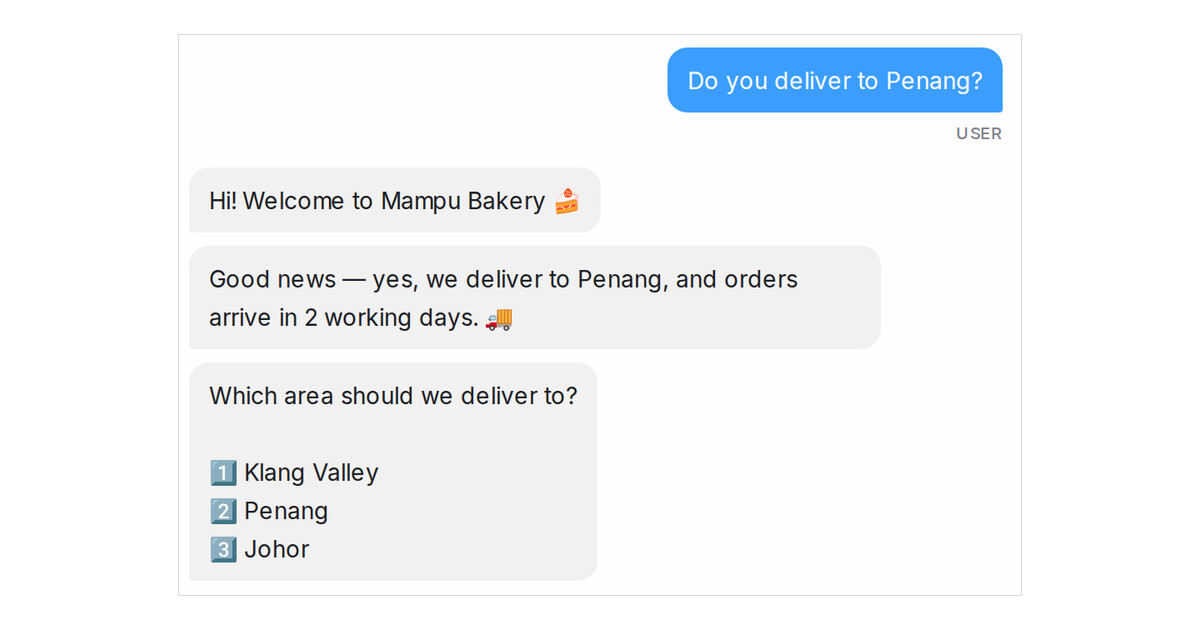
Read more: Apply one rule to every WhatsApp number with the Channel conditionYour greeting now comes before the FAQ answer on a first message
When a customer opens with a question your AI Knowledge answers, the flow agent greets them first, then answers, then carries on with the flow.
Read more: Your greeting now comes before the FAQ answer on a first messageLinks in flow replies become a button the customer can tap
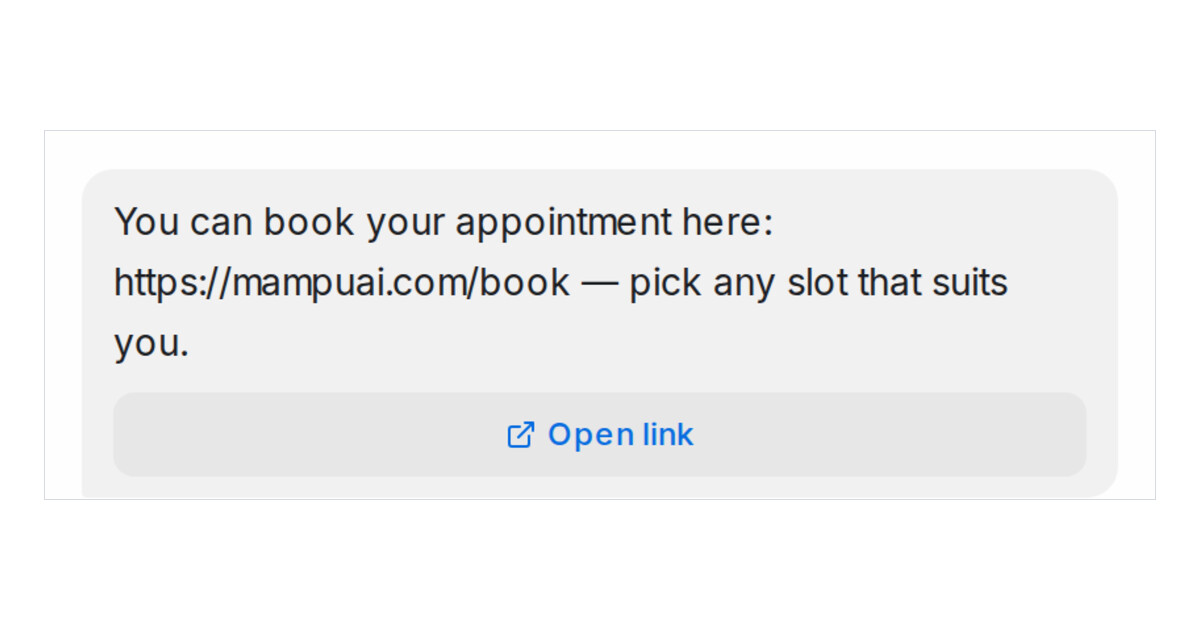
When a Flow Agent reply carries a link, the customer now gets a tappable button under the message, with the link still in the text.
Read more: Links in flow replies become a button the customer can tapShifts decide which agents take new leads at each hour
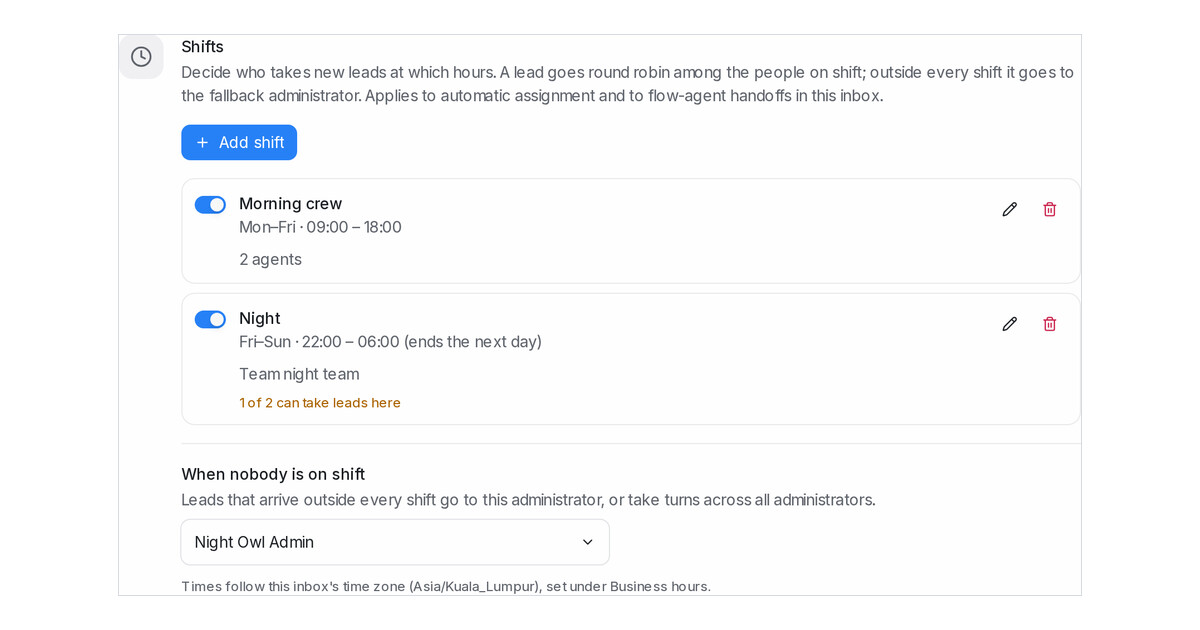
Set shifts on an inbox so new leads go round robin only to the agents or team on duty, and an administrator takes any lead that arrives outside every shift.
Read more: Shifts decide which agents take new leads at each hourTurn message sequences off and on without deleting them
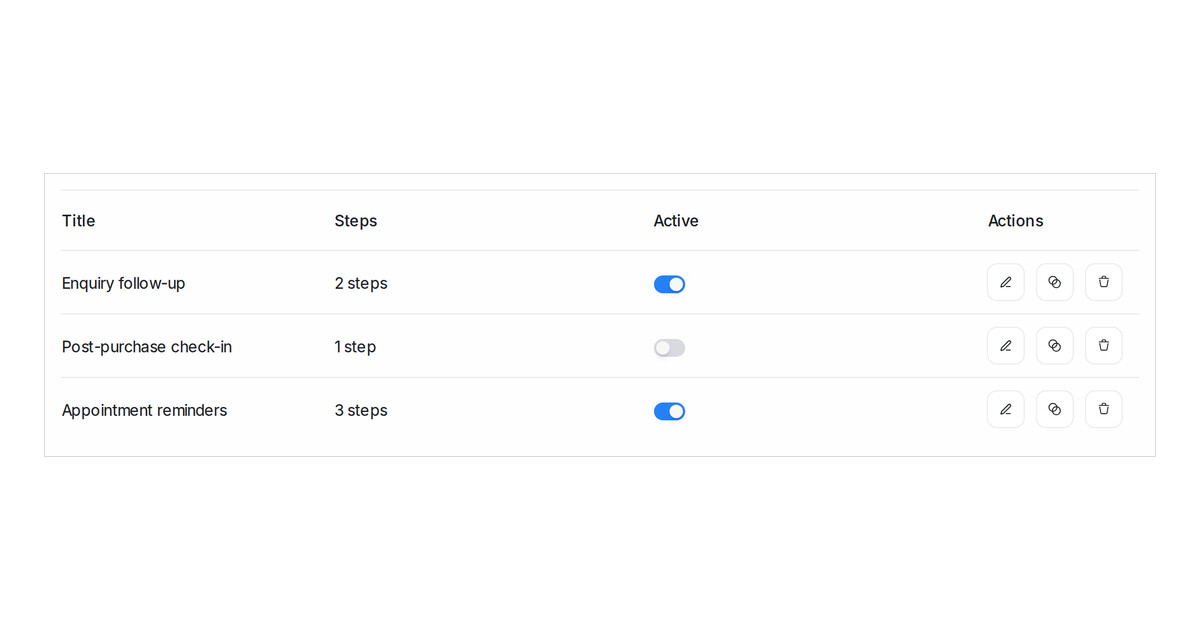
Pause any message sequence with its Active switch. While it is off nothing starts it and its waiting messages are skipped, with every step kept.
Read more: Turn message sequences off and on without deleting themLet AI fill a contact's name, email and phone
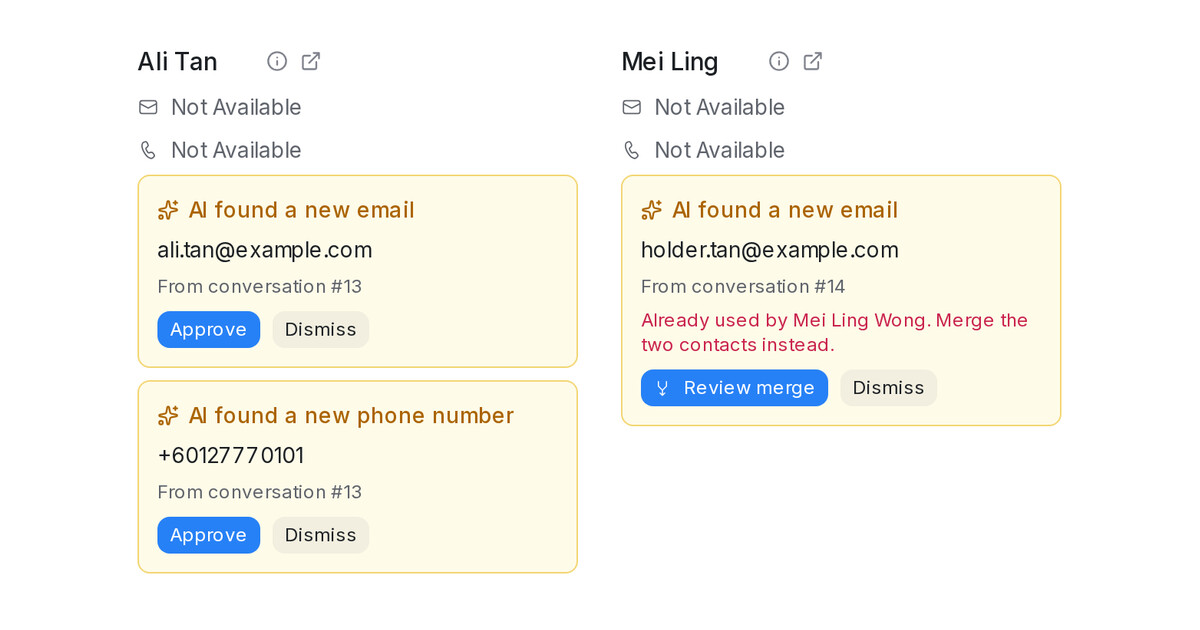
Name, Email and Phone number are now System attributes the AI can fill. A new email or phone waits for your team to approve it.
Read more: Let AI fill a contact's name, email and phoneWrite your Flow Agent steps in other languages yourself
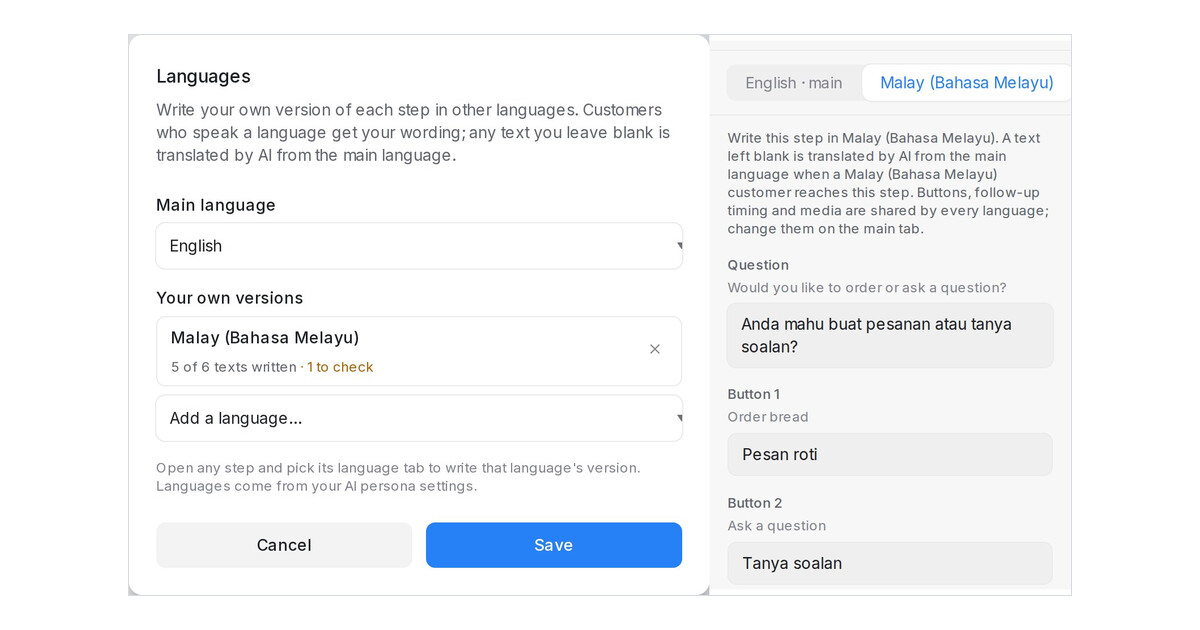
Write your own Malay, Chinese or other version of each Flow Agent step. Steps you leave blank are still translated by AI.
Read more: Write your Flow Agent steps in other languages yourselfCancel a Shopify order from the chat
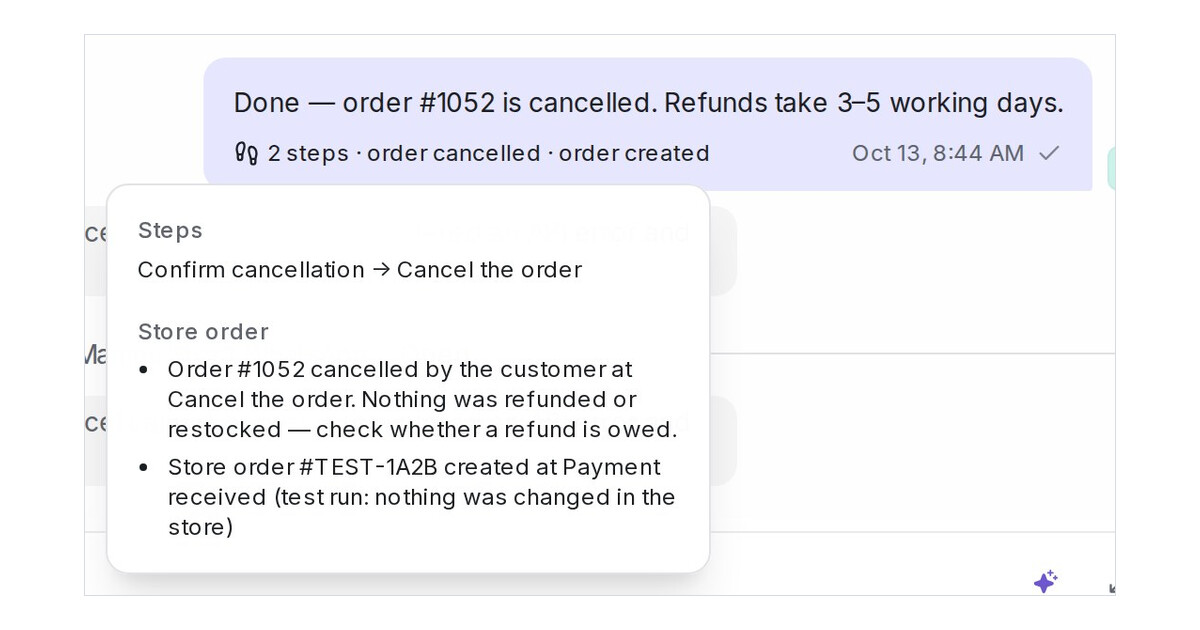
Your flow agent can now cancel a customer's Shopify order on request, when it is theirs and nothing has shipped, and hands off with a note when it cannot.
Read more: Cancel a Shopify order from the chatSee which products a condition hid in the Playground
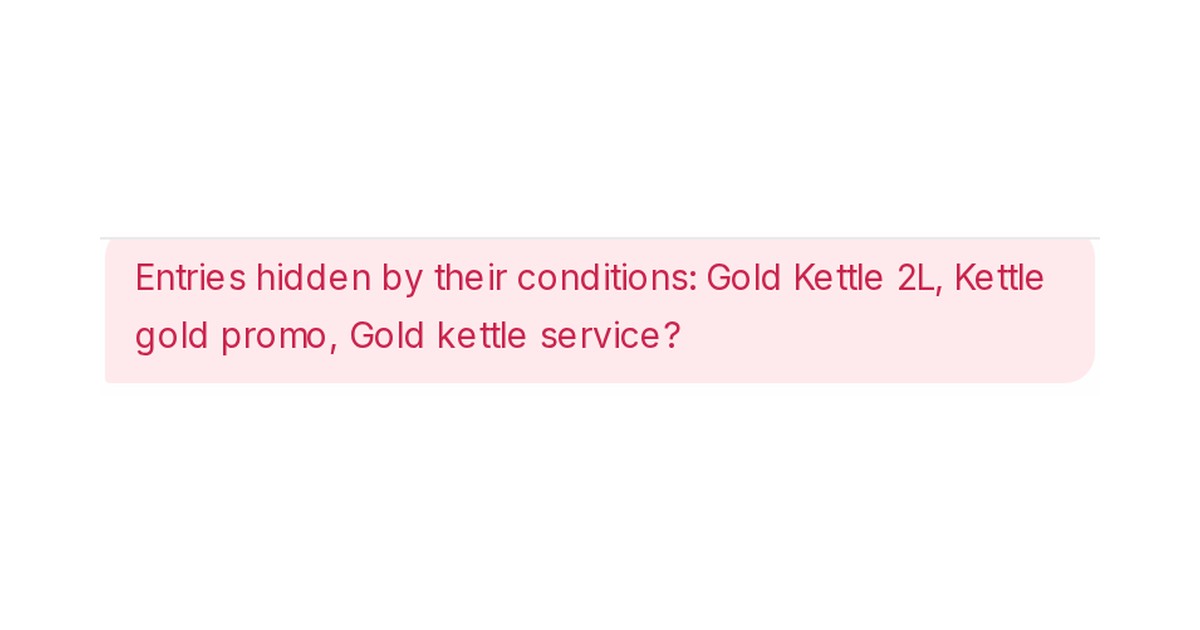
The Playground now names every entry a condition hid for the test customer, products and promotions included, and scripted test runs judge conditions too.
Read more: See which products a condition hid in the PlaygroundKeep the AI inside one part of your flow with journeys
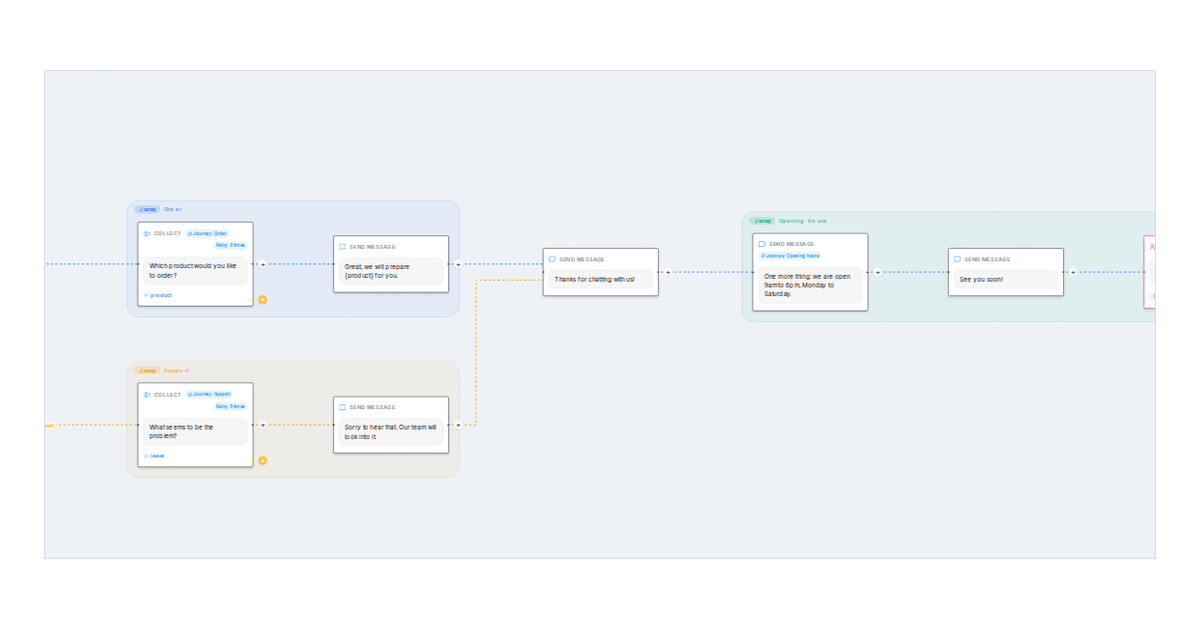
Mark a step as the start of a journey, see each journey as a cloud on the canvas, and keep the AI inside the journey the customer is in.
Read more: Keep the AI inside one part of your flow with journeysFollow a line to the step it leads into in the flow designer
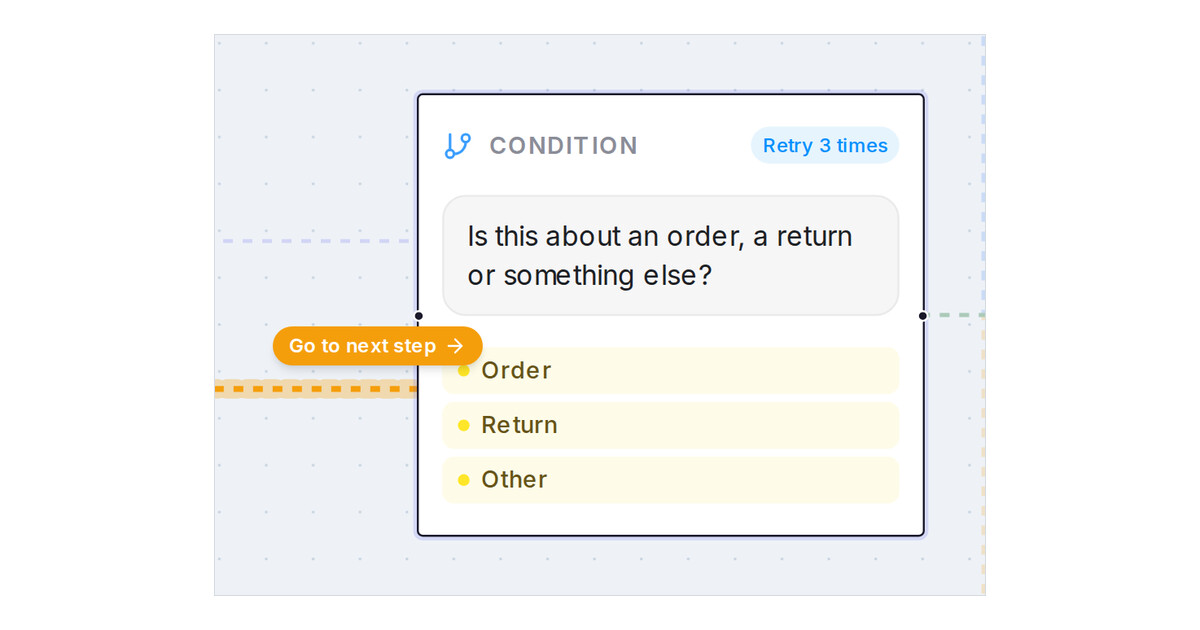
Press a line on the flow designer canvas and a Go to next step button takes you to the step at its end, so long lines no longer need panning.
Read more: Follow a line to the step it leads into in the flow designerOptimised delivery for WhatsApp marketing templates
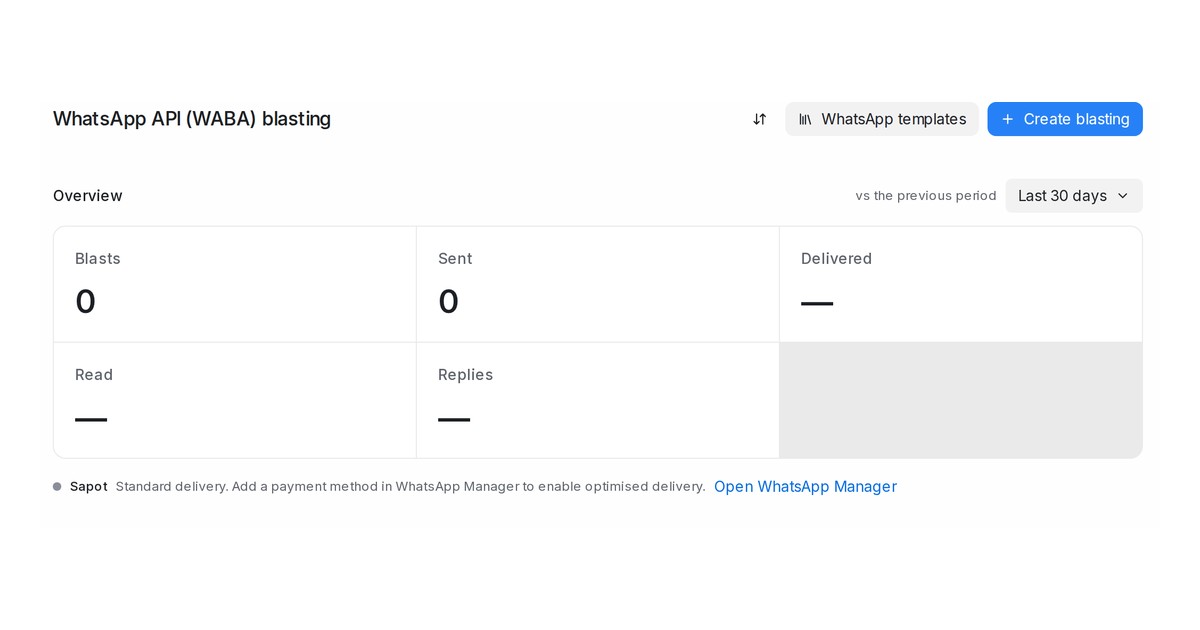
Marketing templates from a WhatsApp API number now take Meta's optimised route once the number is set up. A line under each number shows where it stands.
Read more: Optimised delivery for WhatsApp marketing templatesShow a product only to customers who match conditions
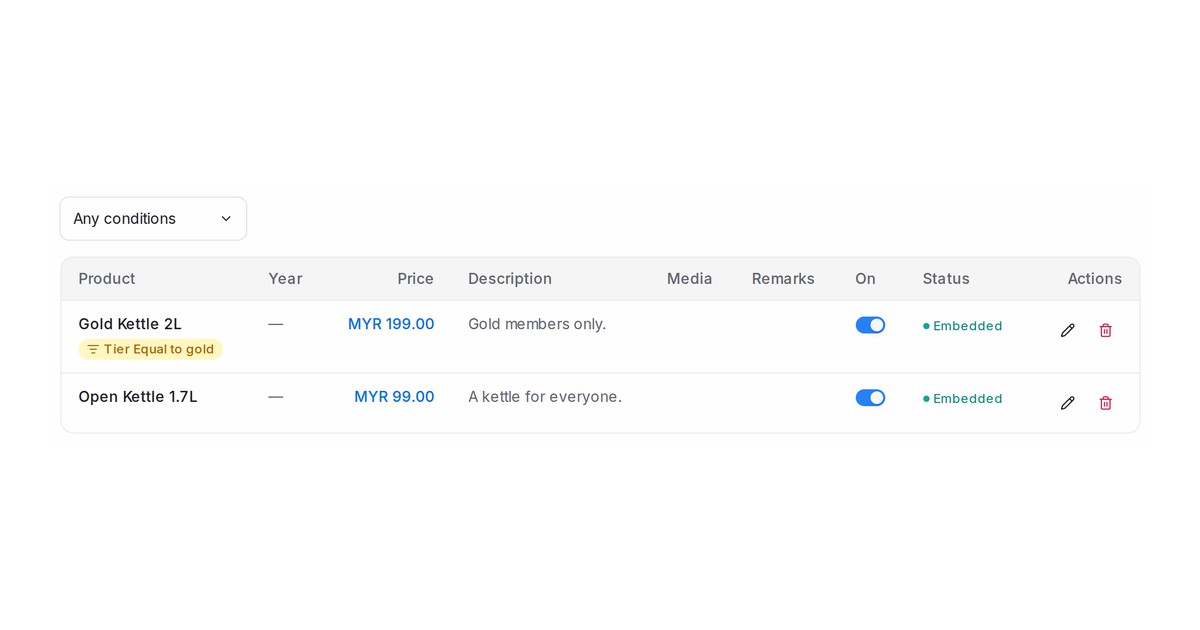
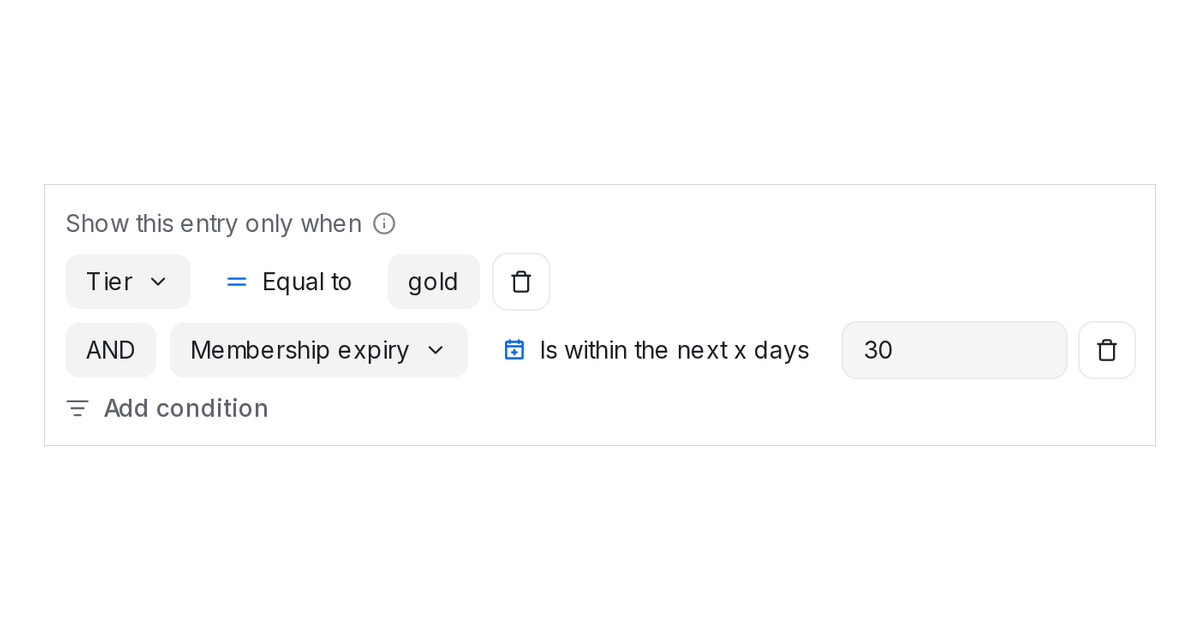
Product entries in AI Knowledge now take the same conditions as FAQs, so the agent recommends a product only to customers who match its rows.
Read more: Show a product only to customers who match conditionsClearer names for the two ways to connect WhatsApp
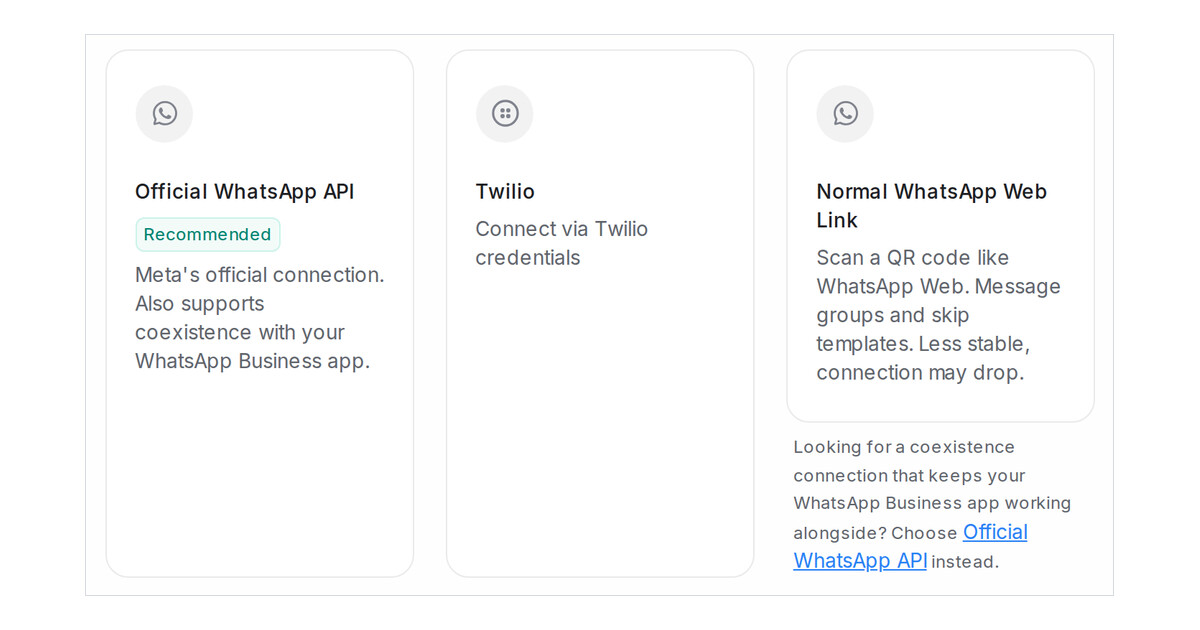
The WhatsApp inbox picker now reads Official WhatsApp API and Normal WhatsApp Web Link, with a note that points coexistence seekers to the official option.
Read more: Clearer names for the two ways to connect WhatsAppShow only personal chats or only group chats on a QR-connected WhatsApp inbox
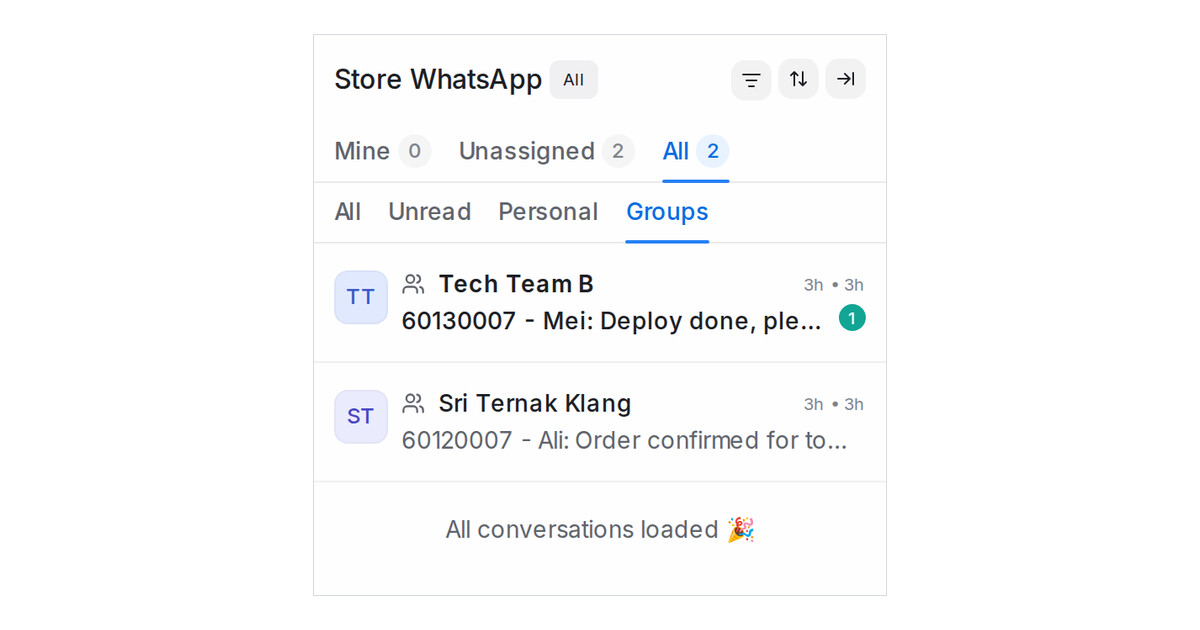
On a WhatsApp inbox connected by QR code, the list row now offers Personal and Groups, and every group chat carries a people icon before its name.
Read more: Show only personal chats or only group chats on a QR-connected WhatsApp inboxOffer an FAQ only to customers who match conditions
An AI Knowledge entry can now carry conditions on the customer's attributes, labels, inbox and dates, so the agent offers it only to customers who match.
Read more: Offer an FAQ only to customers who match conditionsReply to Instagram comments automatically, and reconnect Facebook or Instagram inboxes any time
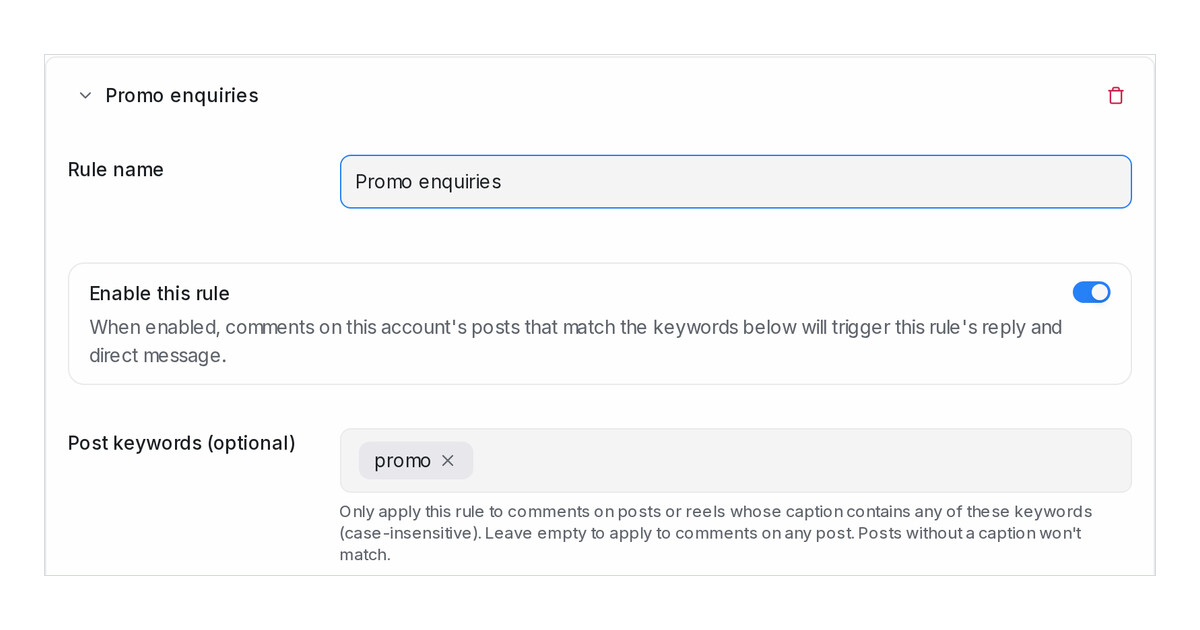
Keyword rules on an Instagram inbox now answer comments publicly and by private message, and a Connection section reconnects Facebook or Instagram any time.
Read more: Reply to Instagram comments automatically, and reconnect Facebook or Instagram inboxes any time